EYE MINI USER MANUAL 16
Getting Set-Up
1. Download Uneekor Launcher to your PC. The Launcher can be found under the
resources section of Uneekor.com or click on the link below to download.
Uneekor Launcher.exe
2. Once the launcher is installed, create or login to your My.Uneekor account.
My.Uneekor
For any assistance using the Uneekor Launcher, please reference the guide below.
Installation Guide
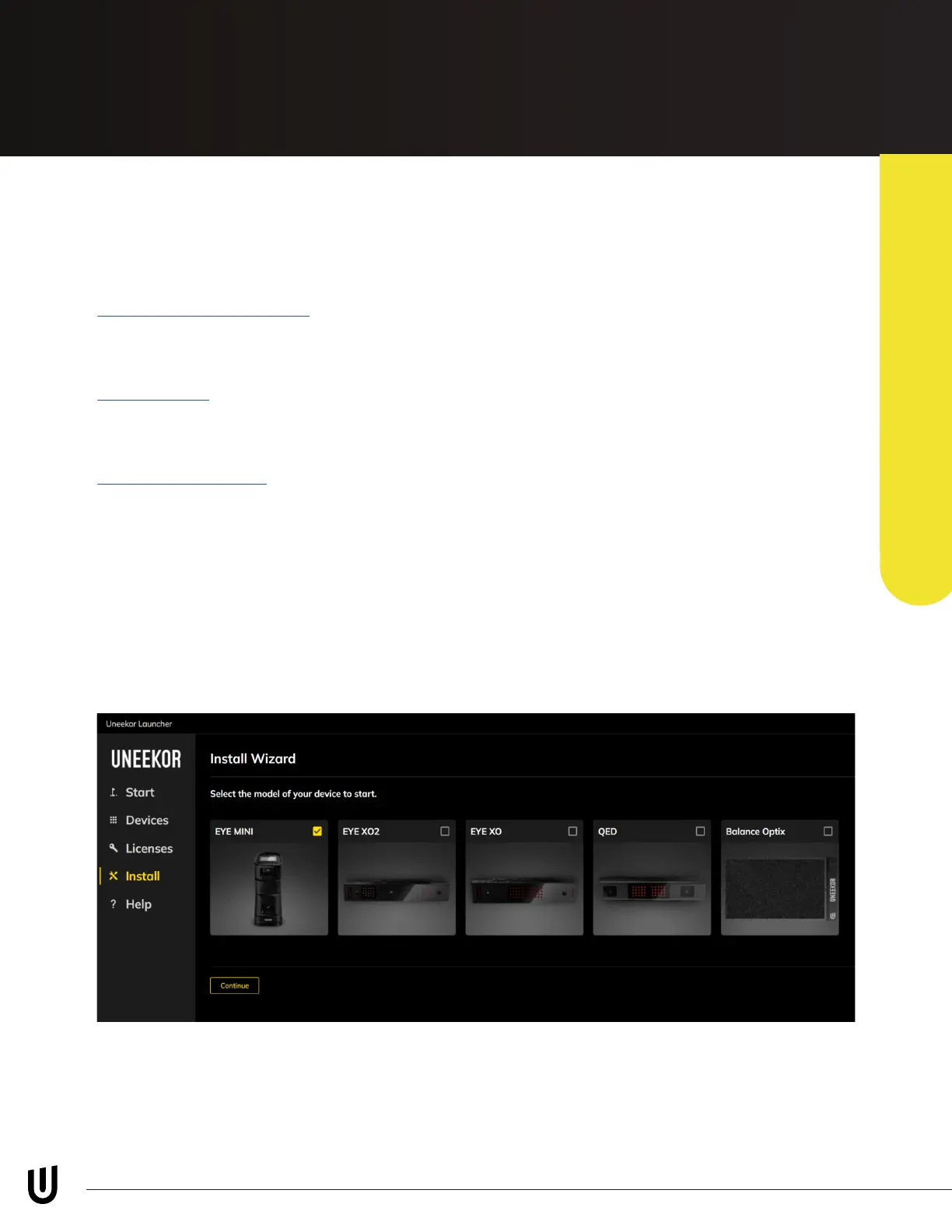
3. Open the Uneekor Launcher on your PC and go to the “Install” tab on the
left-hand side and select EYE MINI, then continue.
Follow the step-by-step instructions on the Launcher Window to set up your
EYE MINI. During this installation process your EYE MINI will be registered to your
account. See the next page for more information on connecting your EYE MINI to
the internet.
Getting Set-Up
PC Software Installation



 To Next Page