EasyManua.ls Logo

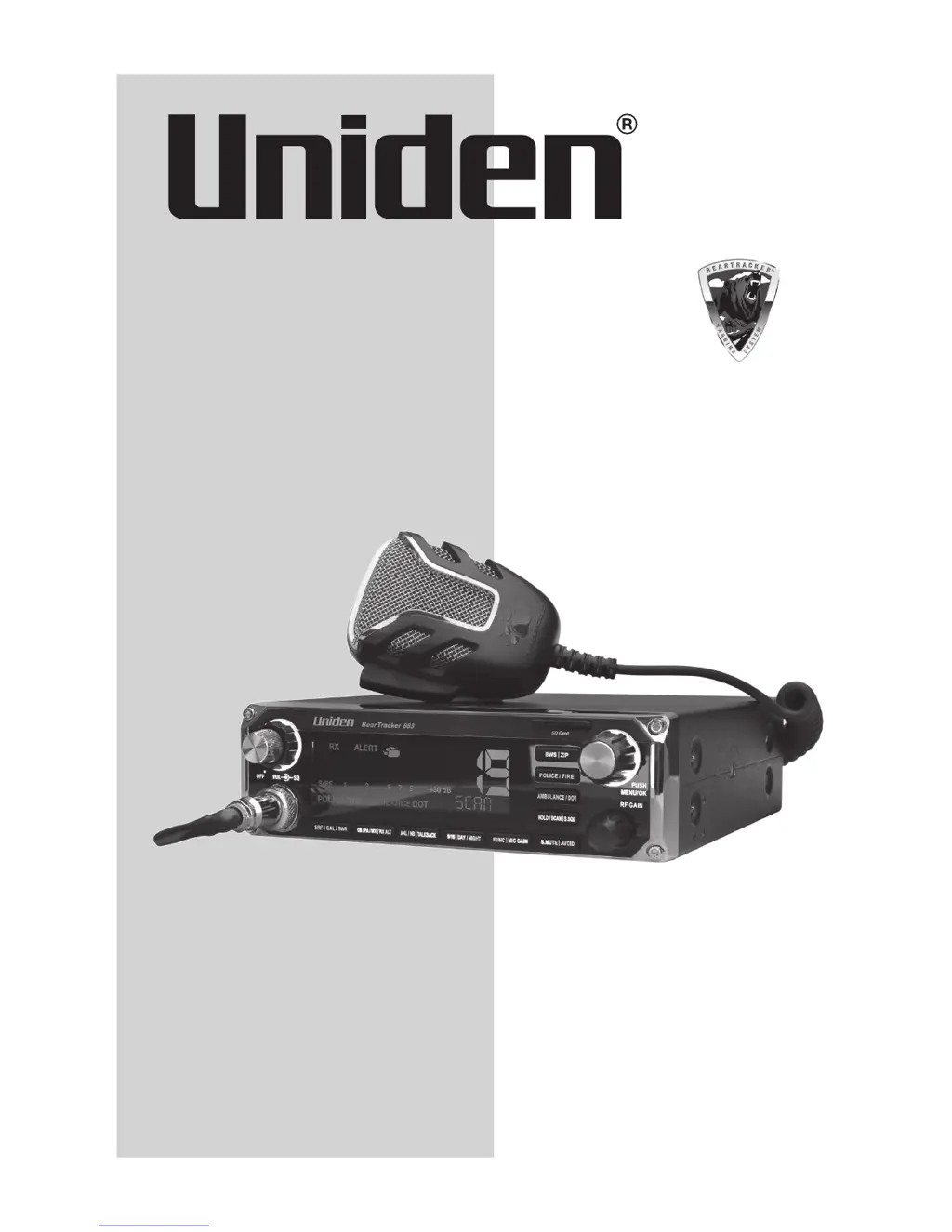
Uniden BearTracker 885 - User Manual

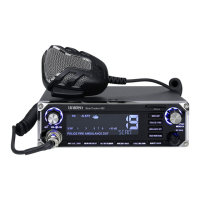
Uniden BearTracker 885
40 pages
Print Icon
To Next Page IconTo Next Page
Loading...
Owner’s Manual
Printed in Vietnam
U01UT416ZZZ(0)
BearTracker 885

Questions and Answers

  • J
    Jamie RamirezJul 27, 2025
    What to do if my Uniden Transceiver has no reception?
    • A
      Angela BarrJul 27, 2025
      If your Uniden Transceiver isn't receiving signals, there are several things you can check: * Verify the microphone connection. * Ensure the CB/PA is set to CB. * Check the VOLUME and SQUELCH settings. * Inspect the antenna and its connection. * Adjust the RF Gain.
  • G
    Glenn RileyAug 1, 2025
    Why is my Uniden Transceiver reception poor?
    • L
      Lisa CooperAug 1, 2025
      If you're experiencing poor reception with your Uniden Transceiver, consider the following: * Check the VOLUME and SQUELCH levels. * Ensure the antenna SWR is normal. * Adjust the RF Gain.
  • M
    Matthew BlairAug 5, 2025
    What to do if my Uniden Transceiver has no transmission?
    • T
      Tyler HernandezAug 5, 2025
      If your Uniden Transceiver isn't transmitting, try these steps: * Ensure the CB/PA/WX|WX.ALT switch is set to CB. * Check the microphone connection. * Adjust the MIC Gain.
  • M
    Michael ElliottAug 10, 2025
    How to fix Uniden Transceiver that does not power up?
    • P
      Phillip SpencerAug 11, 2025
      If your Uniden Transceiver isn't powering on, try the following: * Check the power cord connections. * Check the fuse. * Check the vehicle's electrical system.
  • D
    David GibsonAug 16, 2025
    Why is my Uniden Transceiver transmission low?
    • B
      Brett GilbertAug 16, 2025
      If your Uniden Transceiver has low transmission, try adjusting the MIC Gain.
  • B
    Brian JohnsonAug 21, 2025
    What to do if my Uniden Transceiver has no GPS signal?
    • E
      Erin MorrisonAug 21, 2025
      If your Uniden Transceiver isn't getting a GPS signal, check the RJ45 jack connections and examine the GPS module for any damage.

Summary

Overview of Uniden BearTracker 885

Scanner Functionality

Details the radio's capability to scan public safety and DOT channels using an included GPS.

CB Radio Features

Explains the integrated CB radio features including 40 channels, 4-Watt power, and noise-cancelling microphone.

BearTracker Warning System

Describes the BearTracker Warning System (BWS) that alerts to nearby public safety radio traffic.

Product Feature Highlights

Lists the main features like 7-color LCD, Weather Alert, digital/analog scanning, and VHF/UHF support.

Controls and Functions

Main Control Descriptions

Explains primary controls like Volume, Squelch, SRF/CAL/SWR, and keypads for channel selection and modes.

Secondary Controls and Ports

Details additional controls, function keys, microphone, and rear panel ports for connectivity.

Installation Guide

Mobile Installation Steps

Covers mobile installation steps and essential safety notices regarding antenna placement.

Antenna and GPS Configuration

Details antenna, GPS receiver connection, and power cord installation.

Power, Grounding, and Marine Installation

Provides guidance on grounding and notes for marine installation.

Setup and Basic Operations

Device Initial Setup

Steps for initial setup, including SD card update and GPS data acquisition.

Emergency Operation Mode

How to use the radio for emergency broadcasts via Channel 9.

Key Functionality Overview

Explains the functionality of various keys like SRF/CAL/SWR, CB/PA/WX, ANL/NB, and FUNC|MIC GAIN.

Public Safety Channel Keys

Details how to use keys for Police, Fire, Ambulance, and DOT channel monitoring.

Advanced Features and Settings

Weather Mode and Alerts

How to operate in Weather mode and receive alerts.

Scanner Function Details

Explains the scanner's capabilities and how to customize scanning.

Function Key Operations

How to use the Function key with other keys for WX Alert, Talkback, and Day/Night settings.

Menu System Navigation

Guide to accessing and using the device's menu system for customization.

Customization and Maintenance

LCD Display Customization

Adjusting LCD color, contrast, and brightness for day and night modes.

Alert and Audio Configuration

Configuring BWS alerts, audio priority, and key press tones.

Additional Operational Features

Details on SRF/CAL/SWR meter and antenna system checks.

Database Update Manager

Instructions for updating the radio's frequency database using the BTOM software.

Troubleshooting and Specifications

Scheduled Maintenance

Recommended maintenance checks to be performed every six months.

Troubleshooting Common Problems

Solutions for common problems like no power, no reception, and no transmission.

General Device Specifications

Technical details including channel support, frequency range, and microphone specifications.

Scanner Technical Specifications

Specific technical data related to the scanner's band coverage, memory, and step size.

Compliance and Warranty

Regulatory Compliance (FCC;IC)

Information regarding compliance with FCC Part 15 and Industry Canada standards.

Limited Warranty Information

Details of the limited warranty, coverage, and exclusions.

Warranty Service Procedure

Instructions for contacting Uniden for warranty support and returning the product.

Radio Code Definitions

CB Radio 10-Code Glossary

A list of common "10-Codes" used for CB radio communication.

Uniden BearTracker 885 Specifications

General IconGeneral
Power Supply13.8 VDC
Weight2.2 lbs
Power Output4 Watts
GPSYes
S.A.M.E. Weather AlertYes
CB ScanYes
Weather ScanYes
Emergency ChannelsYes
BluetoothNo
Weather AlertsYes
ScannerYes
TypeMobile CB Radio
Frequency Range25 MHz to 54 MHz, 108 MHz to 174 MHz, 406 MHz to 512 MHz
Channel Capacity40 Channels
DisplayLCD

Related product manuals