EasyManua.ls Logo

Uniden DECT4086-2 - Using the Soft Keys; Base Setup

Uniden DECT4086-2
52 pages
Print Icon
To Next Page IconTo Next Page
To Previous Page IconTo Previous Page
Loading...
13
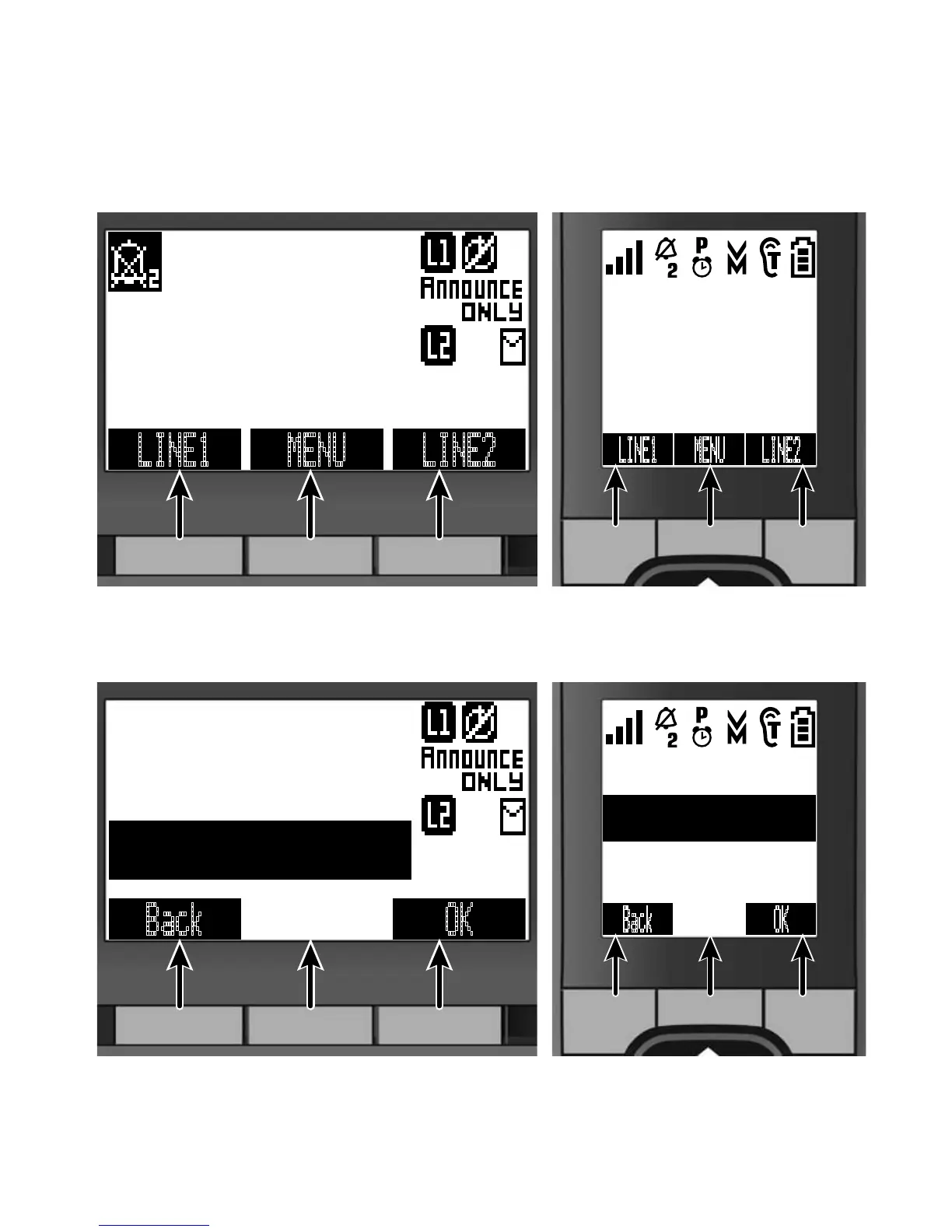
Using the Soft Keys
Soft keys are controlled by the software: they will automatically
change their function depending on what you're currently doing:
Soft keys with the phone in standby
On the base On the handset
1 21 2
LINE1
MENU
LINE2
SUN 12:00A
12/31/08
New CID: 4
Soft key 1
Soft key 2 Soft key 3
SUN 12:00A
Handset #1
New CID: 2
LINE1 MENU LINE2
Soft key
1
Soft key 2
Soft key
3
Soft keys in the main menu
On the base On the handset
1 21 2
OK Back
<Options>
Base Setup
Ans. Setup
Soft key 1
Soft key 2 Soft key 3
<Options>
Handset Setup
Ans. Setup
OK Back
Soft key
1
Soft key 2
Soft key
3
The description of the soft key's current function appears in the
bottom of the display directly above the corresponding key.

Table of Contents

Related product manuals