EasyManua.ls Logo

Uniden DECT4086-2 - Getting to Know Your Phone; Parts of the Base; Base Keys and How They Work

Uniden DECT4086-2
52 pages
Print Icon
To Next Page IconTo Next Page
To Previous Page IconTo Previous Page
Loading...
7
Getting to Know Your Phone
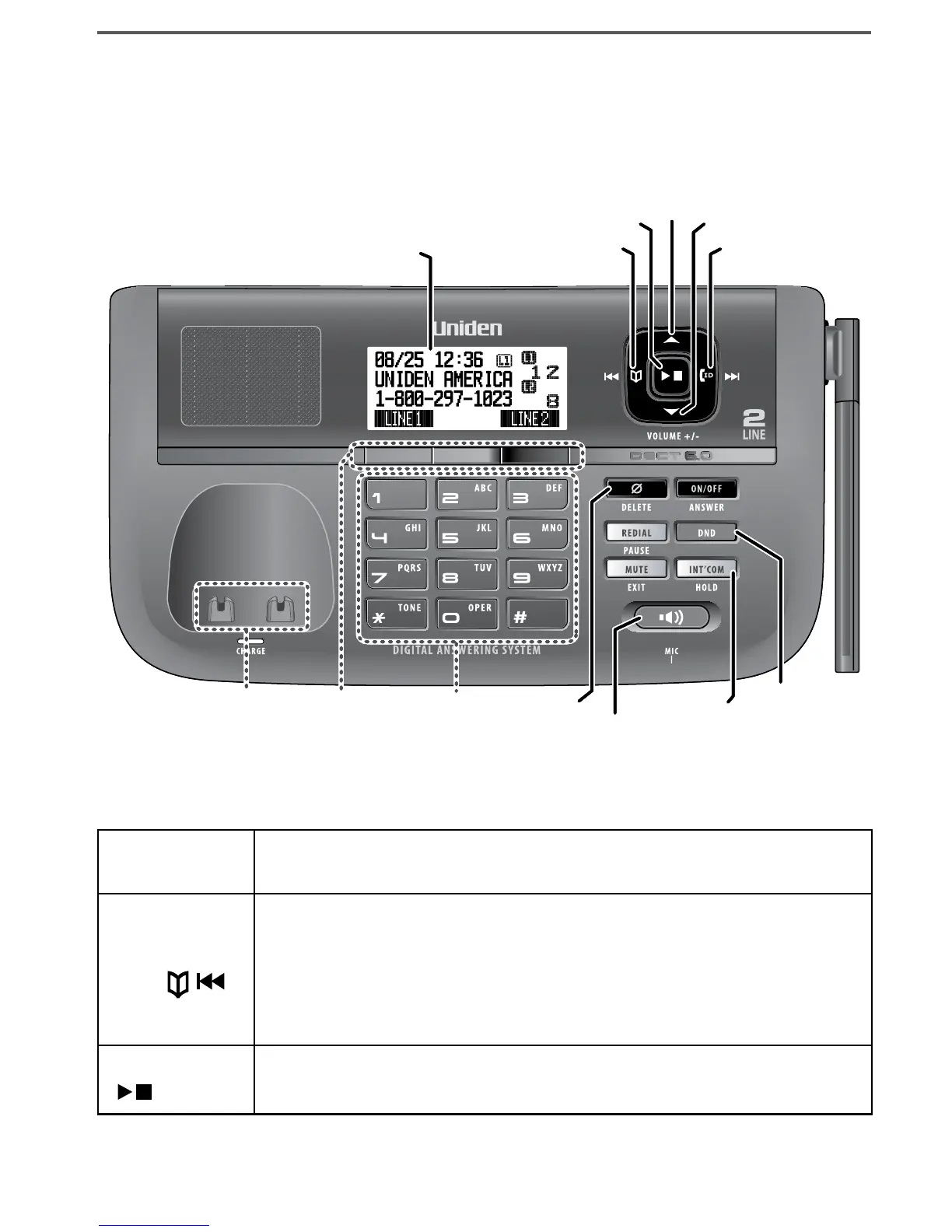
Parts of the Base
If the key name is spelled out on the key itself, it's not labeled in the
drawing below.
Base keys and how they work
Key name
(and icon)
What it does
PHONEBOOK/
LEFT ( / )
In standby or during a call: open the phonebook.
During text entry: move the cursor to the left.
In the first 2 seconds of a message: go to the previous
message.
Anytime after that: go to the beginning of this message.
-
-
-
-
PLAY/STOP
( )
In standby: start playing messages.
While a message is playing: stop playing messages.
-
-

UP
PHONEBOOK/
LEFT
DOWN
CALLER ID/
RIGHT
INTERCOM/
HOLD
12-key
dial pad
Display
DELETE
SPEAKER
PLAY/STOP
DO NOT
DISTURB
Soft
keys
Charging
contacts
UP
PHONEBOOK/
LEFT
DOWN
CALLER ID/
RIGHT
INTERCOM/
HOLD
12-key
dial pad
Display
DELETE
SPEAKER
PLAY/STOP
DO NOT
DISTURB
Soft
keys
Charging
contacts

Table of Contents

Related product manuals