EasyManua.ls Logo

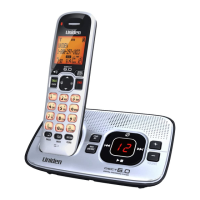
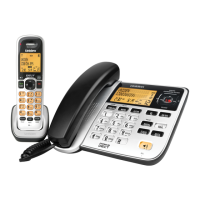
Uniden DSS7955+1 Series - User Manual

Uniden DSS7955+1 Series
84 pages
Print Icon
To Next Page IconTo Next Page
Loading...
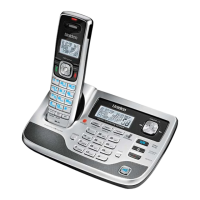
DSS7955
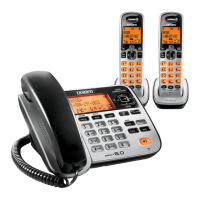
DSS7955+1
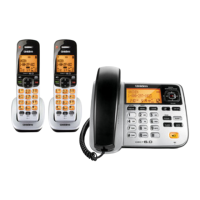
DSS7955+2
Series Owners Manual
OWNER’S MANUAL

Table of Contents

Questions and Answers

  • P
    paulmarkJul 30, 2025
    What to do if my Uniden DSS7955+1 Telephone can't make or receive calls?
    • P
      peggy81Jul 30, 2025
      If your Uniden Telephone isn't making or receiving calls, ensure you're close to the base. Check that the line isn't already in use for another outside call. Inspect both ends of the base telephone line cord and confirm the AC adapter is properly connected to both the base and the wall outlet. Try disconnecting and reconnecting the AC adapter. It may also help to change the Digital Security Code.
  • C
    Clinton GreeneAug 7, 2025
    How to fix a Uniden Telephone handset that doesn’t communicate with other handsets?
    • C
      Christopher GreenAug 7, 2025
      To fix a Uniden Telephone handset that doesn’t communicate with other handsets, ensure that you have registered all handsets. You can also try changing the Digital Security Code.
  • S
    Sean MurphyAug 14, 2025
    What to do if I can't register handsets to my Uniden DSS7955+1 base?
    • E
      evansjamesAug 14, 2025
      If you're unable to register handsets to your Uniden Telephone base, charge the battery pack in the handset for 15-20 hours. Also, try changing the Digital Security Code. Ensure that you have not already stored 10 handsets.
  • R
    rhonda36Aug 22, 2025
    How to fix Uniden Telephone registration failure after purchasing a new handset?
    • D
      Doris BerryAug 22, 2025
      If you experience registration failure on your Uniden Telephone after purchasing a new handset, press and hold [ ] and [#/>] for more than 5 seconds.

Summary

Product Overview

Answering Machine Features

Highlights the functionalities of the integrated answering machine.

Parts of the Phone

Handset

Diagram and list of parts for the cordless handset.

Base

Diagram and list of parts for the phone base unit.

Reading the Handset Display

Reading the Base Display

Using the Four-way Function Key

Using the Handset and Base Menus

Entering Text from your Phone

Installing the Phone

Choosing the Best Location

Offers advice on selecting an optimal placement for the phone base.

Wall Mounting the Base

Direct Wall Mounting

Installing the Rechargeable Battery

Connecting the Base and Charging the Handset

Connecting to the Phone Line

Testing the connection

Basic Setup

Setting the Day & Time

Instructions for setting the current date and time on the phone.

Activating Caller ID on Call Waiting

Enabling the feature to display caller information during an active call.

Adding Accessory Handsets

Compatible Handsets

Lists the models of accessory handsets compatible with this phone.

Charge the Accessory Handset

Instructions for charging a new accessory handset before first use.

Registering DSS7905 Accessory Handsets

Registering DSS7805 WP Compatible Handsets

Resetting the Handsets

Setting up the Phonebook

Creating Phonebook Entries

Step-by-step process for adding new names and numbers to the phonebook.

Finding a Phonebook Entry

Editing Phonebook Entries

Storing Caller ID or Redial Numbers (Handset only) in the Phonebook

Erasing Phonebook Entries

Customizing Your Phone

Using your Phone

Making a call from the Phonebook

Making a call with Speed Dial

Using Caller ID, Call Waiting and Redial Lists

Making a call from a Caller ID Record

Deleting Caller ID Numbers

Using Call Waiting

Redialing a Number

Adjusting the Ringer, Earpiece and Speaker Volume

Finding a Lost Handset

Using Hold, Conference and Transfer

Transferring a Call

Answering a Transferred Call

Using Special Features

Using the DirectLink Feature

Making a DirectLink Call

Intercom

Answering an Intercom Page

Setting Up the Answering Machine

Features

Lists the various functions and capabilities of the answering machine.

Using the Answering Machine Interface

Your Greeting

Setting the Number of Rings

Setting the Record Time (or Announce only)

Setting a Security Code or Personal Identification Number (PIN)

Using the Answering Machine

Reviewing Messages

Screening Calls

Remotely Operating Your Answering Machine

Maintenance

Battery Replacement and Handling

Troubleshooting

Common Issues

Liquid Damage

Precautions!

Important Safety Instructions

One Year Limited Warranty

Uniden DSS7955+1 Series Specifications

General IconGeneral
Caller IDYes
Call WaitingYes
Talk TimeUp to 10 hours
DECT 6.0 TechnologyYes
Frequency1.9 GHz
Power SourceAC adapter
TypeCordless Phone
SpeakerphoneYes
Battery TypeNiMH
ExpandableYes

Related product manuals