LCD Indicators appear
when selected by
pressing the
corresponding button.
NOTE
LCD Panel
Rear Panel
12
13
14 15
16
10
11
9
8
7
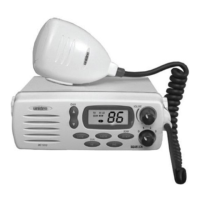
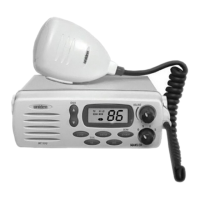
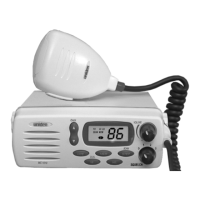
VOLUME (On/Off/Volume) -
Turns the MC 1010 On or Off and varies
the audio volume.
SQUELCH - Eliminates background
noise when no signal is being received.
1
2
Antenna Connector - Connect the antenna
here using a type PL259 plug.
9
LCD Numerical Channel Display -
Indicates Channel Number in use.
(Dual Watch) - Indicates Dual
Watch has been selected.
SCAN - Indicates that you are scanning
the channels in memory.
TX (Transmit) - Indicates when
transmitting.
HI (High) - Indicates transmitted output
power is 25 Watts.
LO (Low) - Indicates transmitted output
power is 1 Watt.
MEM (Memory) - Indicates if the
displayed channel is in memory for
scanning.
10
CHAN - Used to manually select
the desired Communication Channel
6
LCD Panel
5
DC Power - Connect to the supplied
Power Cord.
Remote Speaker Jack - An external, 4 Ohm,
4 Watt speaker may be connected to this
jack. The connecting wire must have a
miniature plug.
7
8
5
1
3
4
4
TX HI LO
SCAN MEM
VOLUME
SCAN
MEM
TX
HI LO
11
12
13
14
15
16
LITE
CHAN
MEM
16
H/L
STEP
SCAN
CONTROLS AND INDICATORS
2
PTT - Microphone - ‘Push To Talk’ button.
‘Multi Function Buttons’ see page 5.
3
4
6
DUAL
Front Panel
MC1010
SQUELCH
0
1
2
3

 To Next Page
 Loading...