EasyManua.ls Logo

Uniden MHS126 - User Manual

Uniden MHS126
48 pages
Print Icon
To Next Page IconTo Next Page
Loading...
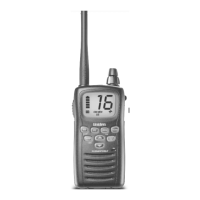
MHS126
RADIO VHF MARITIME
GUIDE DUTILISATION
VHF MARINE RADIO
OWNER’S MANUAL

Table of Contents

Questions and Answers

  • M
    Molly MorganAug 13, 2025
    How to fix no sound on Uniden Marine Radio?
    • D
      denise53Aug 14, 2025
      If you can't hear anything from the speaker of your Uniden Marine Radio, it's likely that the squelch level is set too high. Try adjusting the squelch level.
  • R
    ricardocobbAug 17, 2025
    How to stop noise from Uniden MHS126 Marine Radio speaker?
    • A
      aaron08Aug 17, 2025
      If noise is constantly coming from the speaker of your Uniden Marine Radio, the squelch level is probably too low. Adjust the squelch level to eliminate the noise.
  • G
    gonzalezmelissaAug 21, 2025
    What to do if Uniden Marine Radio sound is muffled?
    • B
      Bailey PrinceAug 21, 2025
      If the sound from your Uniden Marine Radio is muffled or the volume is low, check the speaker grill for water. Clear any water from the speaker grill to improve the sound quality.
  • C
    Christopher GibbsAug 25, 2025
    Why won't my Uniden Marine Radio transmit?
    • T
      Travis NguyenAug 26, 2025
      If your Uniden Marine Radio won't transmit, first ensure you are not in Weather or Scan mode. Additionally, verify that you are not attempting to transmit on a receive-only channel and that you're using the correct power level for the channel. Check the battery level and charge if necessary. Also, ensure that each transmission is less than 5 minutes in duration.
  • D
    Derek LeonardAug 29, 2025
    Why is my Uniden MHS126 display flashing?
    • A
      Amy CarpenterAug 29, 2025
      If the display on your Uniden Marine Radio is flashing, it could be because the radio is in a Watch mode or Scan mode. The channel number will flash in these modes. Try turning off scanning, Weather Alert Watch, Triple Watch, or Dual Watch to resolve this.
  • J
    Joyce HernandezSep 1, 2025
    What to do if Uniden MHS126 charger LED doesn't turn on?
    • A
      Amanda GrantSep 1, 2025
      If the power LED on your Uniden Marine Radio charger doesn’t turn on, do not use the charger when the ambient temperature is below 0° C (32° F) or above 45° C (113° F). Also, ensure that the charging contacts on the radio and charger are clean. If the issue persists, consider replacing the battery.
  • J
    John CookSep 5, 2025
    Why can't anyone hear me on my Uniden Marine Radio?
    • H
      Holly WatsonSep 5, 2025
      If you can transmit with your Uniden Marine Radio, but no one can hear you, check your UIC channel settings. Ensure the area you are in uses the same channel assignments.
  • A
    Amber PetersonSep 8, 2025
    How to turn on hazard alerts on Uniden Marine Radio?
    • P
      Patrick VangSep 9, 2025
      To receive hazard alerts on your Uniden Marine Radio, make sure the Weather Alert Watch is turned on.

Summary

Making a Distress Call

Introduction and Product Features

Submersible Design

Explains the radio's water-resistant standards and submersion limits.

Radio Anatomy and Controls

Front View Controls and Displays

Identifies all buttons and displays on the front of the radio.

Button Operations Guide

Key Button Functions

Explains the primary and secondary functions of key buttons.

Display Icon Meanings

Understanding Radio Modes

Core Operation Modes

Describes Normal, Scan, and Weather modes and their uses.

Watch Mode Functions

Details Weather Alert Watch, Dual Watch, and Triple Watch operations.

Normal Mode Operations

Basic Normal Mode Usage

Explains transmitting, microphone use, and channel scrolling.

Advanced Mode Operations

Triple;Dual Watch in Normal Mode

Using Triple or Dual Watch while in Normal mode.

Scan Mode Basics

How to save and monitor channels using Scan mode.

Weather Mode Operations (Part 1)

Hardware Setup and Battery Options

Antenna and Battery Installation

Instructions for attaching the antenna and installing the battery.

Charger Setup and Battery Charging

Using Your Radio

Volume and Squelch Settings

How to adjust speaker volume and squelch levels.

Channel and Mode Settings

Weather (WX) Mode Activation

Activating and using the Weather mode for alerts.

Making a Transmission

Channel Selection and Transmission

How to select channels and initiate a transmission.

Transmission Power Boost

Options for increasing transmission power for better range.

Memory and Channel Management

Saving Channels to Memory

Instructions for saving channels for later scanning.

Special Features

SOS Strobe Light and Flashlight

Utilizing the SOS signal and flashlight functions.

Maintenance and Troubleshooting

Common Problems and Solutions

Addresses frequent issues like power, transmission, and sound problems.

Technical Specifications

General and Transmitter Specifications

Details frequency ranges, power output, and general radio specs.

Receiver Specifications

US Marine Channel Frequency Tables

US Marine Channels (Page 36)

Lists frequencies and names for US marine channels starting on this page.

US Marine Channel Frequencies (Continued)

Canadian Marine Channel Frequency Tables

Canadian Marine Channel Frequencies (Continued)

International Marine Channel Frequency Tables

International Marine Channel Frequencies (Continued)

Weather Channel Frequencies

Safety and Regulatory Information

RF Exposure and Battery Safety

Battery Safety and Operation Warnings

Uniden MHS126 Specifications

General IconGeneral
Waterproof RatingIPX7
NOAA Weather ChannelsYes
ChannelsUSA, International, and Canadian channels
Power Output1W / 5W
BatteryRechargeable Lithium-ion

Related product manuals