EasyManua.ls Logo

Uniden MHS127 - User Manual

Uniden MHS127
40 pages
Print Icon
To Next Page IconTo Next Page
Loading...
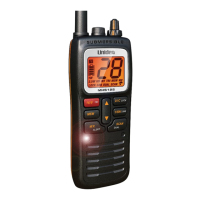
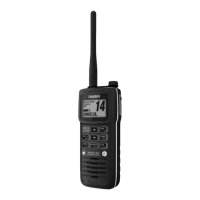
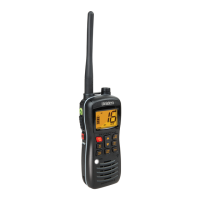
MHS127
Handheld VHF Marine Transceiver
For more exciting new products please visit our website:
Australia: www.uniden.com.au
New Zealand: www.uniden.co.nz

Other manuals for Uniden MHS127

Questions and Answers

  • J
    Jenna NixonAug 12, 2025
    What to do if my Uniden Transceiver won't transmit?
    • C
      Cameron BakerAug 12, 2025
      If your Uniden Transceiver won't transmit, ensure you are not in Weather or Scan mode. Also, verify that you are not trying to transmit on a receive-only channel or at the wrong power level for the channel. Check the battery power level and charge if it's low, and make sure each transmission is less than 5 minutes.
  • R
    Ronald HintonAug 15, 2025
    How to fix Uniden Transceiver if it won't turn on?
    • A
      Andre KellerAug 16, 2025
      If your Uniden Transceiver won't turn on, charge the radio.
  • C
    Colin PerezAug 19, 2025
    What to do if I can transmit, but no one can hear me on my Uniden Transceiver?
    • C
      Christine SantiagoAug 19, 2025
      If you can transmit with your Uniden Transceiver, but no one can hear you, check your UIC channel settings. The area you are in might use different channel assignments.
  • P
    Pamela WallaceAug 23, 2025
    Why does noise come out of the speaker all the time on my Uniden Transceiver?
    • M
      Morgan DavisAug 23, 2025
      If noise constantly emits from your Uniden Transceiver's speaker, the squelch level is likely too low. Adjust the squelch level to resolve this issue.
  • D
    Devin HawkinsAug 27, 2025
    How to fix muffled sound or low volume on Uniden Transceiver?
    • W
      William SmithAug 27, 2025
      If the sound on your Uniden Transceiver is muffled or the volume is low, clear any water from the speaker grill.
  • V
    veronica55Aug 31, 2025
    What to do if I can't hear anything from the speaker of my Uniden Transceiver?
    • A
      Aaron HernandezAug 31, 2025
      If you can't hear anything from the speaker of your Uniden Transceiver, the squelch level is probably too high. Adjust the squelch level accordingly.
  • S
    Samantha ParkerSep 3, 2025
    Why is my Uniden Transceiver display flashing?
    • C
      coxlaurenSep 3, 2025
      If the display on your Uniden Transceiver is flashing, the radio might be in a Watch mode or in Scan mode. Try turning off scanning, Triple Watch, or Dual Watch.
  • M
    matthewgutierrezSep 7, 2025
    Why doesn't the power LED on the charger turn on for my Uniden Transceiver?
    • S
      Stephanie TrujilloSep 7, 2025
      If the power LED on the charger for your Uniden Transceiver doesn’t turn on, it could be due to a few reasons: Don’t use the charger when the ambient temperature is below 0° C (32° F) or above 45° C (113° F). Also, ensure the charging contacts on the radio and charger are clean. If the issue persists, replace the battery.

Summary

Making a Distress Call

Controls and Indicators

Radio Unit Layout and Controls

Details the physical layout of buttons, ports, and display on the MHS127 radio.

Radio Operation Modes

Normal Mode Operation

Details how to operate the radio in Normal mode, including transmission and volume adjustments.

Scan Mode Operation

Explains how to use Scan mode to monitor saved channels and manage memory.

Setting Up Your Radio

Hardware Assembly and Installation

Guides on attaching the antenna, installing the battery, and using the alkaline battery tray.

Radio Usage and Features

Maintenance and Troubleshooting

Common Issues and Solutions

Provides answers to frequently asked questions and troubleshooting steps for common radio problems.

Marine Channel Information

Safety and Regulatory Information

Lithium-Ion Battery Safety Precautions

Provides critical safety information and handling precautions for the Li-Ion Polymer battery.

Uniden MHS127 Specifications

General IconGeneral
BrandUniden
ModelMHS127
CategoryMarine Radio
LanguageEnglish

Related product manuals