EasyManua.ls Logo

Uniden PRO 520XL - User Manual

Uniden PRO 520XL
13 pages
Print Icon
To Next Page IconTo Next Page
Loading...
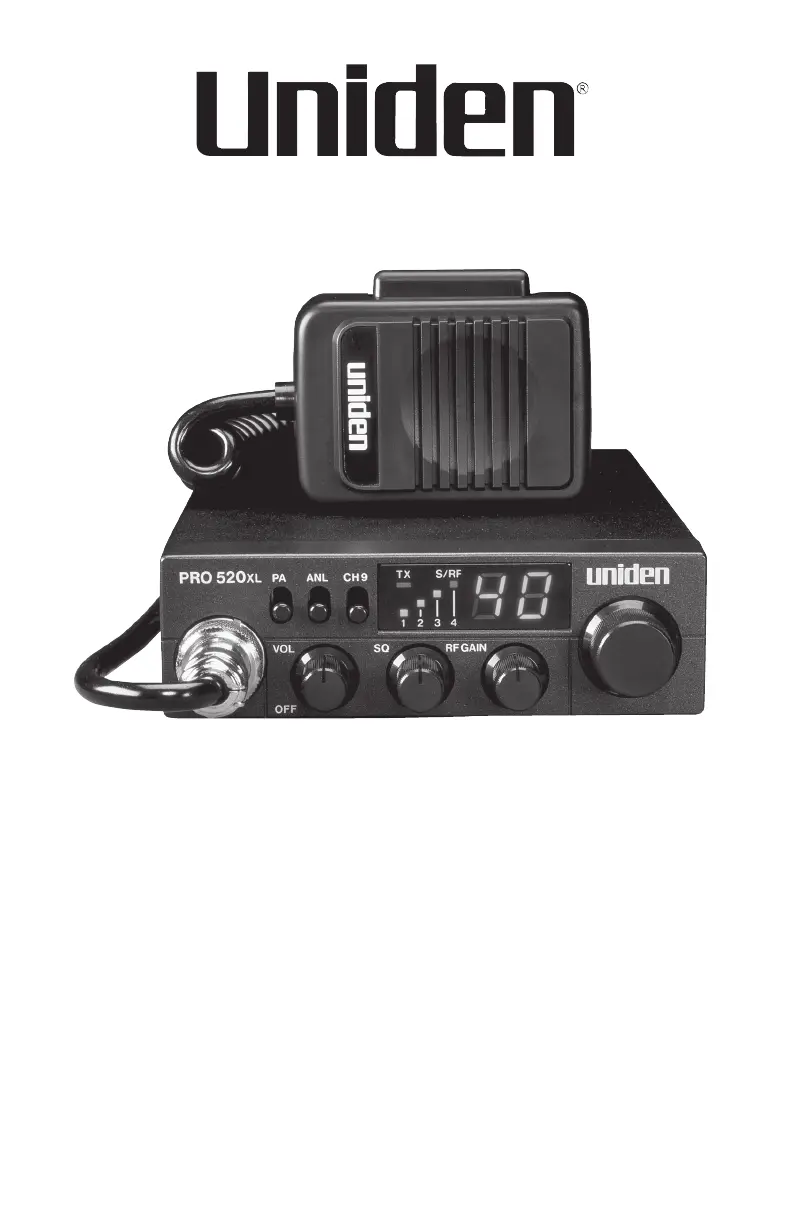
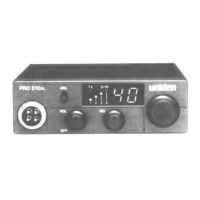
PRO 520XL
Professional
Mobile CB Radio
Printed in Vietnam.
UTZZ01363ZA(1)
© 2016 Uniden America Corporation
Irving, Texas
© 2021 Uniden America Corporation
Irving, Texas

Other manuals for Uniden PRO 520XL

Questions and Answers

  • T
    Tracy PrinceJul 26, 2025
    How to fix a Uniden PRO 520XL that won't turn on?
    • D
      David HudsonJul 26, 2025
      If your Uniden Radio won’t turn on, start by checking the radio’s power cord and all connections to ensure they are secure. Next, inspect the fuse in the radio’s power cord. Finally, check your vehicle’s electrical system to make sure it is functioning correctly.
  • M
    Mrs. Vanessa WoodAug 2, 2025
    What to do if my Uniden Radio has poor reception?
    • M
      Maria ThompsonAug 2, 2025
      If you're experiencing poor reception with your Uniden Radio, there are a few things you can check: First, adjust the squelch level. Second, examine the antenna, cable, and connectors for any issues. Finally, verify the radio's operation mode.
  • H
    hkhanAug 10, 2025
    What to do if Uniden Radio transmission is weak?
    • B
      Brian DavisAug 10, 2025
      If you are experiencing weak transmission with your Uniden Radio, check the antenna, cable, and connectors for any issues. Also, check the antenna grounding. Finally, check for corrosion on the connectors.
  • I
    idouglasAug 17, 2025
    How to reduce background noise on a Uniden PRO 520XL?
    • R
      Rhonda SantosAug 17, 2025
      If you are experiencing background noise with your Uniden Radio, try turning on the automatic noise limiter. Additionally, adjust the squelch level to minimize the noise.

Summary

Introduction and Safety

Safety Notice

Important safety information regarding antenna installation and separation distance.

Product Description

Details the radio's features, FCC compliance, and prohibited alterations.

Uniden Contact Information

Provides the website for obtaining answers and support.

Package Contents and Radio Parts

Included in Your Package

Lists items included with the radio and notes the need for a separate antenna.

Front Panel Parts

Identifies and describes the PA Switch and ANL Switch on the front panel.

More Front Panel Controls

Details CH9 Switch, TX LED, S/RF Meter, Channel Indicator, and input/control knobs.

Rear Panel and Microphone

Describes rear panel connections and the microphone's PTT button.

Installation Procedures

Connecting Microphone and Power

Instructions for connecting the microphone and the 12V DC power supply safely.

Mounting Bracket Installation

Guidance on selecting a location and installing the radio's mounting bracket.

Connecting External Antenna

Safety warnings and steps for connecting and tuning an external CB antenna.

Connecting External Speakers

Details on connecting external speakers for monitoring and public address features.

Operation and Maintenance

Basic Radio Operation

Covers powering on/off, channel selection, volume, and transmitting.

Using PA and Squelch Features

Instructions for operating the Public Address feature and adjusting the squelch level.

Adjusting RF Gain and Channel 9

How to adjust RF gain for optimal reception and use the Instant Channel 9 feature.

Emergency Operation

Procedure for using Channel 9 for emergency communications.

Routine Maintenance Checks

Recommended periodic checks for antenna, connections, and hardware.

Troubleshooting and Specifications

Troubleshooting Common Issues

Solutions for power, reception, noise, and transmission problems.

Service and Repair Advice

Guidance on professional service, repairs, and ordering replacement parts.

Technical Specifications

Detailed specifications for General, Transmitter, and Receiver functions.

Compliance and Warranty

FCC Part 15 and IC Compliance

Information on FCC and IC compliance, including interference correction measures.

RF Exposure Statements

Details FCC and IC RF exposure limits and required installation distances.

One-Year Limited Warranty

Outlines warranty coverage, duration, limitations, and exclusions.

Warranty Claim Procedure

Instructions for obtaining warranty performance, including shipping details.

Uniden PRO 520XL Specifications

General IconGeneral
BrandUniden
ModelPRO 520XL
CategoryRadio
LanguageEnglish

Related product manuals