EasyManua.ls Logo

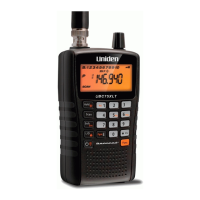
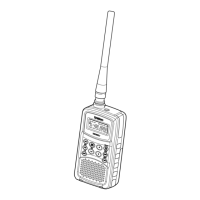
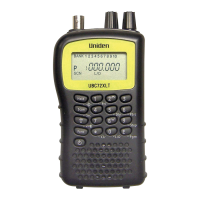
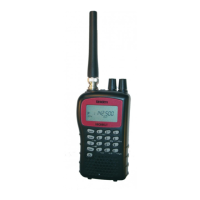
Uniden UBC92XLT - User Manual

Uniden UBC92XLT
56 pages
Print Icon
To Next Page IconTo Next Page
Loading...
OWNER’S MANUAL
UBC92XLT
SCANNER
6 Pre-Programmed Service Banks
with Close Call
TM
RF Capture
200 Channels

Questions and Answers

  • J
    Jose Hill IIJul 30, 2025
    Why won't my Uniden UBC92XLT stop scanning?
    • L
      Linda GibbsJul 30, 2025
      If your Uniden Scanner scan won't stop, there might be a few reasons. Try adjusting the squelch threshold. Also, check the antenna connection. Ensure that the channels you want to scan are not locked out and that the channel’s frequency is stored in the scanner’s memory. Finally, the channel might not be active, so wait for a transmission on the channel.
  • T
    Tonya MurrayAug 3, 2025
    Why won't my Uniden UBC92XLT start scanning?
    • R
      Rachel DennisAug 3, 2025
      If your Uniden Scanner scan won't start, make sure to press the Scan button. You might also need to adjust the squelch threshold or make sure the channels you want to scan are not locked out. Also, check the antenna connection.
  • J
    Jessica CarrollAug 9, 2025
    What to do if my Uniden UBC92XLT has improper reception?
    • R
      Robert GoodwinAug 9, 2025
      If you're experiencing improper reception on your Uniden Scanner, start by checking the antenna connection and try moving or repositioning the antenna. Additionally, try moving the scanner to a different location. If you are in a remote area, consider using an optional multi-band antenna.
  • J
    Jeffrey LewisAug 13, 2025
    Why does my Uniden Scanner have improper reception?
    • J
      James MartinAug 13, 2025
      If you're experiencing improper reception on your Uniden Scanner, try the following: * Check and adjust the antenna connection, or reposition the antenna. * Try moving the scanner to a different location. * If you are in a remote area, you might need to purchase an optional multi-band antenna.
  • T
    Tonya MooreAug 19, 2025
    Why won’t the Uniden Scanner scan stop?
    • B
      Brian KaiserAug 19, 2025
      If the scan function on your Uniden Scanner won’t stop, consider these potential causes: * Check the antenna connection. * Ensure that the channels you want to scan are not locked out. * Verify the channel’s frequency is stored in the scanner’s memory. * Wait for a transmission on the channel, as it might not be active.
  • L
    Lisa McguireAug 23, 2025
    What to do if Scan won’t start on Uniden UBC92XLT Scanner?
    • S
      Susan McneilAug 23, 2025
      If the scan function won't start on your Uniden Scanner, ensure the following: * Press the Scan button. * Adjust the squelch threshold. * Confirm that the channels you want to scan are not locked out. * Check the antenna connection.

Summary

Precautions

Earphone Safety

Important advice on safe earphone use with the scanner.

Environmental Warnings

Cautions regarding moisture and water exposure.

UBC92 XLT Controls and Display

Feature Highlights

Close Call RF Capture Technology

Detects and displays frequency of nearby strong radio transmissions.

Understanding Scanning

Setting Up Your Scanner

Battery Installation and Configuration

Instructions for installing and setting up non-rechargeable batteries.

Using AC Power

How to power the scanner using the AC adapter.

Connecting the Antenna

Instructions for attaching the flexible or an optional antenna.

Understanding the Keypad

Understanding the Display

Operation Basics

Powering On and Setting Squelch

Steps to power on the scanner and adjust squelch.

Storing Frequencies into Channels

Procedure for programming specific frequencies into memory channels.

Searching for Active Frequencies

How to search for active frequencies and store them.

Special Features

Close Call RF Capture Technology

Feature to detect and display nearby strong radio transmissions.

Configuring Close Call Options

Customizing band selection, alerts, and pager screen.

Troubleshooting

Scanner Not Working or Receiving

Solutions for power, reception, and general operational issues.

Resetting the Scanner

Procedure to reset the scanner to factory defaults.

Care and Maintenance

Specifications

Uniden UBC92XLT Specifications

General IconGeneral
TypeHandheld Scanner
Channels200
Banks10
Scan Speed50 channels per second
Priority ChannelYes
DisplayLCD
Modulation TypesAM, FM
AntennaTelescopic
Battery LifeApproximately 10 hours
Channel Capacity200

Related product manuals