RU 11
UTV 64
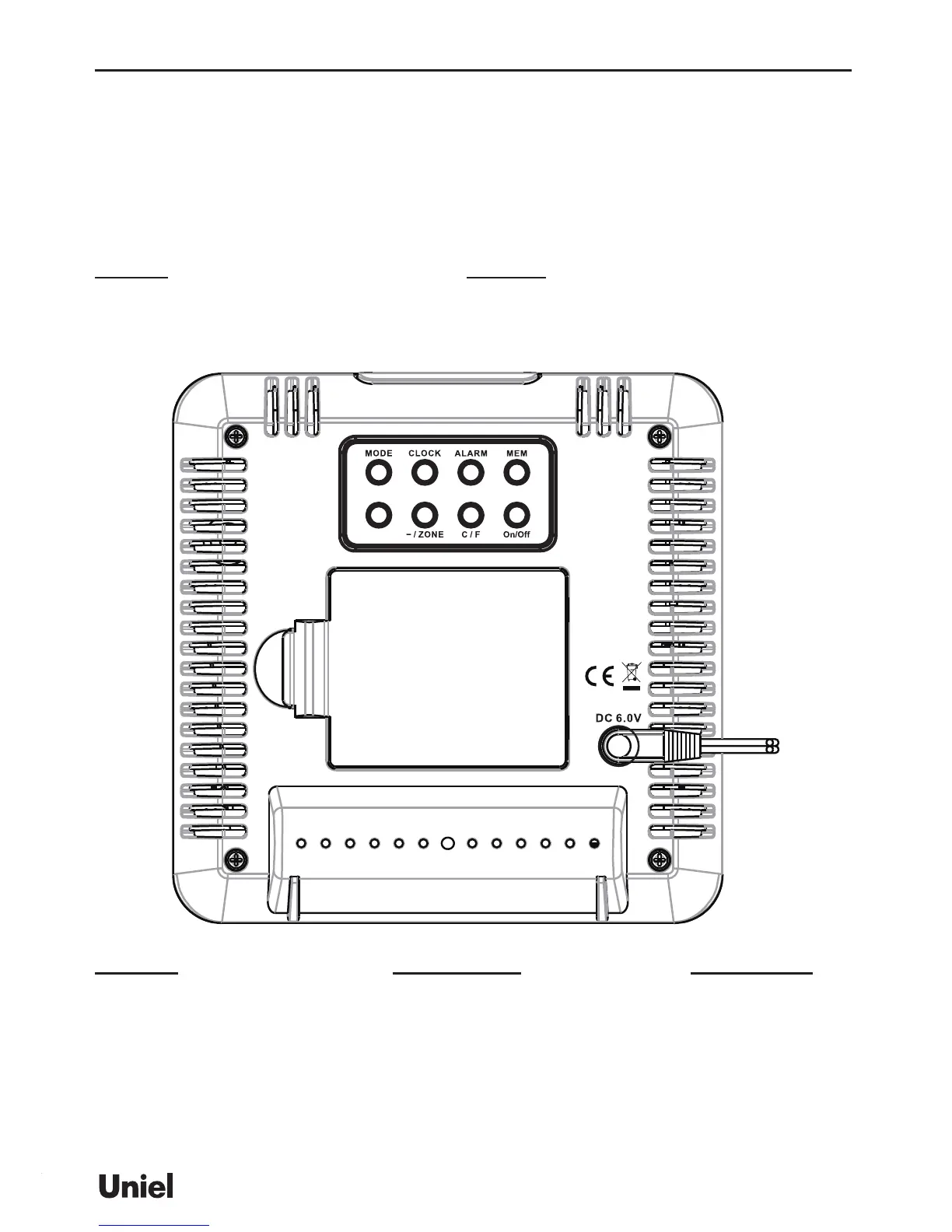
Plug the AC/DC adaptor to any household AC outlet, and then plug the DC 6.0V into adaptor socket o
the left side of the unit for basic operation and continuous backlight.
Important: Please make sure your household voltage matched with the voltage supported by the adapter,
or it will damage your clock and adapter.
After powering on the main unit, the weather icons will ash. Press [+] or [-] to select local weather
condition as initial se tting. Press [CLOCK] to conrm and exit. (Refer “WEATHER FORECAST” section
for details).
Next (>) Change display mode from left to right
TIME -> INDOOR -> OUTDOOR -> AUTO
SNOOZE/LIGHT Trigger snooze alarm & extend backlight
LightSearch
Mode TIME mode: Toggle between time, alarm time, calendar, year & weekday
INDOOR mode: Toggle between indoor temperature - humidity, dew point & heat index
OUTDOOR mode: Toggle between outdoor temperature - humidity, dew point & heat index
AUTO mode: Disable or enable auto-scrolling display mode
CLOCK Set Clock, Calendar & Weather
ALARM Enable/disable alarm Alarm time setting
MEM Read max/min temperatures & humidity Clear memory record
ZONE/ - Toggle home time & zone time Zone time setting
1 step backward in setting Fast backward


 To Next Page