RU 13
UTV 64
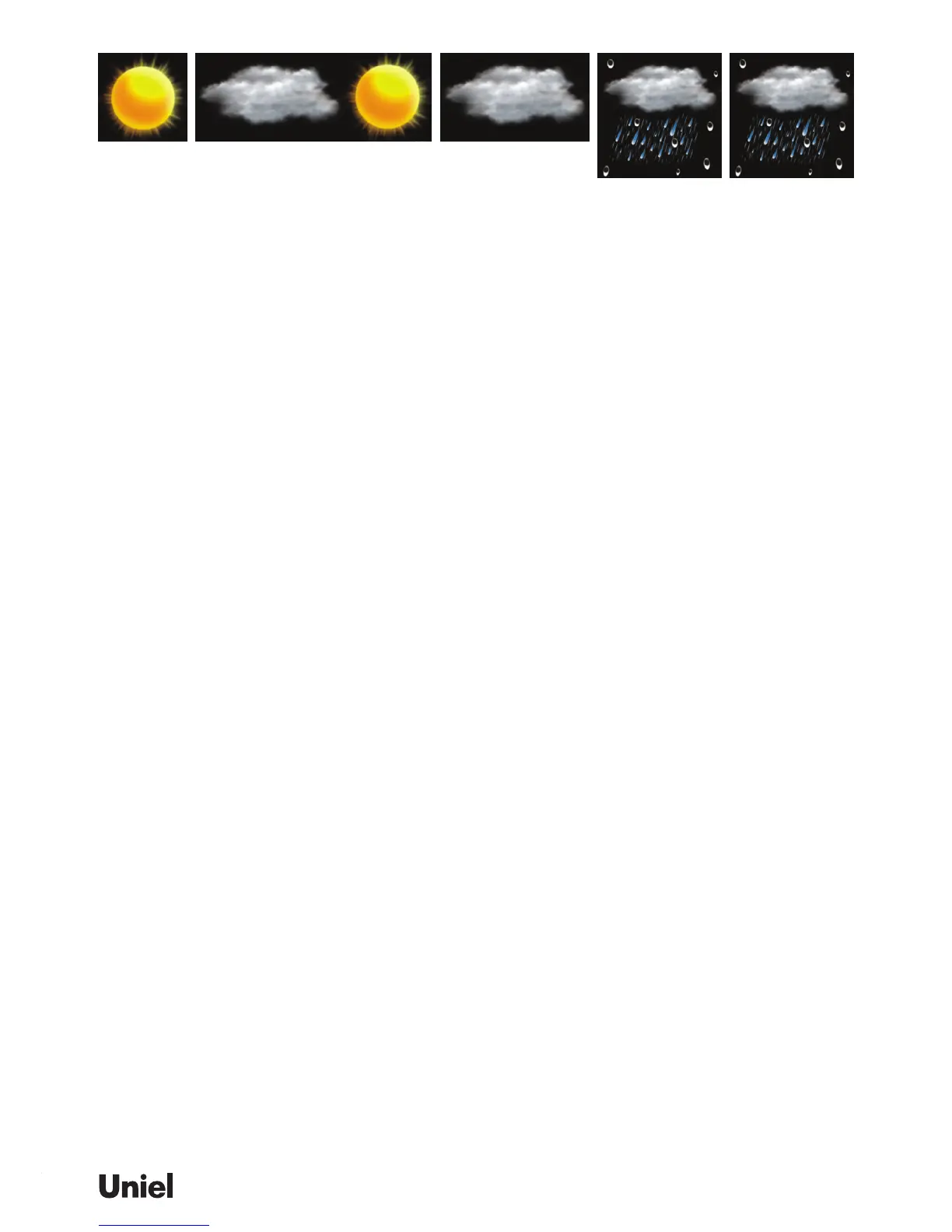
SUNNY PARTLY CLOUDY CLOUDY RAINY STORMY
(Whole is ashing)
Different geographical location such as inland area or coastal region has different weather forecast-
ing response. In case your weather forecast does not reect the actual weather condi-tion over a long
period of time, it is necessary to follow above setting procedure for ne tuning the weather forecast’s
accuracy
Press [NEXT>] to select indoor or outdoor display mode and the corresponding “INDOOR” or “OUT-
DOOR” icon will appear above the temperature readings. The humidity reading is highlighted in green
on the right of the display.
If more than one channel (remote sensor) are registered, press [NEXT>] repeatedly to select the dif-
ferent channels in the “OUTDOOR” display mode.
Press [oC/oF] button to select temperature unit degree oC/oF.
Heat Index combines the effects of heat and humidity. It is the apparent temperature of how hot the
heat-humidity combination makes it feels.
Dew point is the saturation point of the air, or the temperature to which the air has to be cooled in
order to get condensation.
In the “INDOOR” or “OUTDOOR” display mode, press [MODE] key to toggle between the tempera-
ture/humidity, heat index & dew point of the corresponding indoor or outdoor readings.
Press [MEM] button repeatedly to view the maximum, minimum & current values of temperature ,
humidity, heat index or dew point readings. To clear the memory record, hold [MEM] button while the
respective values are displaying on screen.
Press [NEXT>] repeatedly until the “AUTO”, “ON / OFF” icons appear.
Press [MODE] to select Auto On or Off.
“AUTO OFF” Auto-scrolling display mode is disabled
“AUTO ON” Auto-scrolling display mode is enabled. Display will change between TIME, IN-
DOOR & OUTDOOR mode automatically and the “AUTO” icon will stay on the right of the display.
Press [NEXT>] to select TIME display mode and the “TIME” icon will appear above the clock.
Press [MODE] to toggle between clock, alarm time, calendar, year and day of the week.
Hold [CLOCK] button to enter clock setting mode. Using [+] or [-] to adjust and [CLOCK] to conrm, the
following values can be set in sequence:
12/24hr format > Hr > Min > Yr > D/M or M/D format > Month > Date > Weather Forecast > EXIT
TIPS: In any display mode, press [SNOOZE/LIGHT] will enter the time display mode directly.
Hold [ZONE] to enter world (zone) time setting mode.
Press [+] or [-] to enter the desired hour offset value from –12 to +12 hours. Press [CLOCK] to conrm
and exit.
Press [ZONE] button to toggle between home time and world (zone) time.
“ZONE” icon appears when world (zone) time is selected.
When zone time is not used, keep zone time to “0”.


 To Next Page