PART III: OPERATION
35
6 press InFo for 1-3 seconds: the date will appear
7 press InFo to go back to parameter “102”
8 by pressing + / -, it is possible to scroll up/down the parameter list (see table above), or, by pressing ESC or InFo for more seconds,
the display will show
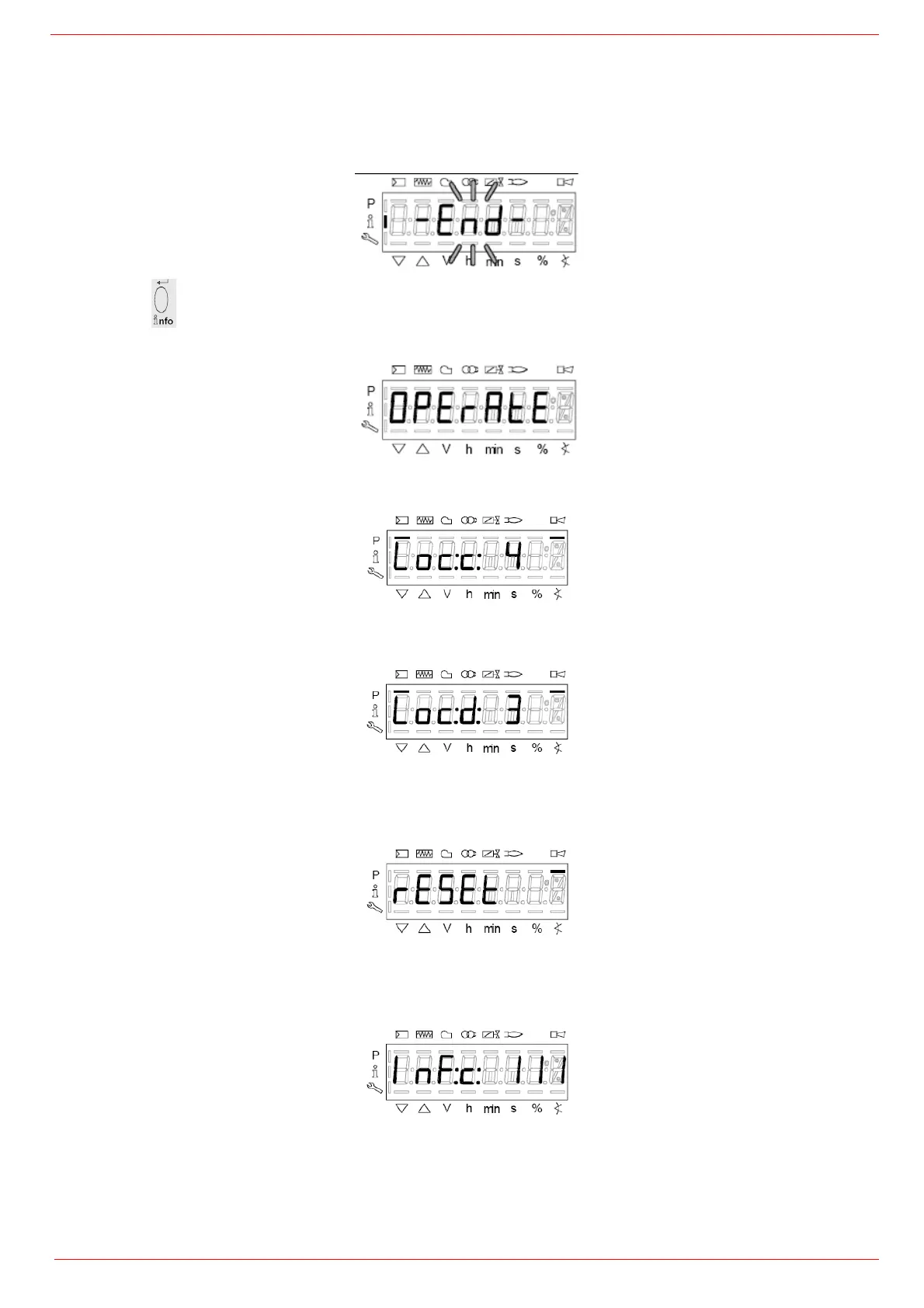
9 Once the last parameter is accessed (143) by pressing + , the End message will flash.
10 Press InFo
for more than three seconds or for more than three seconds orto return to the normal display.
If a message like the one below is shown during operation,
it means that the burner is locked out and the Errore code is shown (in the example “error code:4”); this message is alternating with
another message
Diagnostic code (in the example “diagnostic code:3”). Record the codes and find out the fault in the Error table.
To perform the reset, press InFo for one second:
The unit displays an event which does not lead to shutdown.
The display shows current error code c: alternating with diagnostic code d:
.
Press InFo to return to the display of phases.
Example: Error code 111 / diagnostic code 0


 To Next Page