PART III: OPERATION
34
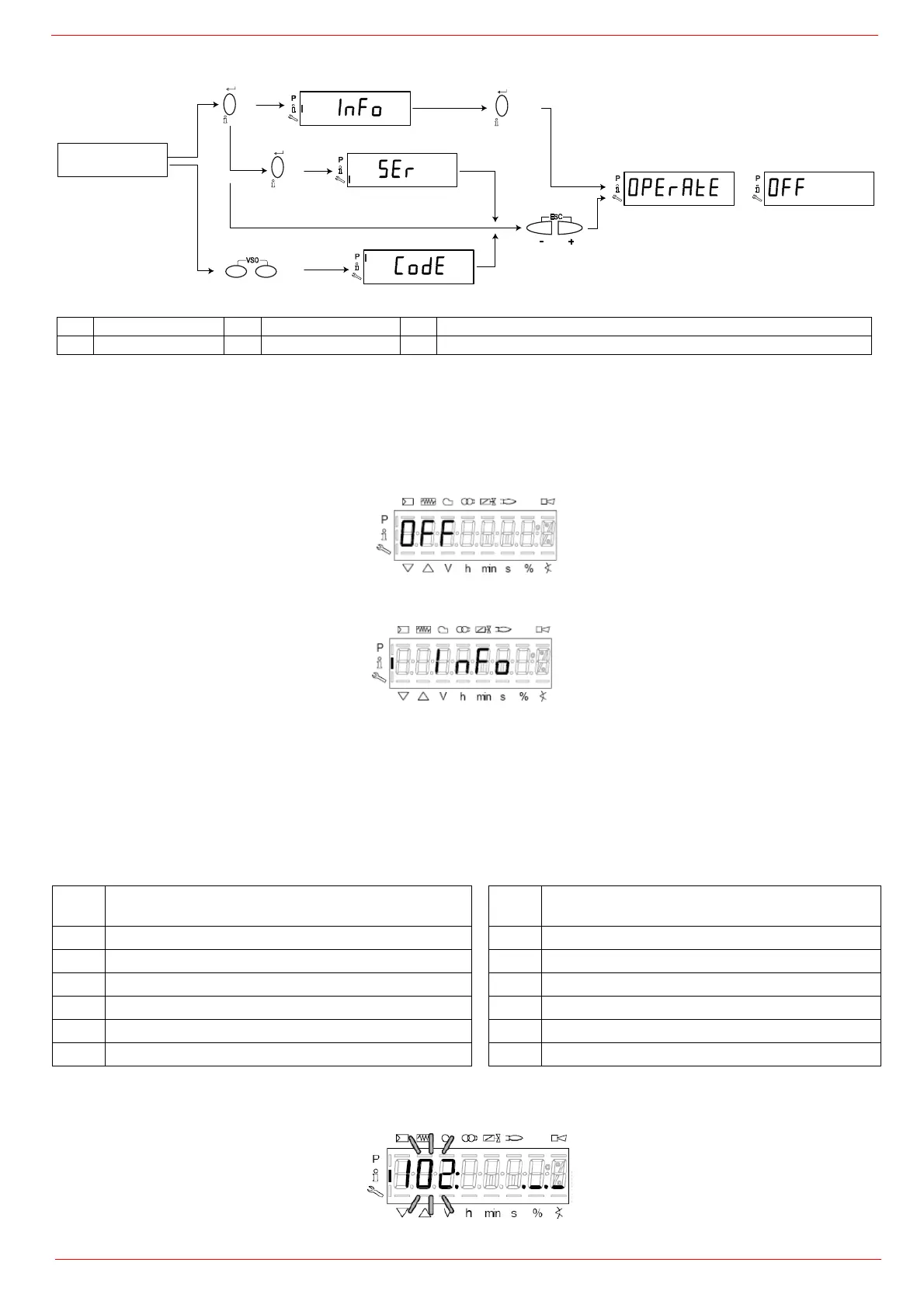
By means of a proper use of the keys, it is possible to enter the various level parameters, as shown in the following flow chart:
The burner and consequently the LMV2x.. are factory set; the air and fuel curves as set as well.
Info level
To enter the Info level, proceed as follows:
1 in any menu position, press keys + and - at the same time, then the program will start again: the display will show OFF.
2 until the display will show InFo, Press the enter (InFo) key
3 then il will show the first code (167) flashing, on the right side it will show the data entered. By pressing + or - it is possible to scroll
(up or down) the parameter list.
4 If a dot-line is shown on the right, there is no enough room for complete visualisation: press enter again the data will be completely
shown for 1 to 3 seconds. By pressing enter or + and- at the same time, the system will exit the parameter visualisation and go
back to the flashing number.
The Info level shows some basic parameters as:
5 Example: choose parameter 102 to show the date
the display shows parameter 102 flashing on the left and characters ._._ on the right.
Para-
meter
Description
Para-
meter
Description
167 Cubic meters of fule (resettable) 107 Software version
162 Operating hours (resettable) 102 Software date
163 Device operating hours 103 Device serial number
164 Burners start-ups (resettable) 104 Customer code
166 Total number of start-ups 105 Version
113 Burner number (i.e. serial number) 143 Free
2
1
3
4
6
1 Basic display 3 Service Level 5 Automatic return after menu use time-out (parameter 127)
2 Info level 4 Parameter Level 6 Switching to the basic display


 To Next Page