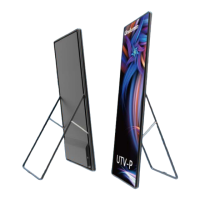
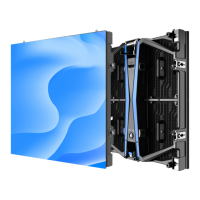
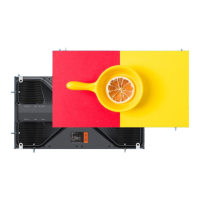
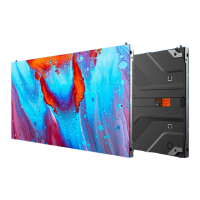
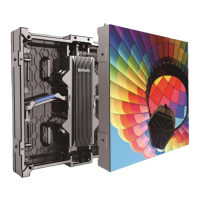
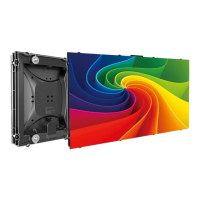
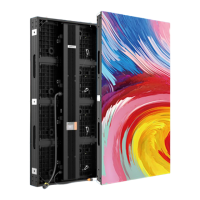
The provided document is a product manual for the Unilumin UHWII series of Narrow Pixel Pitch LED Displays.
Function Description
The Unilumin UHWII series is a new generation of small pitch LED display products designed for HD display application scenarios. These displays feature a standard aspect ratio of 16:9, ensuring a perfect match between video signals and display terminals. They offer excellent color reproduction, stable pictures, and a wide viewing angle. The UHWII series supports wide-range adjustment of color temperature and brightness, and its pixel-by-pixel calibration technology enhances the user experience. The product also emphasizes safety, offering prominent safety performance, a high protection level, and high reliability. The UHWII series can be freely and seamlessly spliced into any size display to meet diverse application environment needs.
The display system comprises the LED display itself, a sending box, a control PC, a matrix, a splicing controller, and a power distribution box. The Smart Control Distribution Box, in particular, is designed to distribute electric power to the LED display and offers real-time monitoring of external environmental factors such as temperature, humidity, smoke, and mains voltage. Its control software includes a scheduled start/stop function, enabling remote control of the LED display's operation.
The manual provides detailed instructions for installation, wiring, control settings, playing settings, startup, shutdown, and maintenance, as well as troubleshooting and component replacement.
Important Technical Specifications
The UHWII series offers several models with varying pixel pitches: UHWII1.2, UHWII1.5, UHWII1.9, and UHWII2.5.
Physical Parameters:
- Pixel composition: 1R1G1B
- LED type: 3-in-1 Black SMD
- Pixels per panel (dots):
- UHWII1.2: 480x270
- UHWII1.5: 384x216
- UHWII1.9: 320x180
- UHWII2.5: 240x135
- Cabinet size (WxHxD): 609.92x343.08x68 mm
- Size ratio: 16:9
- Material: Die-casting aluminum
- Planeness: ≤0.15 mm
- Weight: 7 kg
- Refresh rate: 1920 Hz
- Frame frequency: 50/60 Hz
- Data interconnection:
- Signal cable: ≤100m
- Multi-mode fiber: ≤300m
- Single-mode fiber: ≤10km
Optical Parameters:
- Brightness (nits):
- UHWII1.2, UHWII1.5: 600
- UHWII1.9, UHWII2.5: 800
- Color temperature: 2,000~9,500 K (adjustable)
- Viewing angle:
- UHWII1.2, UHWII1.5: 160/160°
- UHWII1.9, UHWII2.5: 140/140°
Electrical Parameters:
- Input voltage: AC 100~240 V
- Input frequency: 50~60 Hz
- Input power ():
- UHWII1.2, UHWII1.5: 140±15 W/panel
- UHWII1.9, UHWII2.5: 120±15 W/panel
- Input power ():
- UHWII1.2, UHWII1.5: 46±15 W/panel
- UHWII1.9, UHWII2.5: 40±15 W/panel
Circumstance Parameters:
- Storage temperature/humidity: -20~+55℃ / 10%~85% RH
- Working temperature/humidity: -10~+45℃ / 10%~80% RH
The protection level is up to IP60.
Usage Features
- Standard HD Screen Assembly: The 16:9 aspect ratio allows for seamless assembly into 2K, 4K, or 8K standard HD screens.
- Front Maintenance: The design supports front maintenance for modules, power supplies, and receiving cards, simplifying servicing.
- Adjustable Display: Features wide color gamut and adjustable brightness and color temperature.
- System Topology: The display system includes an LED screen, sending box, splicing controller, distribution box, control computer, matrix, network video decoder, interchanger, wireless router, camera, DVD, HD source, DVR, and source PC, allowing for comprehensive media input and control.
- Installation Flexibility: Supports both front and rear installation methods, including concave installations (0°–2° and ≥2°). Specific instructions are provided for maintaining levelness and flatness during installation.
- Module Flatness Adjustment: An adjustment tool is provided to correct deviations in flatness between adjacent modules, ensuring a smooth display surface. Each module has 9 adjustable magnets for this purpose.
- Signal and Power Cable Connections: Detailed diagrams illustrate the signal and power cable connections for various UHWII models, ensuring correct setup for optimal performance.
- Software Control: The display uses UniLCT-Mars and UniStudio software for control and configuration.
- Display Configuration: Includes setting sending board resolution, scan board parameters, and screen connection.
- Brightness Adjustment: Offers manual, schedule, auto, and hardware auto-adjustment modes. Manual adjustment allows for precise control of RGB brightness.
- Correction Coefficient Management: Supports uploading, saving, setting, adjusting, erasing, and resetting correction coefficients for new receiving cards or modules to maintain optimum display effect after replacement.
- Pre-storing Picture: Allows saving a picture as a prestored image for display upon booting, signal cable disconnection, or DVI signal absence, with options for stretching, tiling, or centering.
- Playing Settings: UniStudio offers Simple, Professional, and Priority playing program modes. The Professional mode allows for editing time segments, program pages (with background color/picture, display type, and play duration/cycle settings), and display windows (including position, size, border, color, layer, and special effects). Media can be added and their properties adjusted, including playing times.
- Timed Playback and Control: The "Timing Command List" feature allows users to schedule various operations such as play, pause, power on/off LED display, show/hide LED display, set brightness, restart application/computer, or shut down computer at specific times.
Maintenance Features
- Daily Maintenance:
- Regularly check ambient temperature and humidity to ensure they meet operating conditions.
- Use the LED display and auxiliary devices at least twice a week for two hours each time.
- Perform warm-up operations if the display has been idle for 14 days, starting with a black background at 10% brightness for 60 seconds, then gradually increasing brightness (10% for 1h, 30% for 2h, 60% for 2h, 80% for 2.5h, 100% for 0.5h) using a white test pattern.
- Monthly, use a soft antistatic brush to clear dust from the screen surface.
- Quarterly, check the distribution box components, power and signal cable connections, and grounding reliability.
- Annually, check the security of the steel structure.
- Troubleshooting: The manual provides solutions for common issues such as failure to light up, incomplete or incorrect picture display, screen blinking, and cabinet/module failures. Troubleshooting steps include checking power input, cable connections, control PC settings, receiving card programs, and component functionality.
- Component Replacement: Detailed step-by-step instructions with pictures are provided for replacing main components, including modules, power supplies, and receiving cards, for both front and rear installation types. Safety precautions, such as cutting off power, are emphasized.
- Packaging, Transportation, and Storage:
- Packaging: UHWII series products are vacuum-packed in anti-static bags and then placed in heavy-duty cartons.
- Transportation: Cabinets must be packaged, not placed upside down or horizontally, and protected from wind, rain, direct sunlight, and corrosive liquids. Stacking layers for plywood cases should not exceed three.
- Storage: Store in a dry, ventilated environment with ambient temperatures between -20°C and +55°C and relative humidity between 10% and 85% RH. Avoid storing with volatile, corrosive, or flammable chemical products.
- After-Sales and Warranty: Unilumin provides a warranty for products purchased directly from them, with the period specified in the sales contract. Warranty services include online remote free technical service for simple issues and return-to-factory repair service for more complex problems. On-site engineer service is provided for quality issues deemed necessary by Unilumin. The manual also outlines disclaimers for damages caused by improper use, unauthorized repairs, or environmental conditions outside specifications.

 Need help?

 To Next Page
 General