EasyManua.ls Logo

Union 59549 - User Manual

Union 59549
8 pages
Print Icon
To Next Page IconTo Next Page
Loading...
To prevent serious injury and DEATH:
1. Leaving gun unsecured MAY RESULT
IN CRIMINAL CHARGES.
2. Even when stored in gun safe,
use gun-lock to disable gun.
3. Unload gun completely, including
chamber, before storing.
4. Separate gun safe keys from other keys.
5. Lock up guns and ammunition separately out
of children’s reach and out of sight.
Visit our website at: http://www.harborfreight.com
Email our technical support at: productsupport@harborfreight.com
To ensure security of your safe, Union Safe Company
does NOT provide replacement keys.
Made by Safewell for Union Safe Co.
Owners Manual & Safety Instructions
Save This Manual Keep this manual for the safety warnings and precautions, assembly,
operating, inspection, maintenance and cleaning procedures. Write the product’s serial number in the
back of the manual (or month and year of purchase if product has no number). Keep this manual and the
receipt in a safe and dry place for future reference. 22h
When unpacking, make sure that the product is intact
and undamaged. If any parts are missing or broken,
please call 1-888-866-5797 as soon as possible.
Copyright
©
2021 by Harbor Freight Tools
®
. All rights reserved.
No portion of this manual or any artwork contained herein may be reproduced in
any shape or form without the express written consent of Harbor Freight Tools.
Diagrams within this manual may not be drawn proportionally. Due to continuing
improvements, actual product may differ slightly from the product described herein.
Tools required for assembly and service may not be included.
Read this material before using this product.
Failure to do so can result in serious injury.
SAVE THIS MANUAL.
Question and Answer IconNeed help?

Do you have a question about the Union 59549 and is the answer not in the manual?

Summary

Important Safety Information

Installation Precautions

Guidelines for safe and proper installation of the safe.

Use Precautions

Guidelines for safe and correct operation and handling of the safe.

Specifications

Components

Operating Instructions

Opening Safe for First Time

Steps to open the safe for initial use.

Registering Fingerprints

Procedure for enrolling fingerprints into the safe's system.

Deleting Registered Fingerprints

Steps to remove all stored fingerprint data from the safe.

Programming Security Code

Instructions for setting a personal access code for the safe.

Opening Safe

Muting and Unmuting

Mounting

Maintenance and Servicing

Limited 90 Day Warranty

Overview

This document describes the Union Safe Company Biometric Fingerprint Handgun Safe, a security device designed for storing handguns. The safe is manufactured by Safewell for Union Safe Co. and is compliant with California DOJ requirements.

Function Description

The primary function of this device is to provide secure storage for handguns, accessible via biometric fingerprint recognition or a programmable security code. It is designed to prevent unauthorized access to firearms, thereby reducing the risk of accidental discharge or criminal misuse. The safe features a pneumatic rod for smooth opening and an override key for emergency access.

Important Technical Specifications

  • Exterior Dimensions: 11" L x 14-3/4" W x 3-3/4" H
  • Interior Dimensions: 7-1/4" L x 12" W x 3-1/4" H
  • Power Source: Four AA batteries (not included)
  • Fingerprint Storage Capacity: Maximum of 50 fingerprints
  • Security Code Length: Four to six digits
  • Lockdown Mode: Activates for five minutes after five consecutive incorrect code entries or invalid fingerprint attempts. During lockdown, the electronic keypad is disabled, but the override key can still be used.
  • Battery Status Indicator: Yellow lights and beeps five times when batteries are low.
  • Construction: The manual does not specify the material, but it is implied to be robust for security purposes.
  • Environmental Resistance: The safe is explicitly stated as neither water- nor fire-proof.
  • Mounting: Can be mounted to concrete or wooden surfaces using included anchors and tapping screws.

Usage Features

Opening the Safe:

  • First-Time Opening: Insert the override key and turn it clockwise to unlock. Then, remove the Battery Compartment Cover, install four AA batteries, and replace the cover.
  • Using Security Code: Type the pre-programmed code on the buttons. The button lights will illuminate blue, and the safe will open. If an incorrect code is entered, the button lights will flash red five times, and the safe will beep five times.
  • Using Fingerprint: Place a registered finger on the Biometric Scanner. The scanner will light up blue, and the safe will open. If an invalid fingerprint is detected, the scanner will flash red five times and beep five times.
  • Lockdown Mode: If five consecutive incorrect code entries or invalid fingerprint attempts occur, the safe enters a five-minute lockdown. During this period, all lights flash red when buttons are pressed, and the electronic keypad is disabled. The safe can still be opened using the override key during lockdown.

Registering Fingerprints:

  1. Remove the Battery Compartment Cover to access the Reset Button.
  2. Press and hold the Reset Button until all lights flash blue once and the safe beeps once.
  3. Press a finger to the Biometric Scanner. Remove the finger after the scanner flashes blue once and beeps once.
  4. Repeat step 3 three times or until the scanner flashes blue twice and the safe beeps twice.
  5. If the scanner flashes red five times and beeps five times, registration has failed, and the process should be retried from step 1. If the scanner flashes red five times and beeps five times immediately after pressing the Reset Button, it indicates that the fingerprint storage capacity (50 fingerprints) is full.

Deleting Registered Fingerprints:

  1. Remove the Battery Compartment Cover to access the Reset Button.
  2. Press and hold the Reset Button until all lights flash blue once and the safe beeps once.
  3. Continue holding the Reset Button until the scanner flashes twice and beeps twice.
  4. Release the Reset Button. All registered fingerprints will be erased.

Programming Security Code:

  1. Remove the Battery Compartment Cover to access the Reset Button.
  2. Press and hold the Reset Button until all lights flash blue once and the safe beeps once.
  3. Enter a four to six-digit code. Press the Reset Button when finished.
  4. If the code has been accepted, the button lights will flash blue twice, and the safe will beep twice.
  5. If the button lights flash red five times and the safe beeps five times, the safe has failed to set the security code, and the process should be repeated from step 1.

Muting and Unmuting:

  • To turn off audible sound, hold the "1" button until all lights flash blue once.
  • To unmute, repeat the same process.

Mounting: The safe can be mounted to either concrete or wooden surfaces.

  • To Concrete:
    1. Place the safe in the desired location and mark the mounting holes with a pencil. Set the safe aside.
    2. Drill 1.6" (40 mm) deep mounting holes using a 9 mm drill bit.
    3. Insert the included anchors into the mounting holes.
    4. Move the safe back into place, align it over the mounting holes, and secure it with the included tapping screws.
  • To Wood:
    1. Place the safe in the desired location.
    2. Secure the safe by driving tapping screws through the mounting holes in the bottom of the safe.

Maintenance Features

  • Pre-Use Inspection: Before each use, inspect the general condition of the safe. Check for loose screws, misalignment or binding of moving parts, cracked or broken parts, and any other condition that may affect its safe operation.
  • Cleaning: Periodically clean the external surfaces of the safe with a clean cloth.
  • Battery Replacement: Replace batteries when the safe indicates low battery (yellow lights flash five times and beeps five times). Ensure new and old batteries are not mixed, and different battery types (alkaline, standard, rechargeable) are not mixed. Position batteries in proper polarity and do not use swollen or leaking batteries.
  • Serial Number: Record the product's serial number (or month and year of purchase if no serial number) in the manual for future reference.
  • Replacement Parts: Replacement parts are not available for this item.
  • Professional Servicing: Procedures not specifically explained in the manual must be performed only by a qualified technician.

Safety Warnings and Precautions

The manual emphasizes several critical safety warnings:

  • Preventing Injury and Death: Leaving a gun unsecured may result in criminal charges. Even when stored in the safe, use a gun-lock to disable the gun. Unload the gun completely, including the chamber, before storing. Separate gun safe keys from other keys. Lock up guns and ammunition separately, out of children's reach and out of sight.
  • Installation Precautions: Verify the installation surface has no hidden utility lines before drilling. Wear ANSI-approved safety goggles. Install only according to instructions. Keep the installation area clean and well lit, and bystanders out of the area. Do not install when tired or under the influence of alcohol, drugs, or medication. Install the safe only on a stable, level, clean, and dry vertical or horizontal surface capable of supporting its weight and contents.
  • Use Precautions: Use for unloaded guns only. Do not allow children to play with or near the safe, and keep keys away from children. Keep clear of the door when closing. Do not mix old and new batteries or different battery types. Inspect before every use for loose or damaged parts. Maintain product labels and nameplates.
  • Key Storage: Do not store keys inside the safe. Place keys in a secure location outside the safe.
  • Disclaimer: Harbor Freight Tools is not responsible for the loss or misuse of any property stored within the safe due to theft, fire, or any other circumstance. The owner is solely responsible for possessing the unique key.

This comprehensive description covers the essential aspects of the Union Safe Company Biometric Fingerprint Handgun Safe, providing users with the necessary information for its safe and effective operation and maintenance.
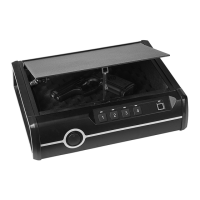
Union 59549 Specifications

General IconGeneral
BrandUnion
Model59549
CategorySafes
LanguageEnglish

Related product manuals