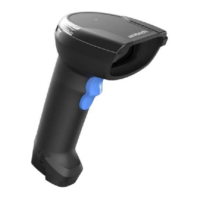
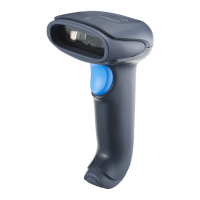
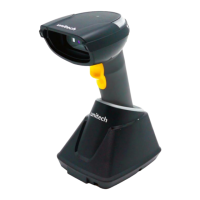
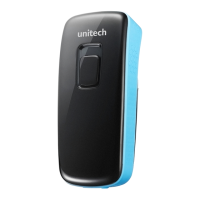
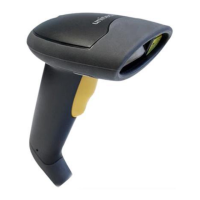
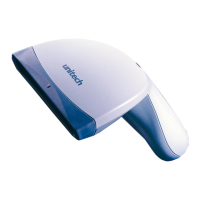
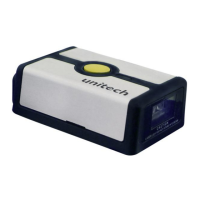
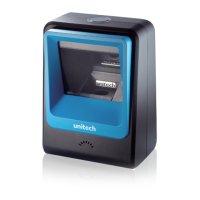
The Unitech MS822B is a wireless 2D barcode scanner designed for efficient and reliable data capture. This user manual provides comprehensive information on its installation, operation, and maintenance.
Function Description
The MS822B functions as a wireless 2D barcode scanner, capable of reading a wide range of 1D and 2D symbologies. It offers various operation modes, including Trigger Mode, Presentation Mode, and Buffer Mode, to suit different application needs. The device can communicate wirelessly via 2.4G Wireless or Bluetooth (HID, BLE, SPP profiles), and also supports USB connectivity. Its primary purpose is to scan barcodes and transmit the decoded data to a host system, such as a computer or mobile device.
Important Technical Specifications
Optical & Performance:
- Sensor: CMOS Sensor, 1280 x 800 pixels
- Aiming Element: 625 nm LED
- Illumination: Color temperature 6000-6500K
- Ambient Light: 0-100,000 Lux
- Scan Rate: 60 fps
- Skew Angle: ±65°
- Pitch Angle Sensor: ±65°
- Memory: 4 MB (capable of storing approximately 300,000 EAN 13 barcodes)
- Optical Resolution: 3mil (Code 39), 3mil (EAN13)
- Depth of Field: 4mil Code 39 Near 6.0 cm Far 22cm
Communication:
- Radio: 2.4G Wireless
- Wireless Coverage: 2.4G 100M (line of sight)
- Interface/Profile: 2.4G: USB; Bluetooth: HID, BLE, SPP
- Host Interface supported: USB
Electrical:
- Operation Voltage: DC 5V
- Current Consumption: Operation mode: <290mA; Standby mode: <55mA
- Indicator: Buzzer, LED light
- Battery Type: Lithium-ion
- Battery Capacity: 2600mAh 18650 battery
- Battery Charging time: Fully charged in 5.5 hours
- Operating Time: Over 40 hours
Mechanical:
- Dimension: 96.5mm × 72mm × 161mm
- Weight: 162 g
- Mechanical Shock: 1.5m onto concrete (scanner only)
- Operating Temperature: -10°C to 50°C
- Storage Temperature: -20°C to 60°C
- Relative Humidity: 5% to 95% non-condensing
- IP Rating: IP52
Symbologies Supported:
- 1D: Codabar, Code11, Code39, Code32, Interleaved 2 of 5, Industrial 2 of 5, Matrix 2 of 5, Code93, Code128, GS1-128, UPC-A, UPC-E, EAN 8, EAN 13, GS1 DataBar (RSS14), GS1 DataBar Limited, GS1 DataBar Expanded.
- 2D: PDF417, Micro PDF417, QR Code, Micro QR, Data Matrix, Aztec Code.
- Data Formatting: Prefix, Suffix, Code ID.
Regulatory Approvals: CE, FCC, BSMI, VCCI, NCC, TELEC, IC, UKCA.
Usage Features
The MS822B is designed for user-friendly operation with several configurable features:
Scanner Type and Communication Modes:
- 2.4G Mode: The default wireless mode, allowing pairing with a cradle. The scanner enters an auto-pairing mode when the "Pairing with Cradle" barcode is scanned, indicated by an LED flash.
- Bluetooth HID/BLE/SPP Modes: Supports various Bluetooth profiles for flexible connectivity with different host devices. Scanning the Bluetooth pairing mode barcode makes the device discoverable.
- USB Interface Mode: Supports USB-HID and USB-COM for wired connections.
Operation Modes:
- Wedge Mode: Standard scanning mode where data is directly transmitted to the host.
- Batch Mode: Allows the scanner to store data internally when not connected to a host, which can then be uploaded later. Features include "Upload all data," "Clear all data" (effective only in Batch mode), and "Display stored data."
- Auto Mode: An automatic scanning mode.
Data Terminator:
- Configurable data terminators including CR (Carriage Return), CR/LF (Carriage Return/Line Feed), LF (Line Feed), and TAB, or None.
Auto Power Off After Idle:
- Adjustable idle time before the scanner enters sleep mode to conserve battery, with options for Immediate Sleep, 30 seconds, 1 minute, 2 minutes, 5 minutes (default), 10 minutes, and 30 minutes.
Beeper Control:
- Scanner Beeper Control: Allows turning off the short high beep for data transmission, while setting sounds remain active. Options include Off, High (default), Low, and Medium.
- Cradle Beeper Control: Can be set to Off or On (default).
Language Settings:
- Supports various keyboard layouts for different regions, including USA (default), German, France, Italy, Canadian, Spain, Brazil, Sweden, Portugal, Belgium, Turkey-F, Turkey-Q, Italian14, Netherlands, Poland, Finland, Latin America, Serbia, Hungary, Denmark, Norway, and Japan.
Version Display:
- Allows users to display the firmware version of the scanner and the cradle.
Symbology Settings:
- Enable/Disable All Symbologies: Users can enable or disable all 1D and 2D symbologies. It is recommended to enable only necessary symbologies to optimize decoding speed.
- Factory Default for Symbologies: Provides an option to return all symbology settings to their factory defaults.
- Individual Symbology Configuration: Detailed settings for each symbology, including:
- Codabar: Enable/Disable, Start/Stop Character transmission, Minimum/Maximum Length (0-50 bits).
- Code 39: Enable/Disable, Check Character Verification (Disable/Do Not Transmit/Transmit), Full ASCII (Enable/Disable), Minimum/Maximum Length (0-50 bits), Code 32 (Enable/Disable).
- Interleaved 2 of 5 (ITF25): Enable/Disable, Check Character Verification (Disable/Do Not Transmit/Transmit), Random Length (4-24 bits) or fixed lengths (6, 8, 10, 12, 14, 16, 18, 20, 22, 24 bits), Minimum/Maximum Length (0-50 bits).
- Industrial 2 of 5: Enable/Disable, Minimum/Maximum Length (0-50 bits).
- Matrix 2 of 5: Enable/Disable, Minimum/Maximum Length (0-50 bits).
- Code 93: Enable/Disable, Minimum/Maximum Length (0-50 bits).
- Code 11: Enable/Disable, Transmit Check Character (Enable/Disable), Check Character Selection (Disable/1 Bit/2 Bit), Minimum/Maximum Length (0-50 bits).
- Code 128: Enable/Disable, Minimum/Maximum Length (0-50 bits).
- GS1-128: Enable/Disable.
- UPC-A: Enable/Disable, Transmit Check Character (Enable/Do Not Transmit), Convert to EAN-13 (Enable/Disable), Do Not Send UPC-A Lead-digit.
- UPC-E: Enable/Disable, Transmit UPC-E Check Character (Enable/Do Not Transmit), Expand to UPC-A (Enable/Disable), Do Not Send UPC-E Lead Digit.
- EAN/JAN-8: Enable/Disable, Send EAN-8 Check Digit (Enable/Do Not Send).
- EAN/JAN-13: Enable/Disable, Send EAN-13 Check Digit (Enable/Do Not Send), UPC/EAN/JAN Add-On code (Ignore/Decode/Custom), EAN13 Convert to ISBN (Enable/Disable), EAN13 Convert to ISSN (Enable/Disable).
- GS1 DataBar (RSS14), GS1 DataBar Limited, GS1 DataBar Expanded: Enable/Disable.
- PDF417, Micro PDF417, QR Code, Micro QR, Data Matrix, Aztec Code: Enable/Disable.
- QR Code URL Link: Enable/Disable.
- AIM ID: Disable AIM ID, AIM ID prefix, AIM CODE suffix.
- Code ID: Disable Code ID, Code ID Prefix, Code ID Suffix.
Prefix and Suffix Settings:
- Allows adding custom prefixes and suffixes to scanned data.
- Options to clear all prefixes, all suffixes, or both.
- Supports adding Ctrl, Shift, Alt, and GUI function keys.
Hidden Character Settings:
- Hide The Previous Character: Configurable to hide a specified number of characters from the beginning of the scanned data (1 to 15 bits, or none).
- Hide The Last Character: Configurable to hide a specified number of characters from the end of the scanned data (1 to 15 bits, or none).
Maintenance Features
Battery Notice:
- Replacement: Rechargeable batteries should be replaced annually or after 500 charging cycles for optimal performance.
- Disposal: Batteries that show more than 20% performance decrease or ballooning/expansion should be disposed of properly according to local safety procedures.
- Battery Life Conservation:
- Avoid fully uncharging the battery; partial uncharges with frequent charges are better.
- Keep the battery cool and avoid hot environments.
- For prolonged storage, maintain a 40% charge level.
- Do not leave the battery uncharged and unused for extended periods.
- Charging:
- Charge batteries within the stated range of 0°C to 40°C. Charging outside this range can damage batteries and shorten their life.
- Use a battery temperature detecting device for safe charging.
- Connector Care: Keep all connectors free from contaminants like dust, grease, mud, and water to ensure proper unit function and prevent communication issues, short circuits, or overheating.
- Damaged Connectors: If a connector is damaged, ensure it is fully repaired before using the unit to prevent short circuits.
- Original Battery Use: Only use original Unitech batteries. Using third-party batteries can damage the product and void the warranty.
Storage and Safety Notice:
- Battery Storage: Charged batteries can be stored for several months, but may require recharging due to internal resistance buildup. Store batteries between -20°C to 60°C, but room temperature is recommended for slower depletion.
- Product Operation and Storage: Adhere to specified operating and storage temperature conditions to prevent damage or malfunction.
Adapter Notice:
- Do not leave the power adapter in the socket when not connected to the Unitech product for charging.
- Remove the power adapter once the battery is fully recharged.
- The bundled power adapter is for indoor use only. Exposure to water, rain, or high humidity can damage the adapter and the product.
- Only use the bundled power adapter or one with the same specifications to charge the Unitech product; using the wrong adapter can cause damage.
Hearing Damage Warning:
- To prevent possible hearing damage, avoid listening at high volume levels for long periods.
Regulatory Compliance:
- The manual includes detailed regulatory compliance statements for FCC, Industry Canada (IC), European Conformity (CE), RoHS, WEEE, and Taiwan NCC, ensuring the device meets various international standards for safety and environmental protection.
- Laser Information: The product is certified to DHHS/CDRH 21CFR Subchapter J and IEC 825-1, Class II and Class 2, indicating it contains a Visible Laser Diode (VLD) with emissions within safe limits. Users are warned against using optical instruments with the scanner.
- LED Information: The LED indicators are designed to be safe for human eyes during normal operation.

 Need help?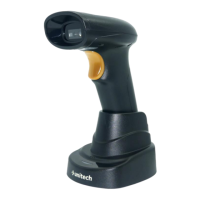

 To Next Page
 General