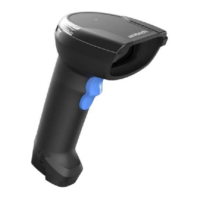
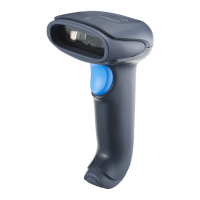
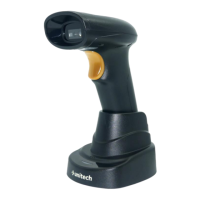
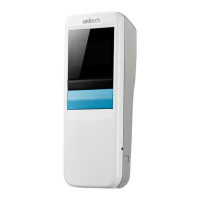
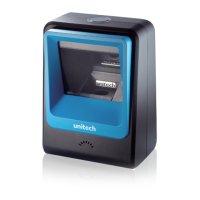
The Unitech MS852P is a 2D Imager Scanner designed for various scanning applications, offering both wired and wireless connectivity options. This user's manual, version 1.0, provides comprehensive information on its installation, operation, and maintenance.
Function Description:
The Unitech MS852P is a versatile 2D imager scanner capable of reading various 1D and 2D symbologies, including QR codes, DataMatrix, PDF417, and standard barcodes like Code 39, Code 128, and UPC/EAN. It features a CMOS sensor for image capture and a 655 nm laser for aiming. The scanner can operate in different modes, including Auto Operation, Wedge Operation, and Batch Operation, indicated by distinct beeper sounds upon power-on. It supports Bluetooth connectivity for wireless operation and can be charged via a USB Type-C cable or a dedicated cradle. The cradle also facilitates firmware updates for the scanner.
Important Technical Specifications:
- Optical & Performance:
- Sensor: CMOS Sensor, 1280 x 800 pixels
- Aiming Element: 655 nm Laser
- Illumination: One (1) Hyper Red 660 nm LED
- Skew Angle: ± 60°
- Pitch Angle Sensor: ± 60°
- Roll Angle: 360°
- Optical Resolution: 3 mil (code 39), 5 mil (code 128), 5 mil (PDF417)
- Symbology/Resolution Near/Far:
- Code 39: 3 mil 7.6 cm to / 14.7 cm
- Code 128: 5 mil / 5.8 cm to / 24.9 cm
- PDF417: 5 mil / 7.6 cm to / 20.1 cm
- PDF 417: 6.67 mil / 6.3 cm to/ 25.7 cm
- DataMatrix: 10 mil / 5.3 cm to / 27.8 cm
- UPCA (100%) / 4.1 cm to / 63.2 cm
- Code 128: 15 mil / 6.1 cm to/ 70.6 cm
- Code 39: 20 mil / 4.1 cm to / 91.7 cm
- QR Code: 20 mil / 2.8 cm to / 44.5 cm
- Supported OCR Symbologies: OCR-A, OCR-B
- Electrical:
- Operation Voltage: DC 3V to 5V
- Current Consumption: Operation mode: 80.6mA, Standby mode: 14.6mA
- Indicator: LED & Beeper & Vibrator
- Symbologies:
- 1D: Code 39, Code 128, Code 93, Codebar/NW7, Code 11, MSI, UPC/EAN, I 2 of 5, Korean 3 of 5, GSI DataBar, Base 32 Italian Pharma
- 2D: PDF417, Micro PDF417, Composite Codes, TLC-39, Aztec, DataMatrix, MaxiCode, QR Code, Micro QR, Chinese Sensible (Han Xin), Postal Codes
- Data Formatting: Prefix, Suffix, Code ID, Reformatting Date
- Regulatory Approvals: CE, FCC, BSMI, VCCI
- Communication:
- Radio: Unlicensed 2.4GHz
- Wireless Coverage: 10M (line of sight)
- Interface/ Profile: Wireless, SPP & HID profiles
- Host Interface Supported: USB (HID; CDC)
- Mechanical:
- Dimensions: 87.8 L x 71.6 W x 177.7 H (mm)
- Weight: 213g
- Trigger Switch Life: 10 million times
- Cradle Dimension: 120.6 L x 88.7 W x 86.0 H (mm)
- Environmental:
- ESD Protection: Functional after 8K Contact and 15K Air
- Mechanical Shock: 2.1M onto concrete (scanner only)
- Operating Temperature: -10°C to 50°C (14°F to 122°F)
- Storage Temperature: -40°C to +70°C (-40°F to +158°F)
- Relative Humidity: 95% non-condensing
- IP Rating: IP42
- Accessories: Dongle, Battery pack
Usage Features:
- Package Contents: The standard MS852P gift box includes the dongle, MS852P with battery, USB Cable, Quick Start Guide, Cradle, and Power Adaptor. Optional accessories like an additional dongle and battery pack are available.
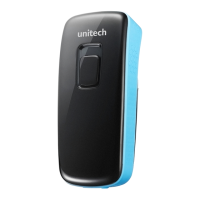
- Product View: The scanner features a scan window, trigger, buzzer hole, USB Type C connector for charging, battery cap screw, battery contact pins, and a reset hole. The cradle includes a pairing barcode, station mount screw holes, drain hole, interface port, and cable management slot.
- Getting Started:
- Scanner Turn On/Off: Long press the trigger key for 2 seconds to turn on (long beep sound) and for about 7 seconds to turn off (short beep sound).
- Pairing with Receiver: Long press the trigger key for 2 seconds to turn on the MS852P. Scan the MAC address on the dongle. Insert the dongle into a USB port of a computer or laptop. A successful connection is indicated by a low-medium-high beep sound.
- Cradle Function & Operation: The cradle is used for charging and updating scanner firmware. To update firmware, connect the cradle to a PC or adapter, place the MS852P scanner into the cradle (under power off condition), then press and hold the cradle button and MS852P trigger key for about 2 seconds until a beeper sound indicates entry into the firmware update process.
- Testing: To test the scanner, open a word processing program and scan a test barcode. If "Unitech" appears on the screen, the scanner is successfully installed. Ensure the aiming beam crosses every bar and space of the barcode for accurate scanning.
- Battery Charging:
- Initial Charge: Before first use, it's recommended to fully charge the battery, which takes approximately 5 hours.
- Charging via USB Type-C Cable: Connect the scanner to a host PC using the provided USB Type-C cable.
- Charging via Cradle: Connect the cradle to a host PC or an AC power adapter via a USB cable.
- LED / Beeper Indicators:
- Scanner LED Indicator:
- Solid Red Light: Battery charging.
- Red LED blinking every 2 seconds (in the outer ring): Battery Low < 10%.
- Red LED blinking fast with all other LED indicators disabled (in the outer ring): Battery Low < 5%.
- Red LED toggling every second for 5 seconds or until trigger key pressed: System Warning / Error.
- Solid Green Light: BT is paired and disconnected to the host.
- Green LED blinking every 2 seconds: Scanner in Auto Presentation Mode.
- Green LED toggling every second: System busy with data sending/receiving disabled.
- Solid Blue Light: BT is connected to the host / cradle & ready to send data.
- Green LED flashing once: Good read.
- Blue LED toggling every second: BT in pairing mode.
- Blue LED blinking fast: BT is connected to the host / cradle but its signal is too weak to send data.
- White LED: In scanner Firmware Update Mode.
- Scanner Beeper Indicator:
- Power On with 1 Beep: Scanner in Auto Operation Mode.
- Power On with 2 Beeps: Scanner in Wedge Operation Mode.
- Power On with 3 Beeps: Scanner in Batch Operation Mode.
- 3 short beeps at 15 seconds before power off: Auto Power Off Alarm.
- Short beep: Power Off.
- Beep with medium sound: Good Read with BT Connected.
- Beep with short medium-high sound: Good Read with BT Disconnected.
- Beep with low-medium-high sound: BT Connection.
- Cradle LED Indicator:
- Solid Red Light: Power is on but host is not connected.
- Solid Green Light: Host is connected, BT is paired and disconnected.
- Green LED toggling every second: System busy with data sending/receiving disabled.
- Solid Blue Light: Host is connected, BT is connected and cradle is ready to send/receive data.
- Blue LED toggling every second: BT in pairing mode.
- White Light on: In cradle Firmware Update Mode.
- White LED toggling every second: In scanner Firmware Update Mode.
Maintenance Features:
- Battery Replacement:
- Loosen the screw with a screwdriver and remove the battery cap.
- Remove the old battery.
- Place the new battery into the scanner.
- Lock the battery cap with the screw using a screwdriver tightly.
- Battery Notice:
- Batteries should be replaced every year or after 500 charging cycles.
- Avoid fully discharging the battery.
- Keep the battery cool; store at room temperature.
- Do not leave the battery uncharged and unused for an extended period.
- Protect battery life by not over or under charging.
- Do not leave battery unused for long time without charging it.
- Only use the original battery from Unitech.
- CAUTION: Risk of explosion if battery is replaced incorrectly. Dispose of used batteries according to instructions.
- CAUTION: Do not charge batteries at a temperature lower than 0°C. Use a battery temperature detecting device for a charger to ensure a safe charging temperature range.
- Adapter Notice:
- Do not leave the power adapter in the socket when not connected to the product.
- Remove the power adapter when the battery is fully recharged.
- The bundled power adapter is not meant for outdoor use.
- Only use the bundled power adapter or one with the same specifications.
- Connector Maintenance: Keep all connectors away from contaminants like dust, grease, mud, and water to prevent communication issues, short circuits, or overheating. If a connector is damaged, ensure it's fully repaired before use.
- RoHS Statement: The device conforms to RoHS regulations, limiting hazardous materials.
- WEEE Compliance: Unitech has a policy for electronic waste disposal (2012/19/EU). For details, contact your supplier or visit the Unitech portal.
- Warranty Policy: The warranty period varies by country. Consult your supplier or Unitech local office for specific warranty lengths. Warranty is void if equipment is modified, improperly installed or used, damaged by accident or neglect, or if parts are improperly installed or replaced by the user.
- Regulatory Compliance: The device complies with FCC rules (Class B digital device, part 15) and CE RF exposure guidelines (EN 62209-2). It is designed to provide reasonable protection against harmful interference.
- Laser Safety: The product is certified to DHHS/CDRH 21CFR Subchapter J and IEC 60825-1. It contains a Visible Laser Diode (VLD) with emissions not exceeding maximum limits. The scanner is designed to prevent human access to harmful laser light during normal operation.
- CAUTION: Use of controls or adjustments other than specified may result in hazardous laser light. Use of optical instruments (binoculars, microscopes, magnifying glasses) with the scanner will increase eye damage. This does not include eyeglasses worn by the user.
- LED Information: The product's LED indicator(s) or LED ring luminance is not harmful to human eyes during normal operation.
- Hearing Damage Warning: To prevent possible hearing damage, do not listen at high volume levels for long periods.

 Need help?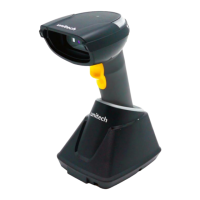

 To Next Page
 General