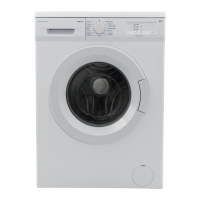
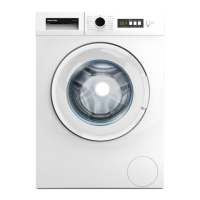
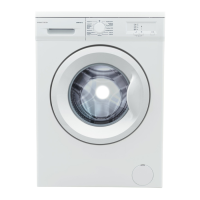
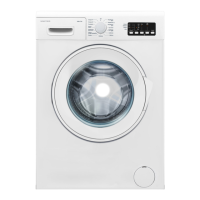
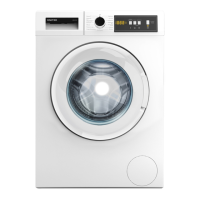
This document is a user manual for the UNITED UWM-5010 Washing Machine.
Function Description
The UNITED UWM-5010 is a washing machine designed for domestic use. It offers various washing programs and auxiliary functions to cater to different laundry needs. The machine is equipped with an electronic display and a program knob for easy operation. It also features a child lock to prevent accidental program changes and a half-load detection system to save water and energy for smaller loads. The machine is designed to perform washing, rinsing, and spinning operations.
Important Technical Specifications
- Operating Voltage/Frequency: 220-240 V~/50Hz
- Total Current: 10 A
- Water Pressure: Maximum: 1 Mpa, Minimum: 0.1 Mpa
- Total Power: 2100 W
- Maximum Dry Laundry Capacity: 5 kg
- Spinning Revolution: 800 rev/min
- Programme Number: 15
- Dimensions (Height x Width x Depth): 845 x 597 x 497 mm
The machine's energy and water consumption can vary based on factors like water pressure, water hardness, water temperature, ambient temperature, laundry amount, additional function selection, and voltage fluctuations.
Usage Features
Preliminary Preparation for Laundering:
- Separating Laundries: Users should separate laundries based on their type (cotton, synthetic, sensitive, wool, etc.), temperature requirements, and degree of contamination. It is recommended to wash colored and white laundry separately and never wash floury clothes as it can damage the machine.
- Putting Laundries in the Machine: Open the door, spread laundries inside, and ensure no items are stuck between the door and the bellow seal before closing. The door must be properly closed for the machine to start. Maximum loading capacity varies by laundry type and program; users should not exceed the indicated dry loading capacity.
- Adding Detergent: The amount of detergent depends on the laundry's contamination level and water hardness. For less stained laundry, use a small amount in the second compartment. For heavily stained laundry, use a program with prewashing, putting ¼ of the detergent in the first compartment and the rest in the second. Use detergents specifically for automatic washing machines. Softener should be added to the softener compartment, not exceeding the MAX level to prevent premature flow. High-density softeners should be thinned. Liquid detergents can be used in all programs without prewashing by fitting the liquid detergent level plate in the second compartment.
Operating Your Machine:
- Starting: Plug in the machine, open the water faucet, and open the machine door to load laundry.
- Selecting Programme: Choose the desired program using the program knob. The knob can be rotated in both directions and should be set precisely on the chosen program.
- Auxiliary Functions: These can be selected before starting a program. Press the auxiliary function button; if the symbol flashes continuously, it's activated. If it blinks, it's not activated, possibly due to incompatibility with the chosen program, the program stage, or a previously selected auxiliary function.
- Temperature Selection: Adjust the washing water temperature using the temperature adjustment button. The maximum temperature for the selected program will appear on the display, which can be decreased to lower levels (60°, 40°, 30°, or cold washing '*') by pressing the button repeatedly.
- No Spin: This auxiliary function can be selected if spinning is not desired.
- Start/Pause Button: Press this button to start or suspend a program. In standby mode, the Start/Standby LED will blink.
- Child Lock: Activated by pressing both auxiliary functions 1 and 2 simultaneously for more than 3 seconds. The auxiliary function LEDs will blink when active. To deactivate, press the same buttons for more than 3 seconds. If a program is running with child lock engaged and the program knob is switched, the original program will resume from where it left off.
- Cancelling Programme: To cancel a running program, switch the program knob to "CANCEL." The machine will stop, and the program will be canceled. To discharge accumulated water, switch the knob to any program, and the machine will perform the discharge. A new program can then be selected.
- Finishing Programme: The machine stops automatically when a program finishes, and the "End" LED blinks. Users can then open the door, remove laundry, unplug the machine, and turn off the water faucet.
Maintenance Features
General Warnings:
- Unplug the machine and turn off the water tap before any maintenance or cleaning.
- Do not use cleaning materials with solvent agents, as they can damage machine parts.
Water Inlet Filters:
- Filters prevent dirt and foreign substances from entering the machine. If water intake is insufficient, the filters should be cleaned. It is recommended to clean the pump filter every 2 months.
- To clean, detach the water inlet hoses, remove the filters from the water inlet valves using pliers, and clean them with a brush. Disassemble the filters on the faucet side and clean them. Reassemble in reverse order.
- Caution: Clogged water inlet valves can cause water leakage and are not covered under warranty.
Pump Filter:
- The pump filter prevents threads and tiny materials from entering the pump during discharge. It is recommended to clean it every 2 months.
- To open the pump cover, use the powder detergent spade or liquid detergent level plate. Fit the end point of the plastic part to the gap of the pump cover and push it back.
- Before opening the filter cover, settle a vessel to prevent water remaining in the machine from flowing onto the ground.
- Loosen the filter cover by rotating it counter-clockwise and then empty the water.
- Clean foreign materials from the filter with a brush.
- After cleaning, fit the filter cover and tighten it clockwise.
- When closing the pump cover, ensure inner parts match the holes on the front panel.
- Warning: Water in the pump may be hot; wait until it cools down.
Detergent Drawer:
- Detergent residues can accumulate over time. It is recommended to clean the detergent drawer every 2 months.
- Pull the detergent drawer to eject it. Keep pulling while depressing the section shown in the manual to unseat it.
- Flush it using a brush.
- Collect residues in the housing of the detergent drawer without dropping them inside the machine.
- Assemble the detergent drawer after drying it with a soft cloth.
- Do not wash the detergent drawer in a dishwasher.
- Liquid Detergent Apparatus: Clean this apparatus for cleaning and maintenance purposes. Put it back into its place, ensuring no residues are left.
Flush Stopper/Body/Drum:
- Flush Stopper: Disassemble the detergent drawer, clean the flush stopper and softener residues, and refit it after cleaning.
- Body: Clean the outer body with warm water and a non-flammable cleaning agent. Wipe with a soft and dry cloth.
- Drum: Do not leave metallic objects (needles, paper clips, coins) in the drum. To clean rust stains, use a non-chlorine cleaning agent and follow manufacturer instructions. Never use wire wool or similar hard objects.
Practical Information for Stain Removal:
The manual provides detailed instructions for removing various stains, including alcoholic drinks, shoe shine, tea and coffee, chocolate and cocoa, tomato paste, bouillon-egg, grease and oil, mustard, fruit, grass, oil paint, burn stains, blood, crema/ice cream/milk, and ink. These instructions often involve specific cleaning agents (glycerine, vinegar, detergent, bleacher, alcohol, oxygen water, thinner, lemon-added water) and methods (cold water submerging, scrubbing, wiping).

 Need help?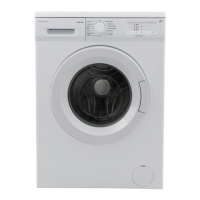

 To Next Page
 General