ACC time means the time needed if the
inverter speeds up from 0Hz to the Max. One
(P00.03).
DEC time means the time needed if the
inverter speeds down from the Max. Output
frequency to 0Hz (P00.03).
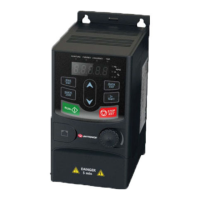
UMI-B1 UL series inverters have four groups
of ACC/DEC time which can be selected by
P05. The factory default ACC/DEC time of the
inverter is the first group.
Setting range of P00.11 and P00.12:
0.0–3600.0s
0: Runs at the default direction, the inverter
runs in the forward direction. FWD/REV
indicator is off.
1: Runs at the opposite direction, the inverter
runs in the reverse direction. FWD/REV
indicator is on.
Modify the function code to shift the rotation
direction of the motor. This effect equals to
the shifting the rotation direction by adjusting
either two of the motor lines (U, V and W).
The motor rotation direction can be changed
by QUICK/JOG on the keypad. Refer to
parameter P07.02.
Note: When the function parameter comes
back to the default value, the motor's running
direction will come back to the factory default
state, too. In some cases it should be used
with caution after commissioning if the
change of rotation direction is disabled.
2: Forbid to run in reverse direction: It can be
used in some special cases if the reverse
running is disabled.


 To Next Page
 Loading...