V200-18-E4XB Snap-in I/O Module 6/05
10 Unitronics
Analog Output Jumpers
Jumper # Current Voltage*
Analog Output 0
1 A B
Analog Output 1
2 A B
Analog Output 2
3 A B
Top PCB board
Analog Output 3
4 A B
* Default factory setting
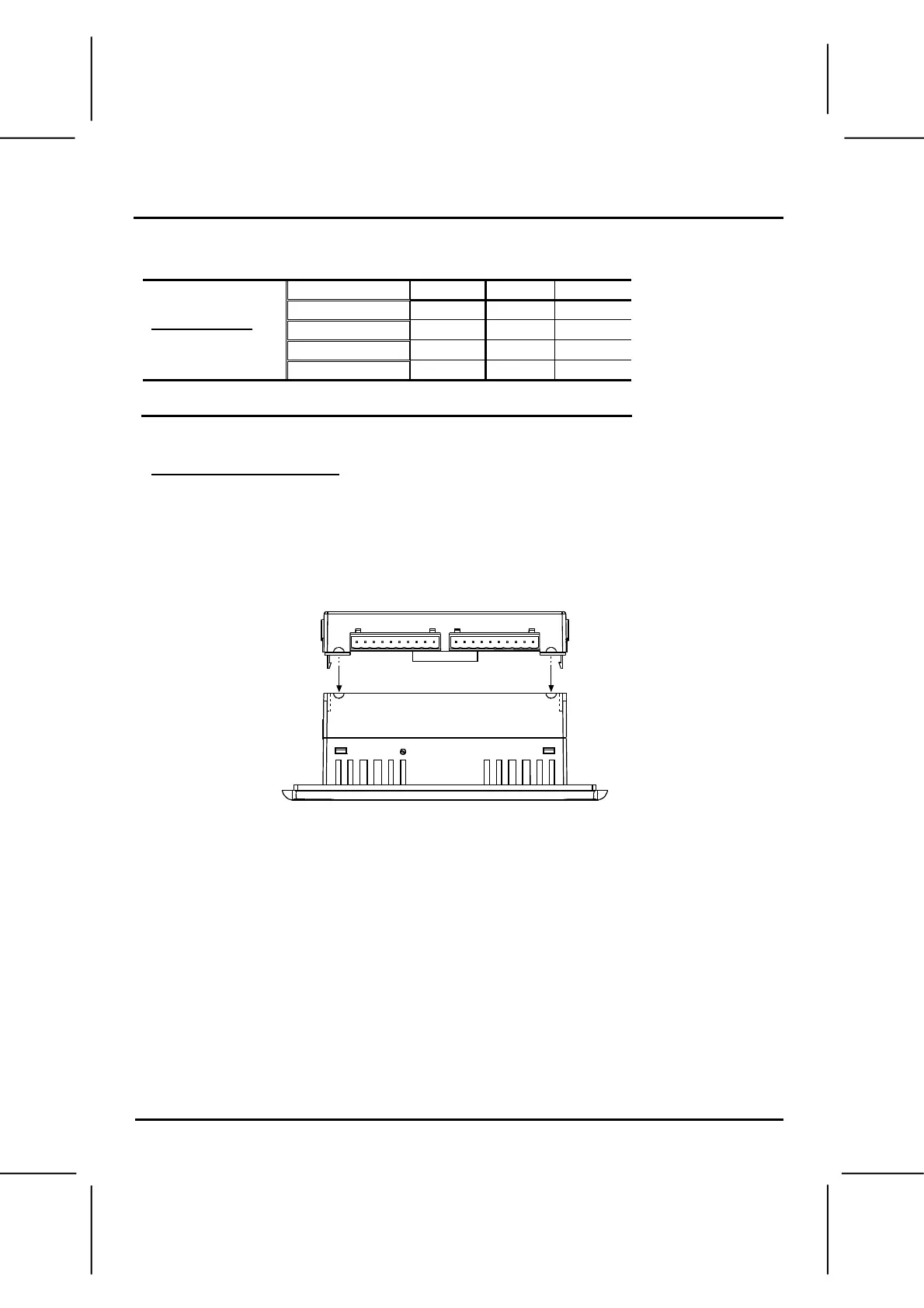
Reassembling the controller
1. Return the PCB board to the module and secure the center screw.
2. Next, reinstall the module. Line the circular guidelines on the controller up with the
guidelines on the Snap-in I/O Module as shown below.
3. Apply even pressure on all 4 corners until you hear a distinct ‘click’. The module is now
installed. Check that all sides and corners are correctly aligned.
i4 Automation Ltd - 01480 395256


 To Next Page