Link to Table of Contents
User Guide
235
ULS Reference Guide Book
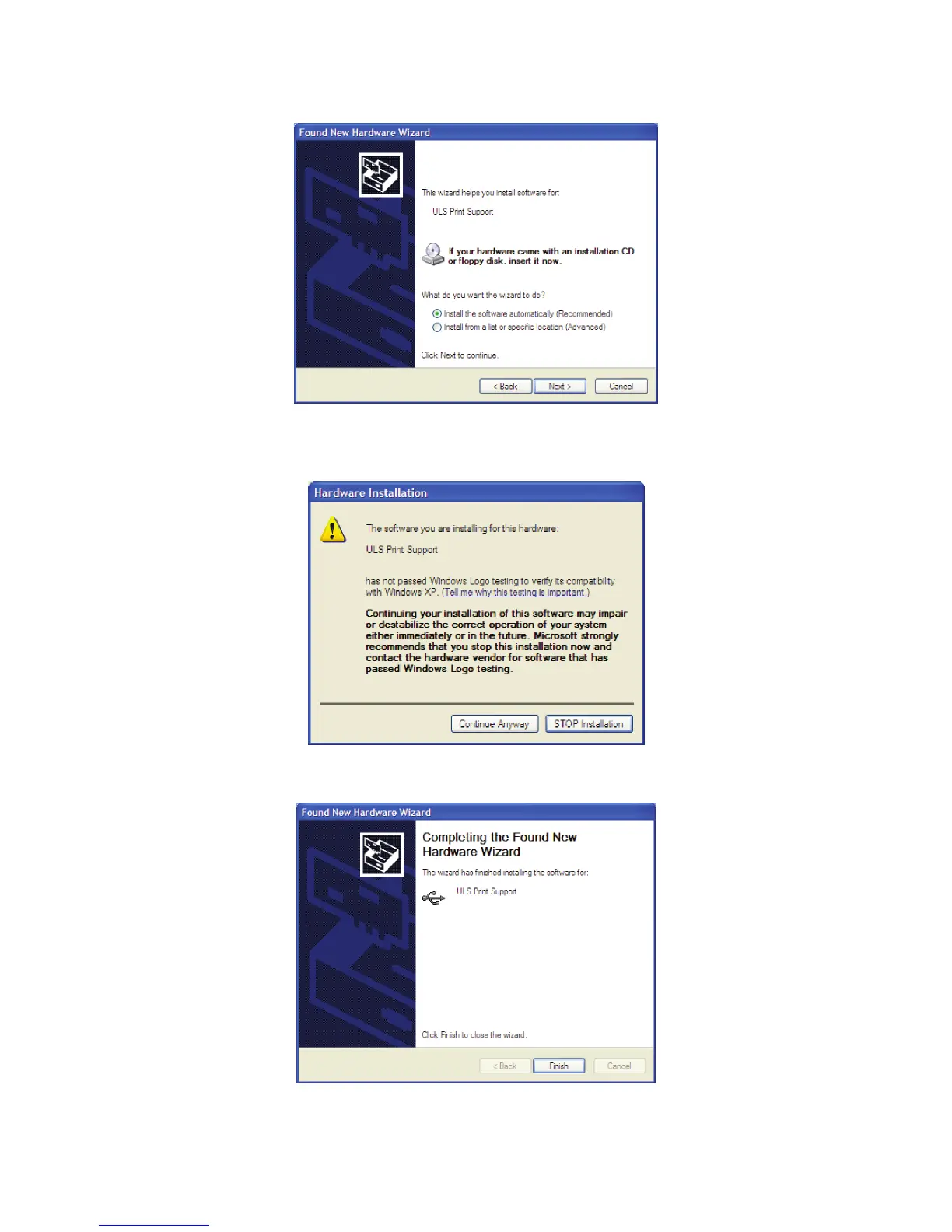
Select “Install the software automatically.” Then Click “Next” to continue. You do not need to insert the c.
Software Installation CD-ROM.
A warning message will appear. Select “Continue Anyway.” Do not be concerned. Installing the ULS d.
Firmware will not harm your computer in any way. The rmware will begin to load.
Click “Finish” to close the Wizard.e.
Another set of New Hardware Wizard windows may appear after the initial USB connection. Follow the same f.
instructions as mentioned previously. Once completed, your new hardware is installed and ready to use.



 To Next Page