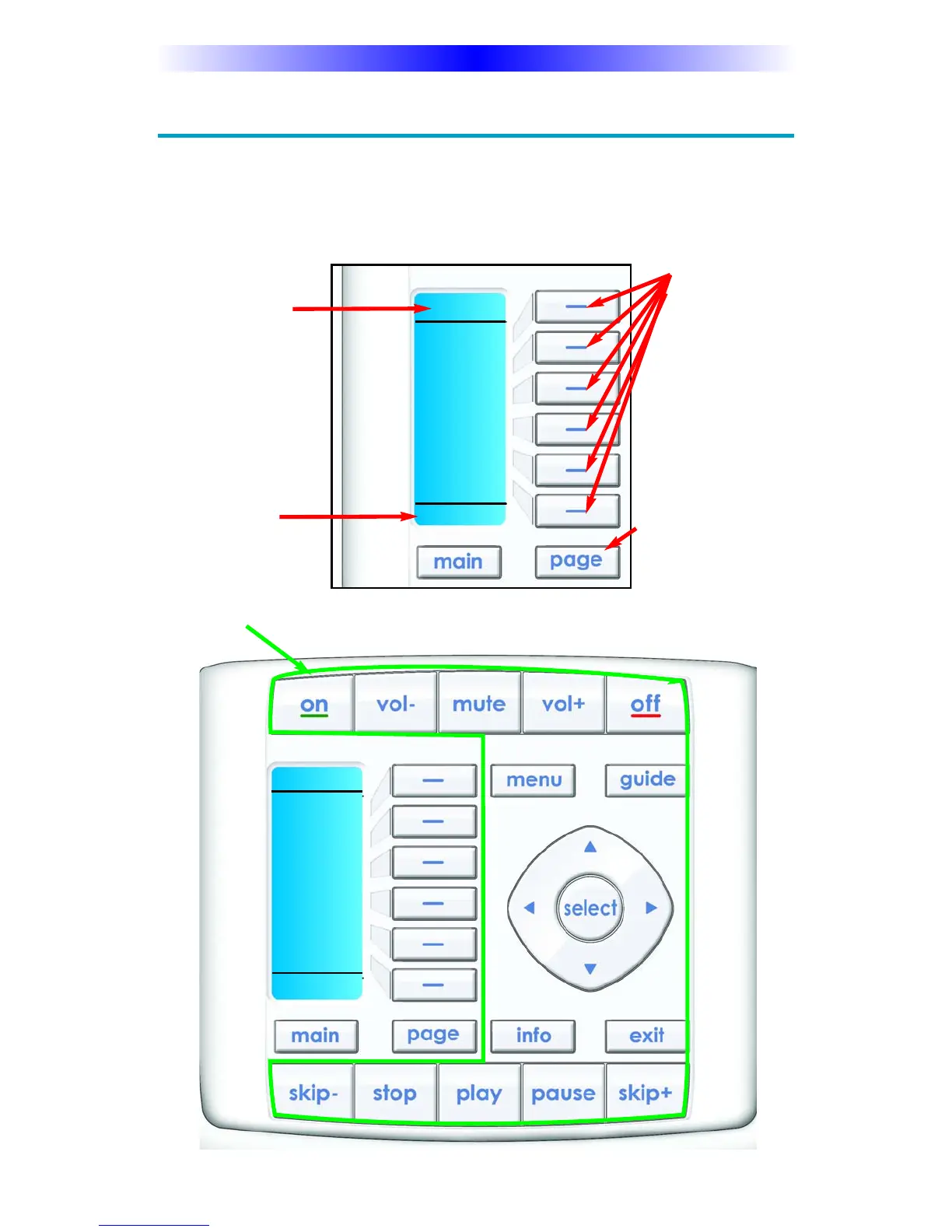
The LCD button
labels describe
special features
for this activity.
Page 6
KP-900 OWNERS MANUAL
Using the KP-900 to Control an “Activity”
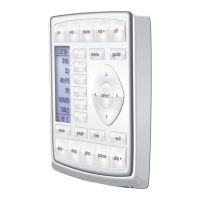
Once you’ve selected a new activity, the KP-900 displays the title of the
activity at the top of the screen. Below the title, the LCD displays the cus-
tomized names of any special features you need for the activity. All the
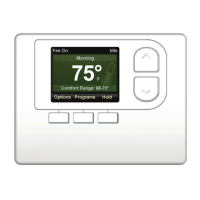
hard buttons of the KP-900 have now changed to functions optimized for
this activity.
The Title displays
what activity you
can control.
Each activity can
have many pages of
LCD labeled but-
tons. At the bottom
of the LCD the
page number is dis-
played.
All of the KP-900’s hard buttons change their function and now control the select-
ed activity.
Press the PAGE but-
ton to use the other
pages of LCD
labeled buttons.
IPOD
ARTISTS
ALBUMS
PLAYLST
VIDEOS
GENRES
SHUFFLE
1 OF 6
IPOD
ARTISTS
ALBUMS
PLAYLST
VIDEOS
GENRES
SHUFFLE
1 OF 6





 To Next Page