24
MX-980 Programming Manual
U
S
I
N
G
O
P
E
N
A
R
C
H
I
T
E
C
T
U
R
E
Utilizing the IR Database
Applying a “Set” of IR Commands to each Device
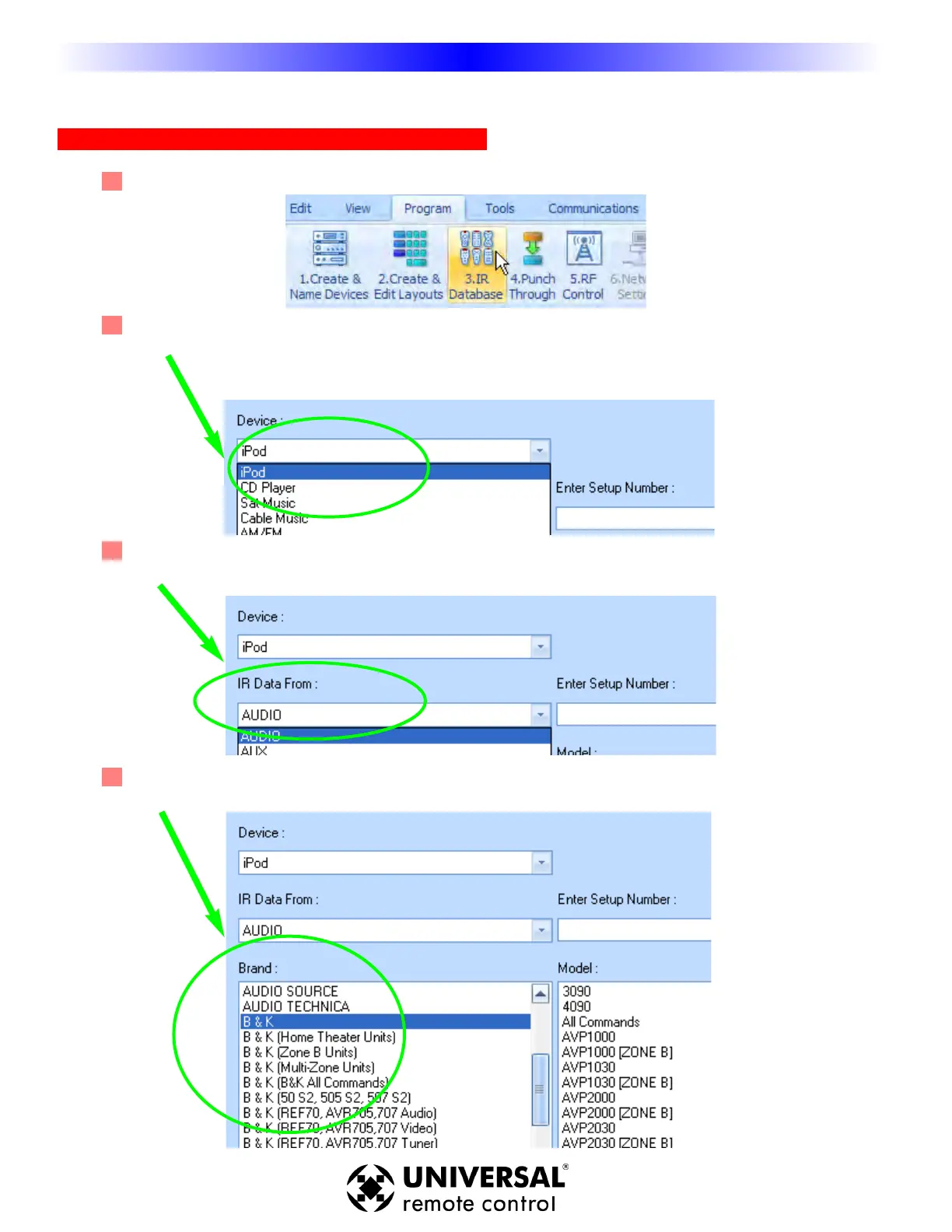
1 Open the Database Window - Select IR Database from the Program Menu.
2 Device - In the first list box, MX-980 Editor lists the names of the devices you’ve created and named
in your configuration. Select the device you would like to program from the list box.
2 IR Data From - Select the type or category of component (i.e. TV, VCR or DVD player) via the “IR
Data From” listbox.
3 Br
and
- Select the company that made the component (i.e. B & K, Son
y, Krell) by clicking on the
correct brand name in the scrollable Brand window.
Using the IR Database











 To Next Page