Page 7
PCL-300 PC UPGRADE
LINK
Uploading a Configuration from the Remote to the PC
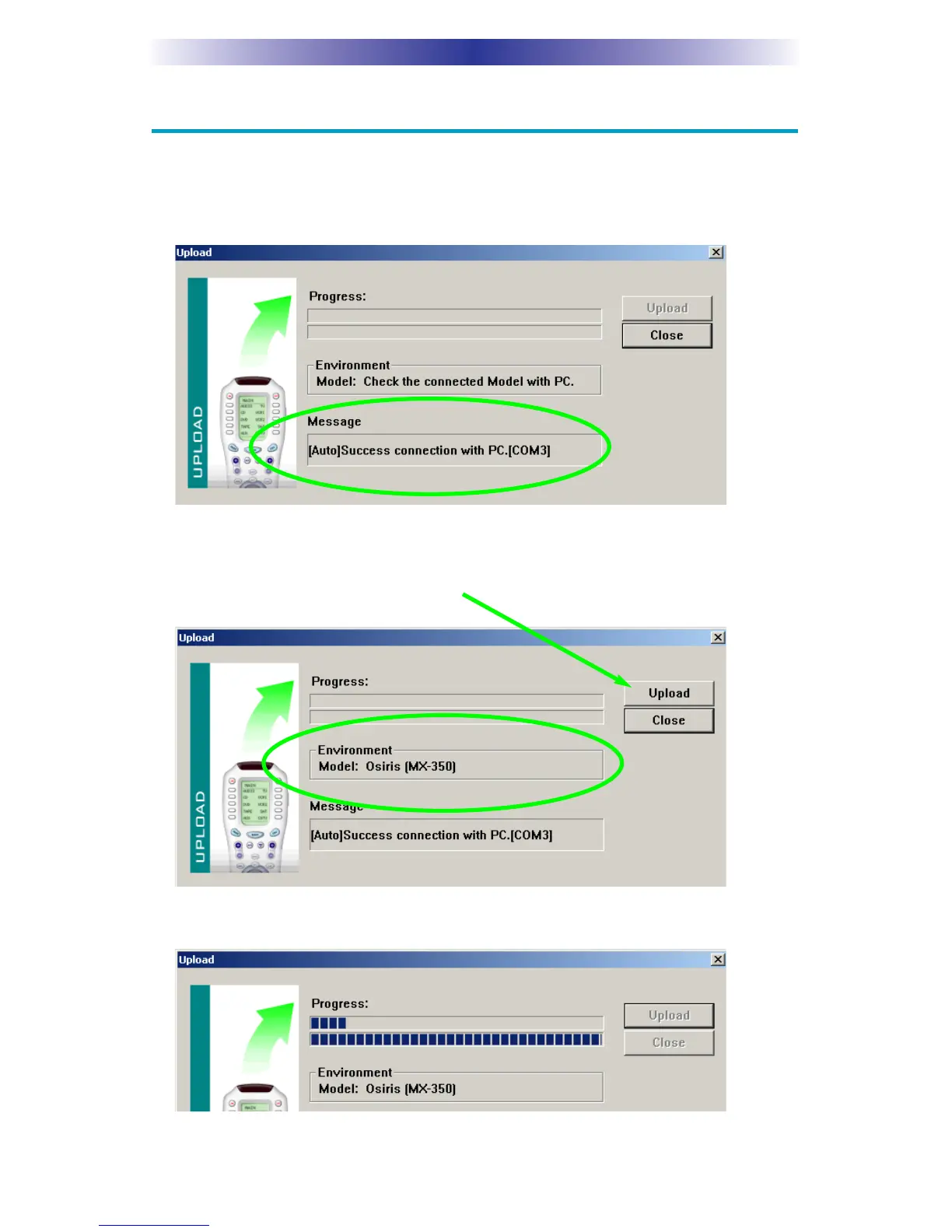
1. Click on the Upload icon on the toolbar or select Upload from the
communications window. The Upload window will appear. The mes-
sage window should display “(Auto) Success connection with PC.”
2. The software now identifies whether it is connected to an MX-350 or
an MX-650. Once it has identified the model, the Environment message
will correctly identify the connected remote. Click on the Upload but-
ton to begin the upload process.
3. The window displays the progress as the file is uploaded.



 To Next Page