Page 11
PCL-300 PC UPGRADE
LINK
Utilizing Live Update
The PCL-300 software can be updated with new IR code sets for the
remote control’s database and new firmware. To obtain the latest IR data-
base and firmware, simply connect to the internet in your normal way,
then open PCL-300 software.
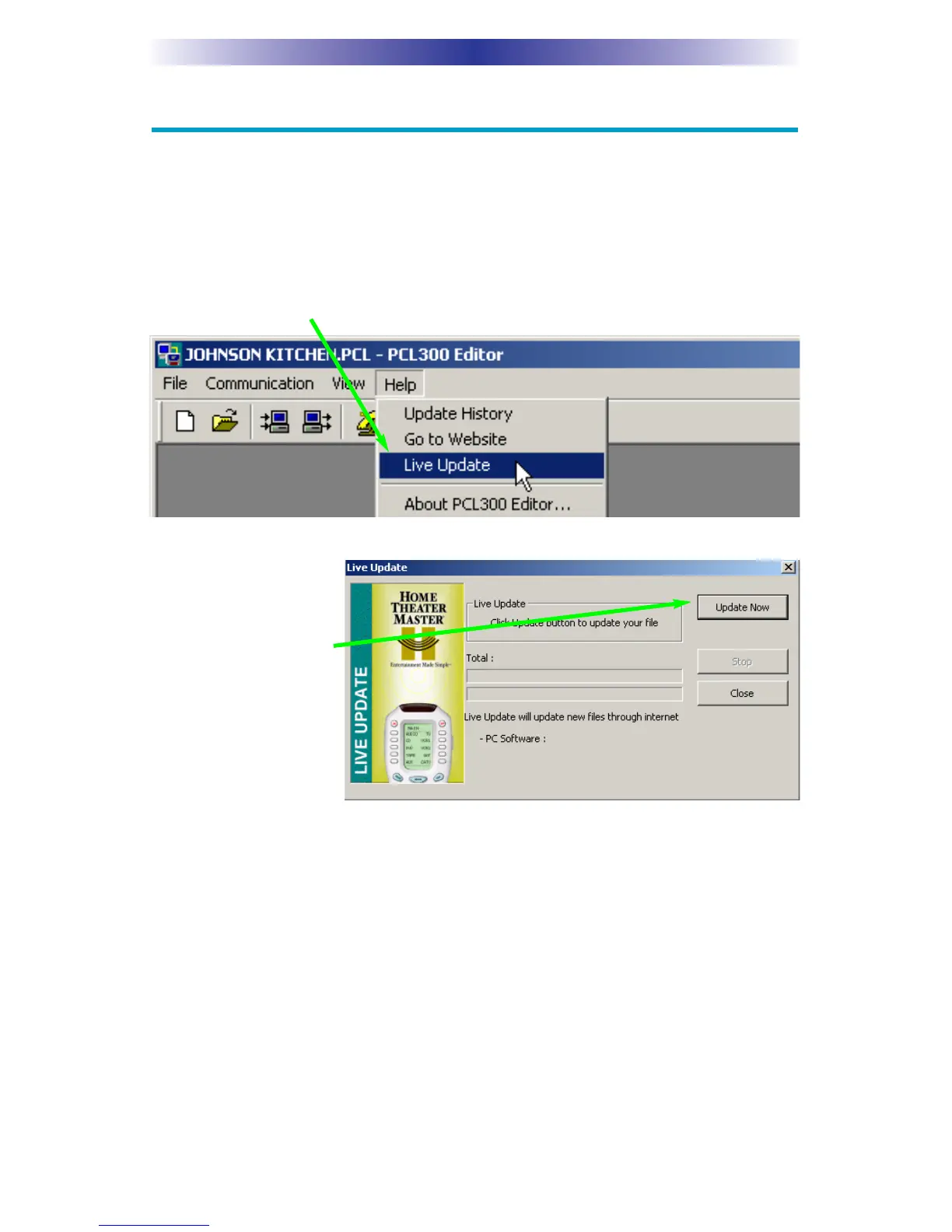
1. Click on the Live Update button on the toolbar or select Live Update
from the Help menu.
2. The Live Update
window will
appear. Click on
the Update Now
button to start the
Update.
3. If there is an update available, it will download. If there is no update
available, you already have the latest codes.
4. Once the update is complete, close PCL-300 software. The changes
only take effect when you restart the program. You do not have to
reboot your PC.


 To Next Page