Page 9
PCL-300 PC UPGRADE
LINK
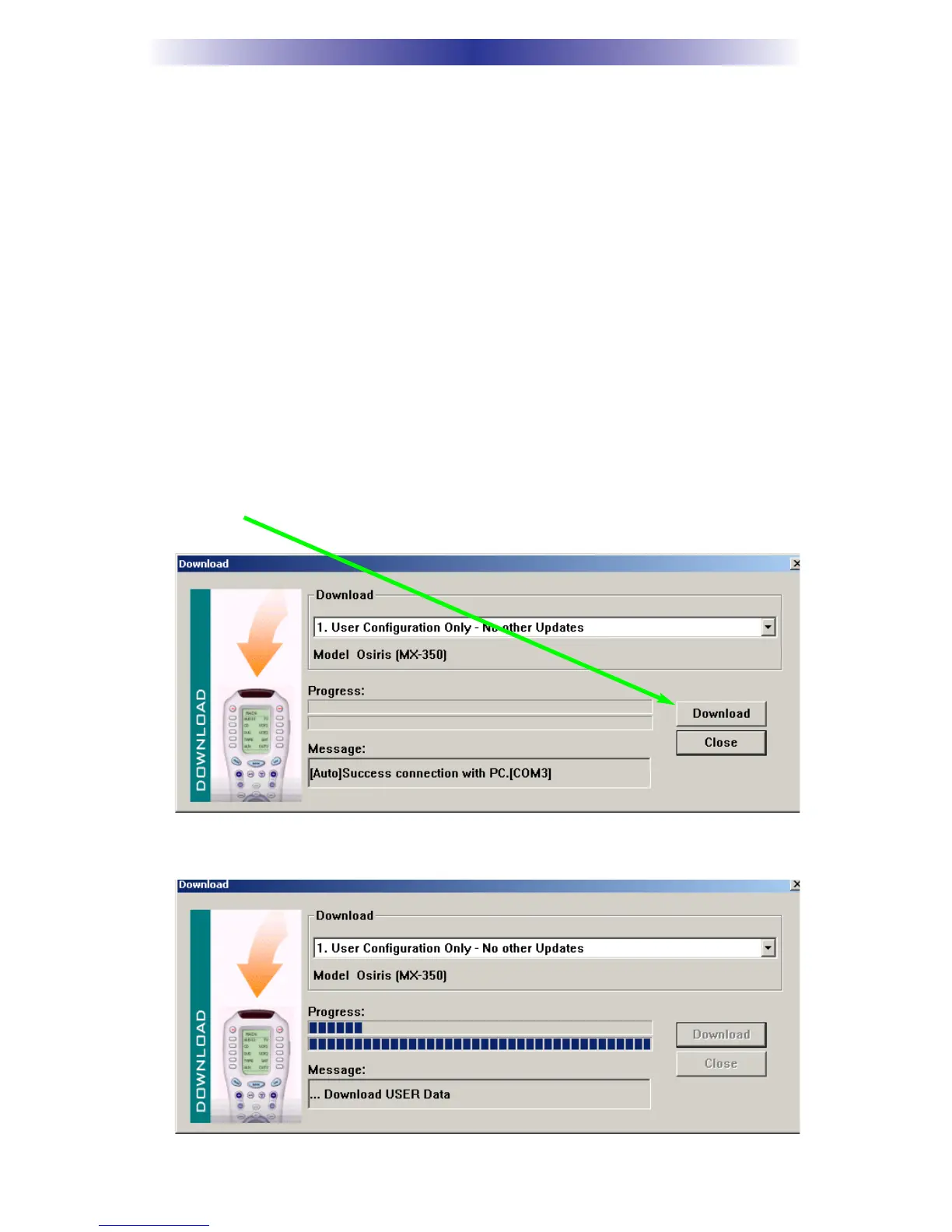
Download Types:
1. User Configuration Only - This is the fastest way to download
a configuration to a remote. However, the remote will not be
updated with new IR database code sets, nor will the firmware
be updated. Use this type of download after you’ve updated
the firmware once.
2. User Configuration, Firmware and IR Database Update - Use
this type of download when you want a new configuration
downloaded and you want the remote updated.
3. Firmware and IR Database Update Only - Use this when you
already have the remote programmed, you just want to update
the remote.
4. Restore to Factory Default - This will completely update the
remote and restore the factory default programming to all
devices and pages.
3. Once you’ve selected the type of download, click on the Download
button.
4. The window will display the progress as the file is downloaded.


 To Next Page