14
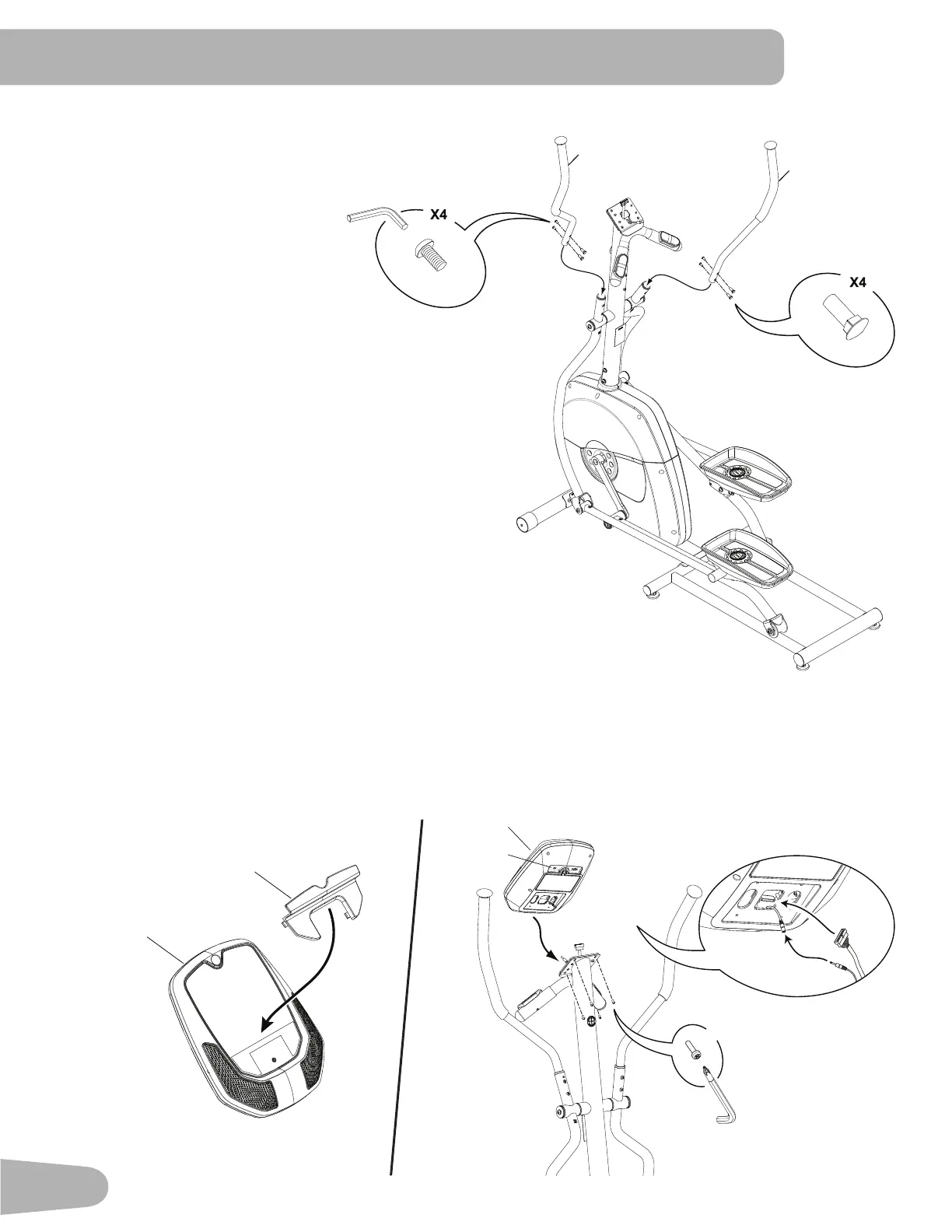
10. Attach Upper Handlebar Arms to Frame Assembly
4
#2
X4
4a
11. Attach Media Tray to Console and Install the Console to the Console Mast
Note: Before you attach the Media Tray, remove the protective plastic film from the front of the console. Be
sure the tabs on the Media Tray snap into the Console.
Removethepre-installedscrewsfromthebackoftheConsolebeforeyouconnectthecables.
NOTICE: Do not crimp cables. Make sure that the switch (4a) on the back of the Console is set to E (elliptical).
4
17
4mm
14
15
Q
P


 To Next Page