2
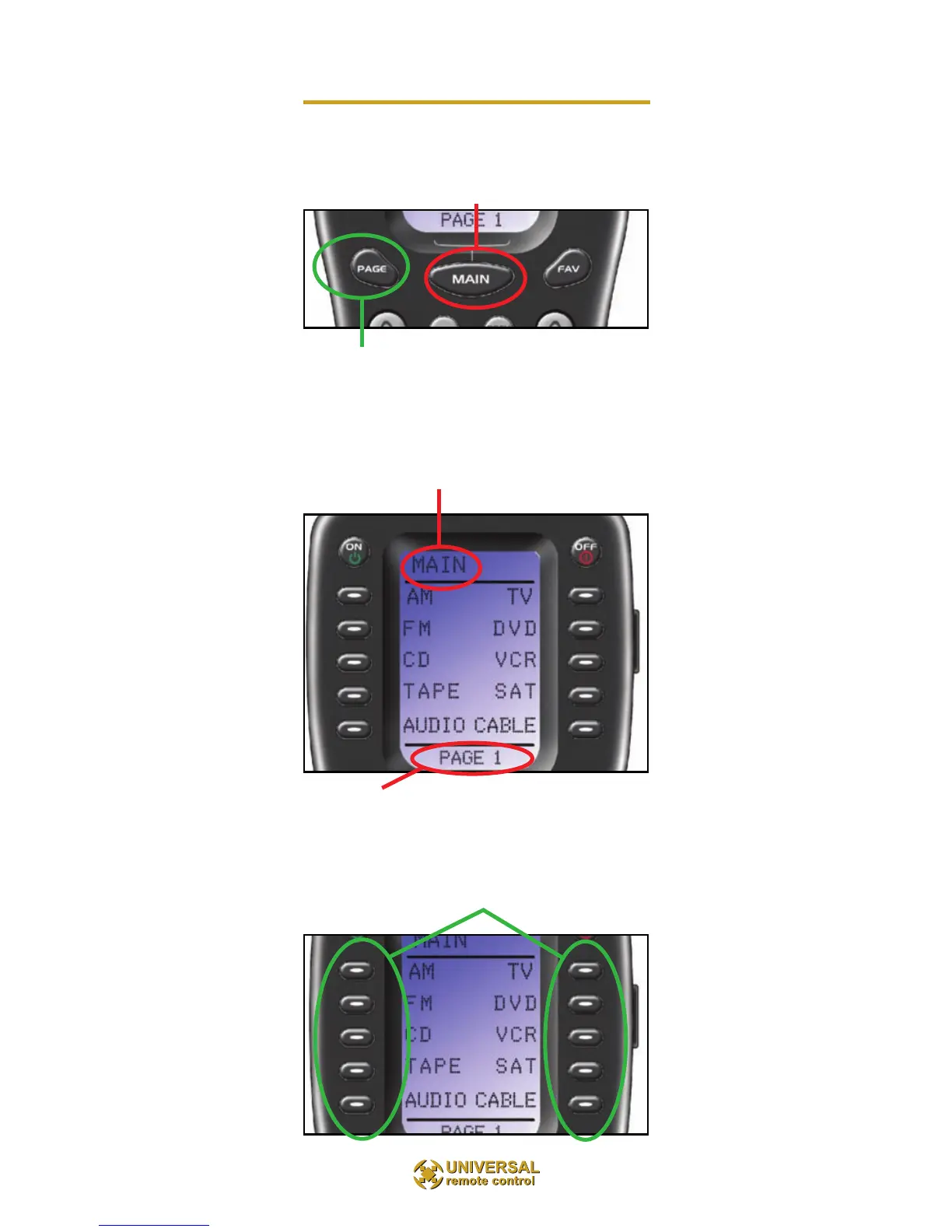
Finding the MAIN Menu
The MAIN Button always takes you to the MAIN Menu
which may be named for the room the MX-850 controls.
The PAGE button switches between two MAIN Menu pages
IF you have more than ten remote controls.
When the top title bar says MAIN or the name of a Room,
you are on the MAIN Menu.
The lower title bar displays PAGE 1 or PAGE 2 as you
switch. Each of the remote controls the MX-850 replaces are
represented by a button next to the
corresponding screen label.



 To Next Page