10
Backlighting
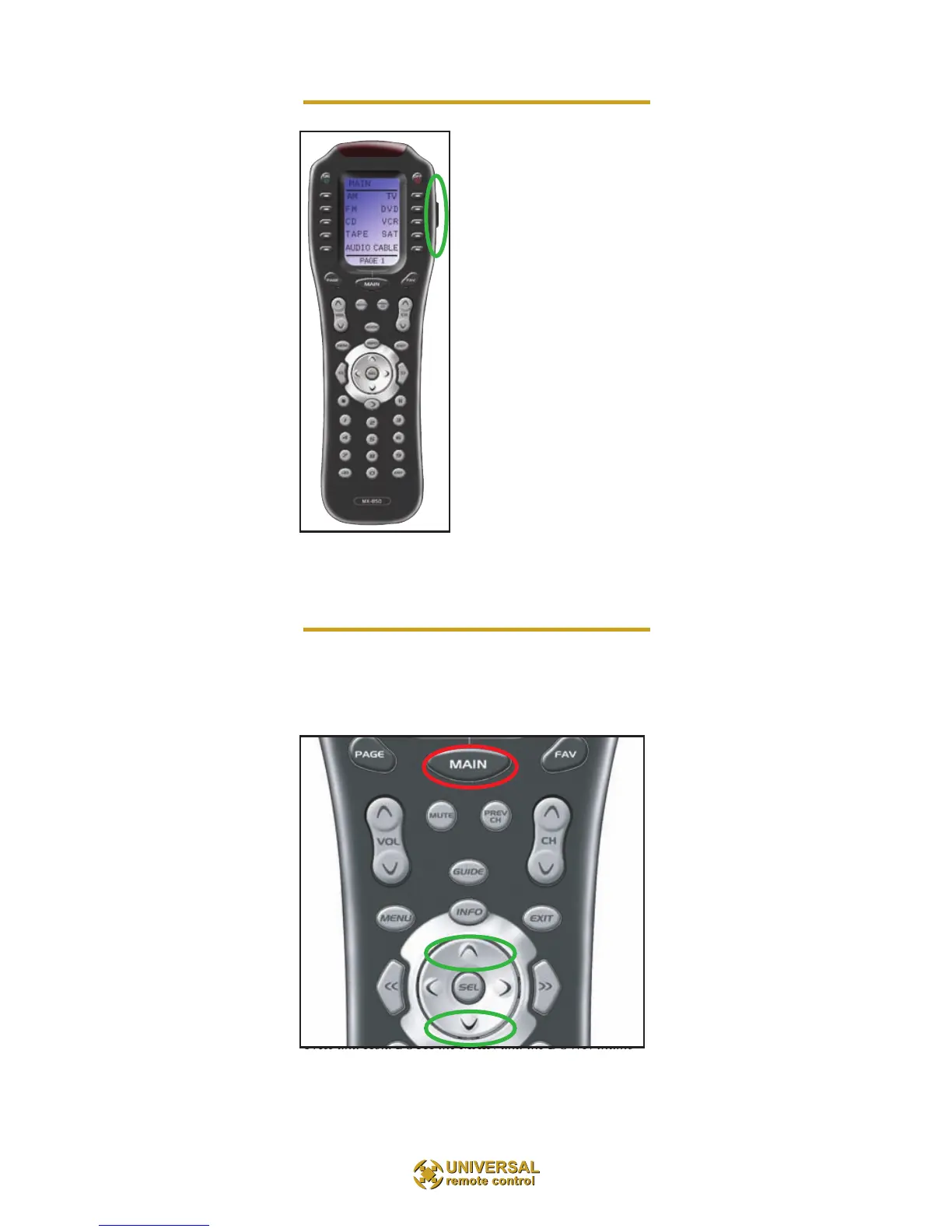
Turn on the back-lighting by
pressing the LIGHT button on
the right side of the the remote
control. The backlighting will
stay on briefly, then turn off
automatical-ly. If you wish to
turn it off without waiting,
simply tap the LIGHT button
again.
* Note that your bat-tery life is
reduced by how often you use
the backlighting.
Changing Contrast
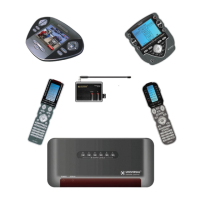
Press and Hold BOTH the MAIN and the UP thumbpad
button at the same time to make the screen DARKER.
Press and Hold BOTH the MAIN and the DOWN thumb-
pad button at the same time to make it LIGHTER.



 To Next Page