3
Turn On Your Entire System
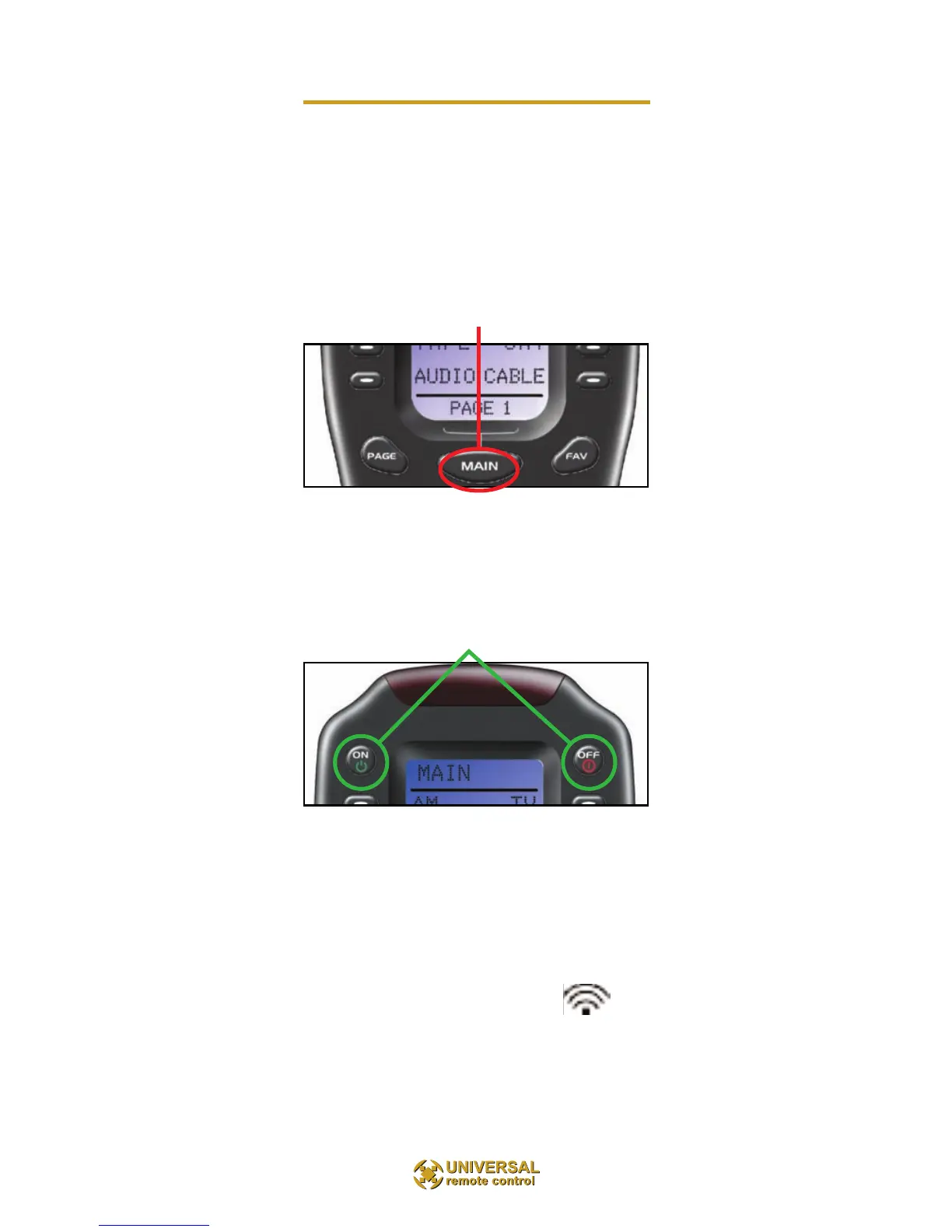
Power on/off your entire system with the MAIN Menu
by following these steps:
1. Touch the MAIN button to make sure that you are on
the MAIN Menu. It doesn’t matter which page of the
MAIN Menu is displayed.
2. Touch the On or Off button as desired. Wait until all
components are correctly powered on or off. Turning on the
system may take ten to twenty
seconds.
3. If one component does not turn on/off, simply touch the
button again.
TIP – The remote control will not respond to a
new button push while is still issuing com-mands.
While busy, the indicator flashes at the top
of the screen next to the screen title.



 To Next Page