20
Changing Resistance Levels
Push the Increase() or Decrease() buttons to change the resistance level at any time in a workout program.
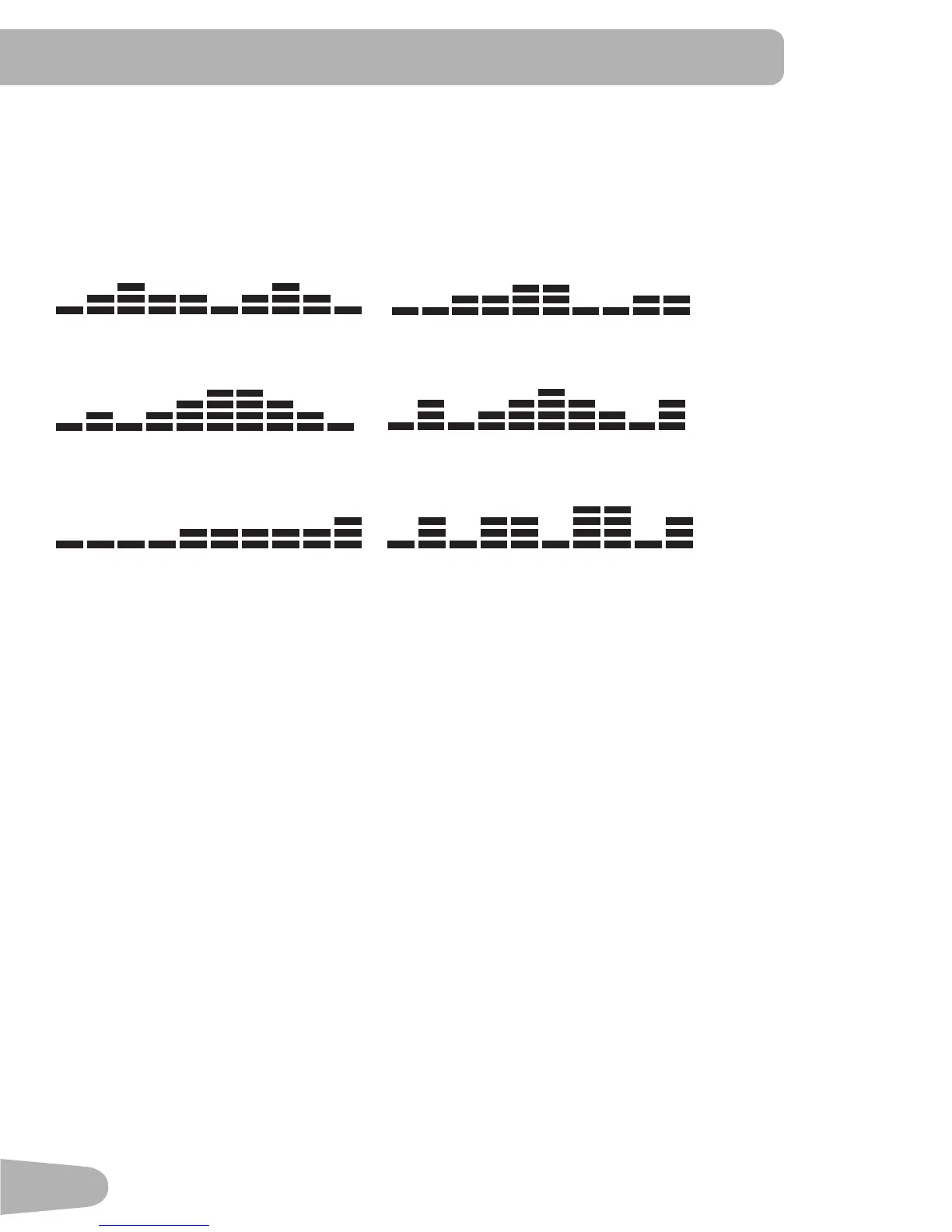
Prole Programs
These programs automate different resistances and workout levels.
Fun Rides
Rolling Hills Ride in the Park
Mountains
Pike’s Peak Pyramids
Challenges
Uphill Finish Cross-Training
TostartaProleProgram:
1. Step on the machine.
2. PushthebuttonforthedesiredProleProgramtype:FunRides,MountainsorChallenges.Thedisplayshowsthe
rstoptionforthattype—forexample,theRollingHillsprogramfortheFunRidestype.Pushthebuttonagainto
togglebetweenoption1andoption2.
3. To adjust the time of the workout, push ENTER. The default value is 15 minutes. Use the Increase() or
Decrease() buttons to change it, and push ENTER.
4. Use the Increase() and Decrease() buttons to change the resistance level (default level is 3), and push EN-
TER.
5. ThedisplayshowsaworkoutsummaryforthedesiredProleworkout.
6. PushtheSTART/STOPbuttontostarttheProleworkout.
Pausing or Stopping
1. Stop pedaling and push the START / STOP button to pause your workout.
2. Tocontinueyourworkout,pushSTART/STOPandstartpedaling.
To end the workout, push the START / STOP button.
Results
When you complete, pause or cancel a workout, the Console will show your current workout value totals and aver-
ages. If there is no activity for 5 minutes, the Console will enter Sleep Mode.


 To Next Page