10
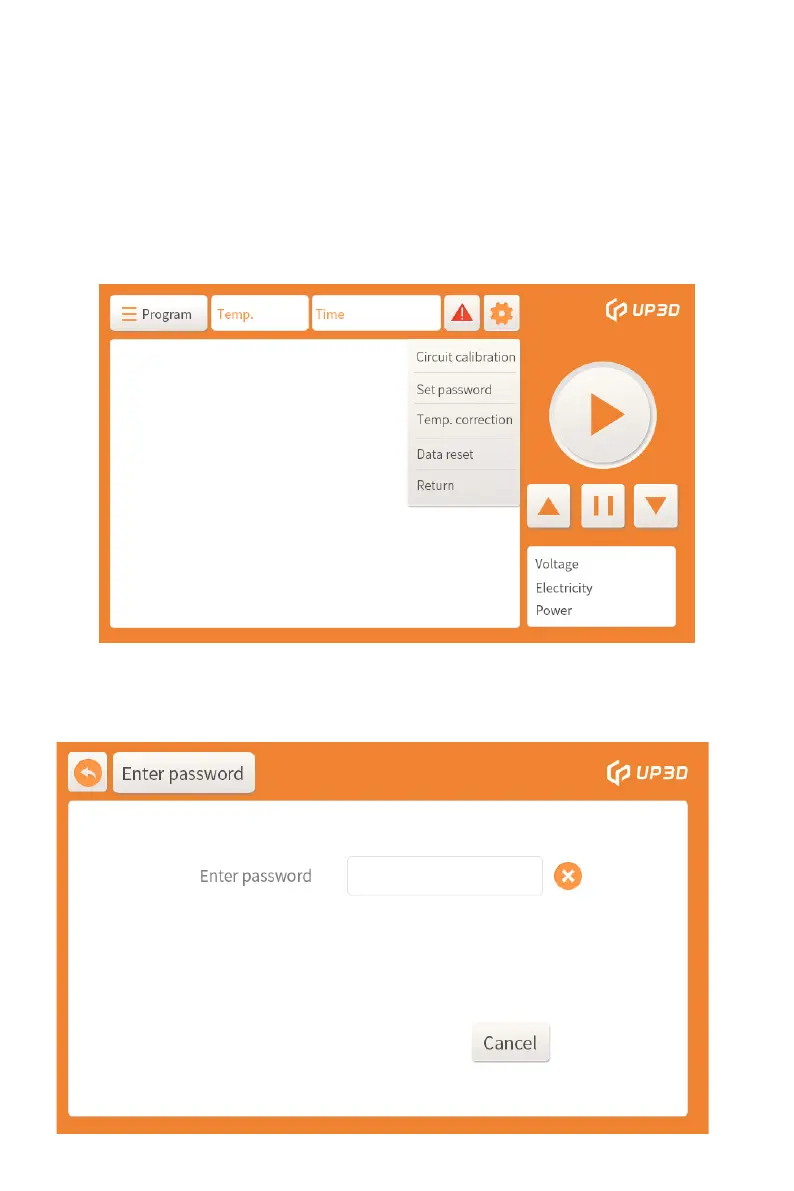
Click the Enter password box to enter the password input
interface.
3) Setting box: Click the setting box to pop up the circuit calibration
and setting password box. The circuit calibration module is only
open to the technical support of UP3D TECH. A password is set
for the customer to manage the defined sintering program,
preventing others from tampering with the defined program.
Data reset and temperature calibration are not available, please
contact the technician if you need to operate.


 To Next Page