08
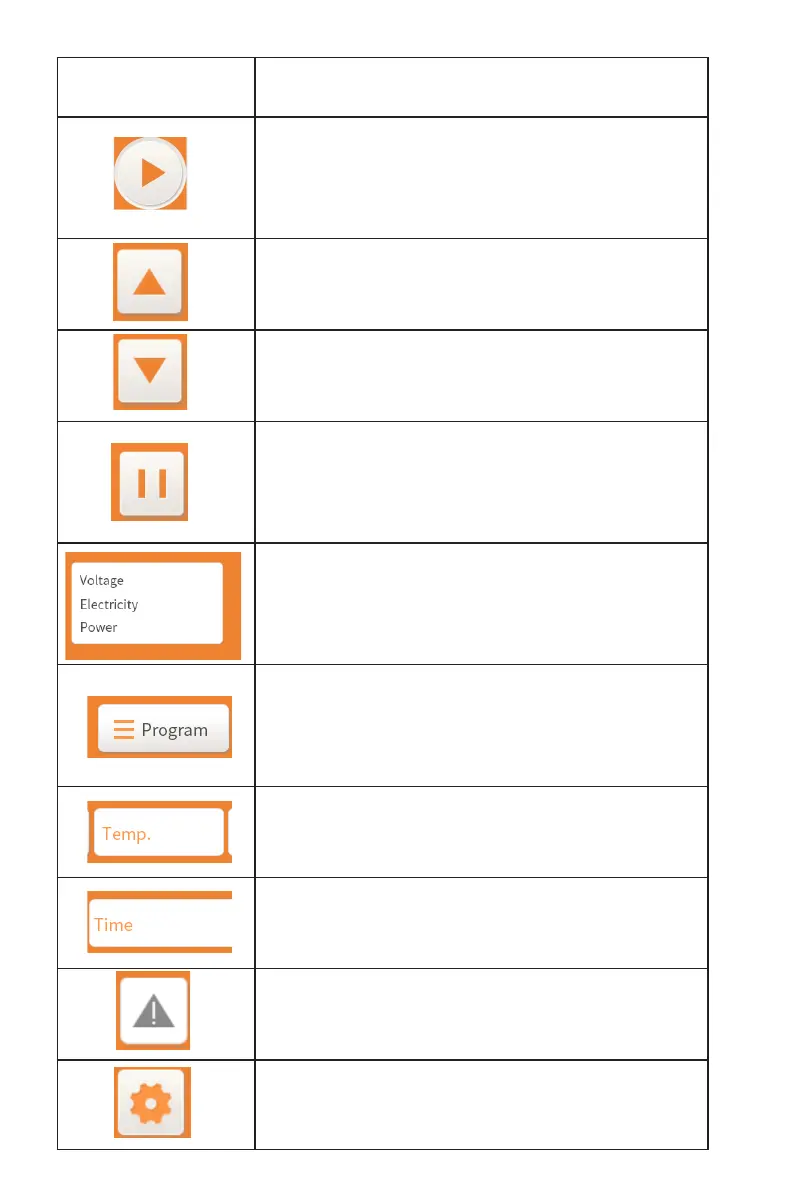
Icon Functional explanation
Sintering Control Button: When the hearth is raised to
proper position, click this button to start
sintering.
Hearth Up Button: Click this button and the hearth will
rise.
Hearth Down Button: Click this button and the hearth
will drop.
Hearth lift pause button: When the hearth rises or falls,
click this button, and the hearth will stop
rising or falling.
Electrical parameter display box: real-time display of
voltage, current and power during
sintering.
Sintering program display box: click this box to
customize the sintering program or select a
dened sintering program.
Temperature display box: Display furnace temperature
in real time.
Time display box: display the remaining sintering time
in real time during sintering.
Fault display box: 1) Click this box, the fault code table
will pop up. 2) When the F20 sintering
Settings box: Click this box to change password
settings


 To Next Page