4
Total Control
MRX-12
Owner’s Manual
Installing the MRX-12
The MRX-12 Advanced Network System Controller can be installed almost anywhere in
the home.
Once physically installed, it requires programming by a certified URC integrator in
order to operate local equipment using IP (network), RS-232 (serial), IR (infrared), or
relays. All cables must be connected to their respective ports at the rear of the device.
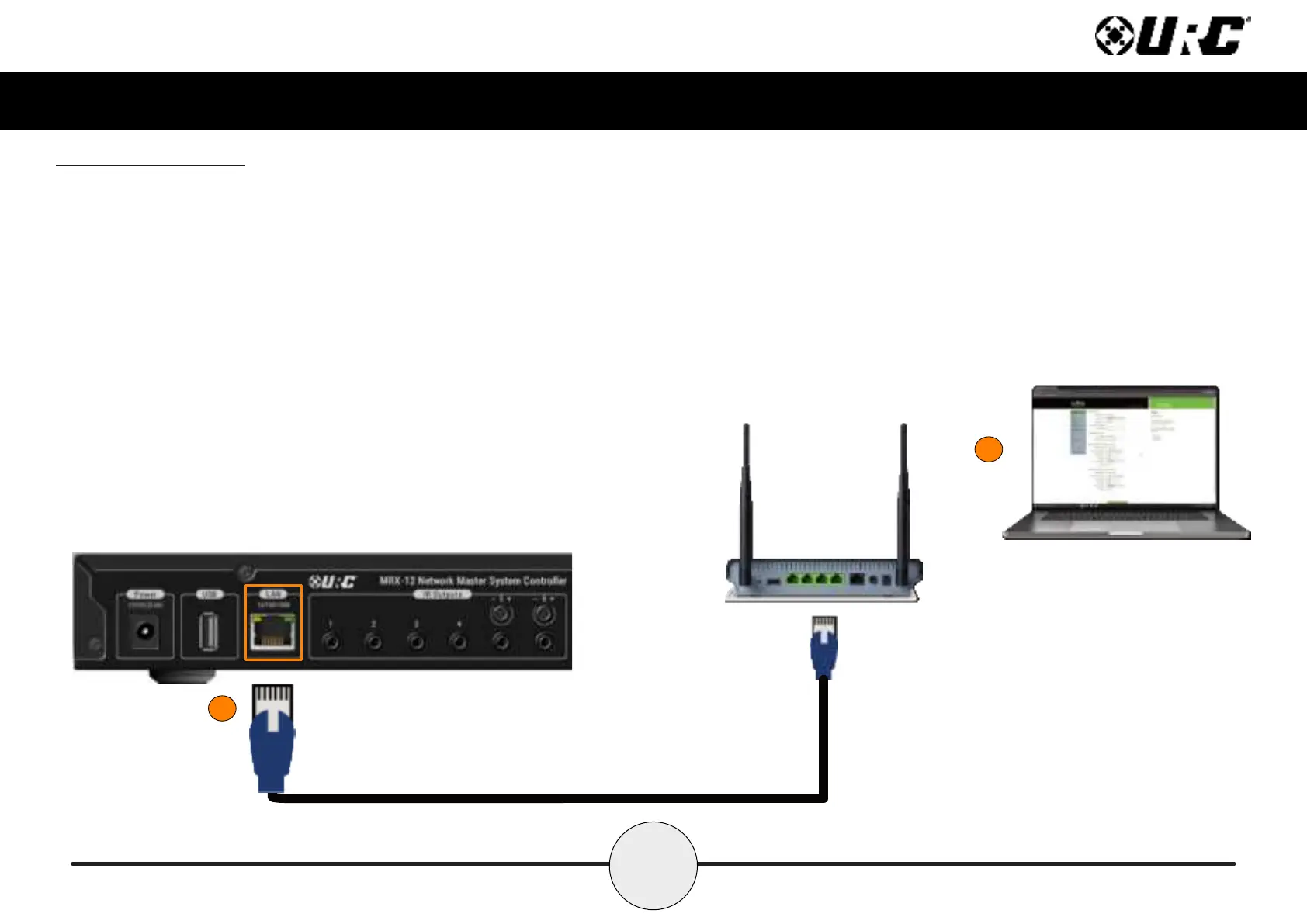
Network Installation
1. Connect an Ethernet cable (RJ45) to the rear of the MRX-12 and the onto
an available LAN port of the network’s local router (Luxul preferred).
2. A certied URC integrator is required for this step, congure the MRX-12
to a DHCP/MAC reservation within the local router.
1
2



 To Next Page