41 ... User's Guide
13. AVI conversion
#
Converting to AVI:
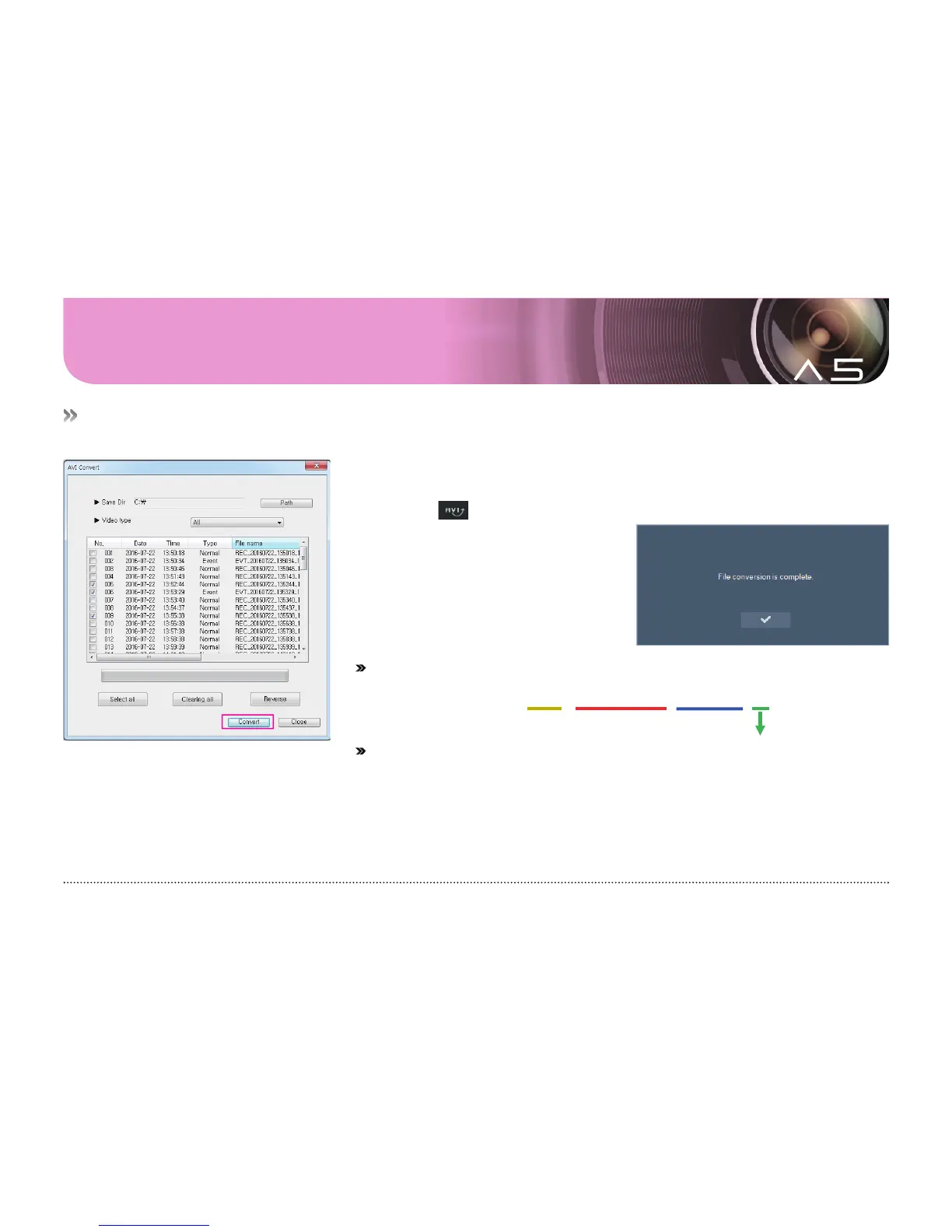
This menu is designed to convert a video in the memory card to the AVI file, which can be played back
with other video players.
1.
#
Take out the micro SD card from the black box and insert it into a PC.
2.
#
Select the drive of micro SD card in the viewer.
3.
#
Click the button to list the saved video.
4.
#
Select videos to convert to AVI
and then press the OK button to
convert them to AVI files.
#
Example of video file name after conversion
#
Type
REC: Video recorded in driving mode EVT: Driving event video
MDI: Video recorded in parking mode EVP: Parking event video
Warning! For stable operation, the memory card of this product saves the videos in a different file system (NxFS) from that of a normal PC (FAT
or NTFS). Thus, any video must be converted to an AVI file to check or play it back with Explorer or others.
REC_20160214_114314_I2.avi
Type
Year/Month/Day
Hr/Min/Sec
Number of channels



 To Next Page