Urive HIT ... 26 ... User's Guide
09
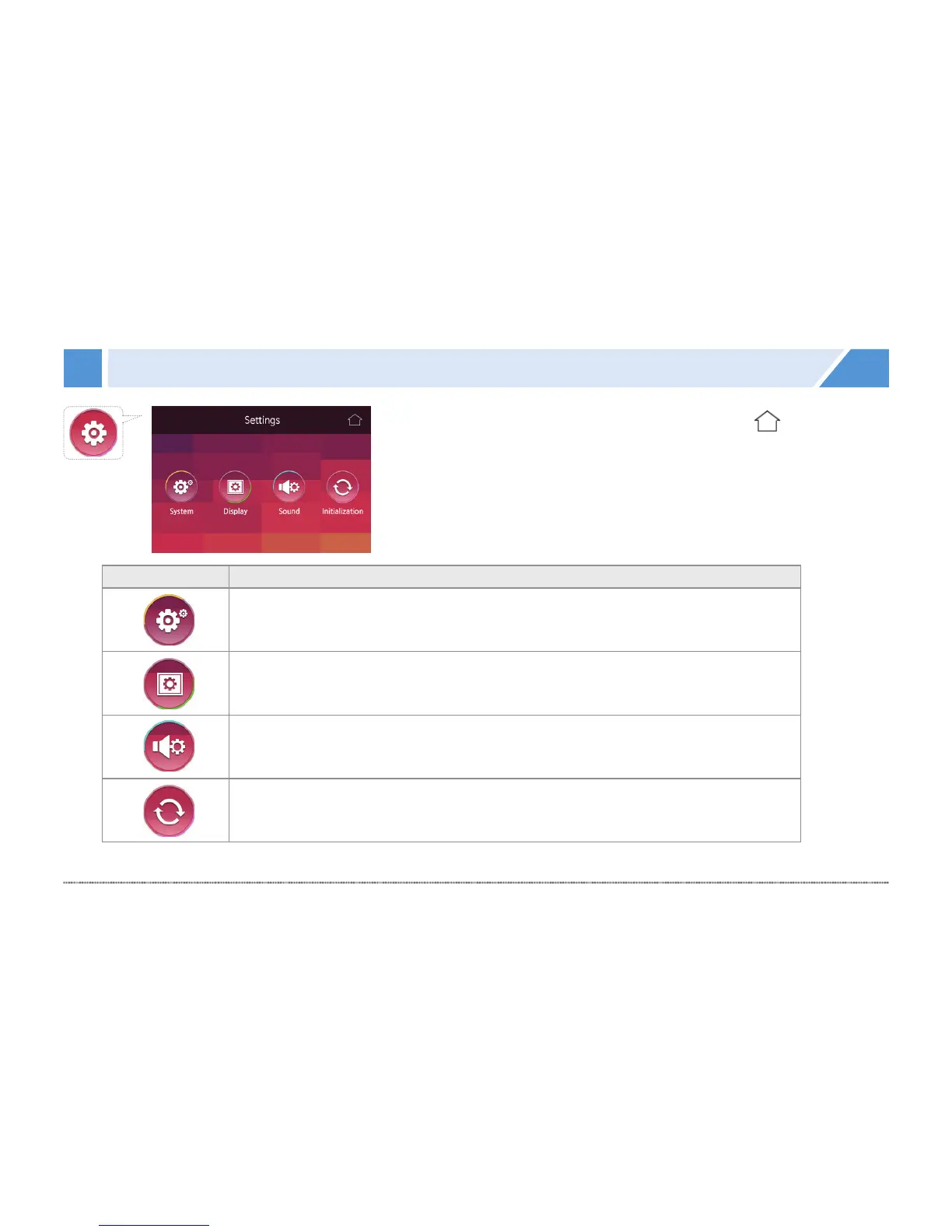
GUI - Settings
Icon Meaning
System
You can set the sensor sensitivity, parking setting, time setting.
Display
You can set the coordinate correction, PIP and screen saver.
Sound
You can set the volume setting and voice recording status.
Initialization
This menu initializes all settings.
• Format the SD card according to the setting value for the Parking mode upon initialization.
[Real-time view]


 To Next Page