Urive HIT ... 31 ... User's Guide
11
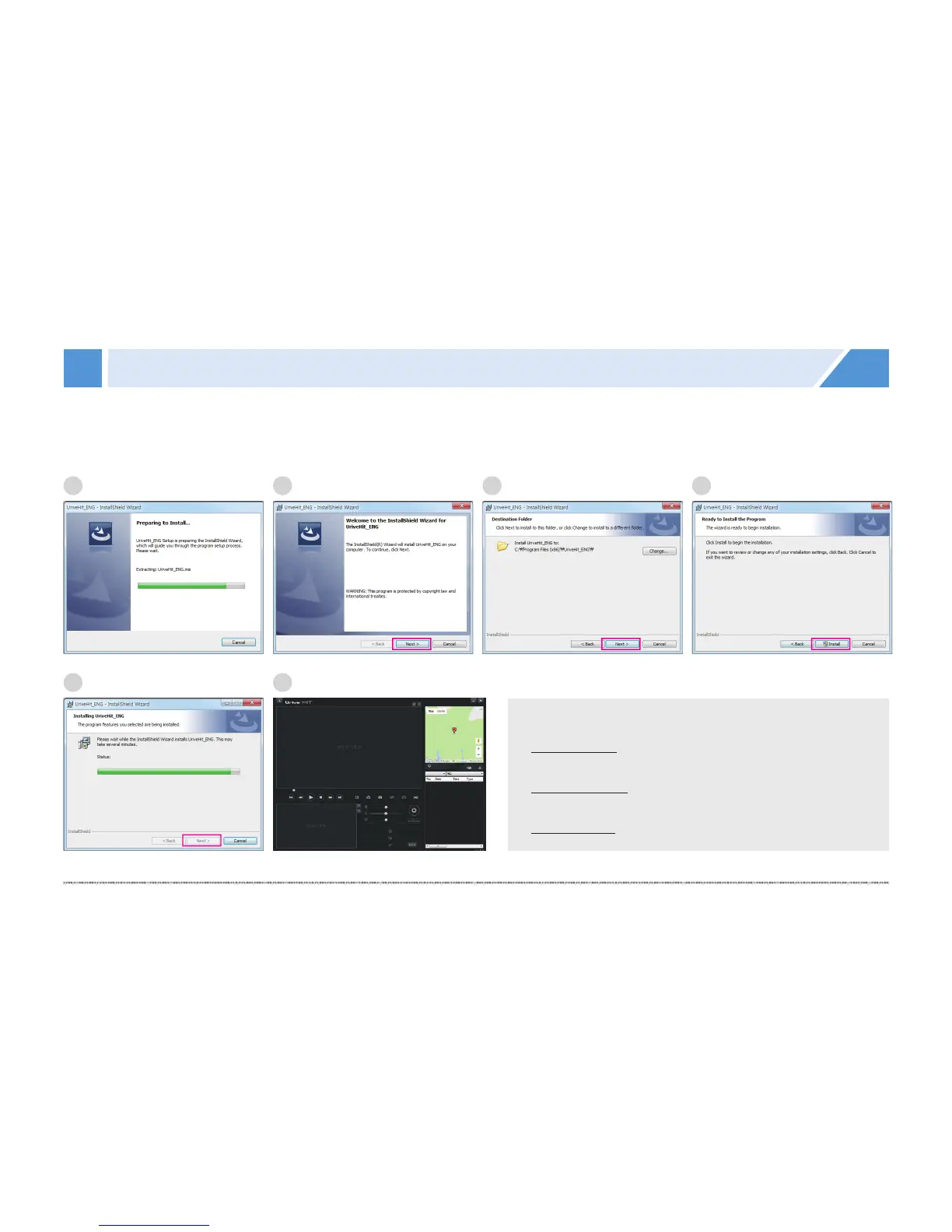
PC Viewer - Installation
1.
#
Run the PC Viewer installation file (UriveHit_ENG.exe) from a micro SD card (or where you downloaded it),
and follow the items to finish the installation.
[ Recommended Specifications for PC Viewer ]
ㅇ
#
Computer OS: Windows 7(32/64 bit), Windows 8
(32/64 bit) or Window 10(32/64 bit)
ㅇ
#
Computer H/W: Intel Core i3 or higher / 4 GB RAM or
more
ㅇ
#
Web browser: Microsoft Internet Explorer 10 or later
1
5
2
6
3 4


 To Next Page