Urive HIT ... 30 ... User's Guide
10
How to upgrade - Auto upgrade
1 2 3 4
1.
#
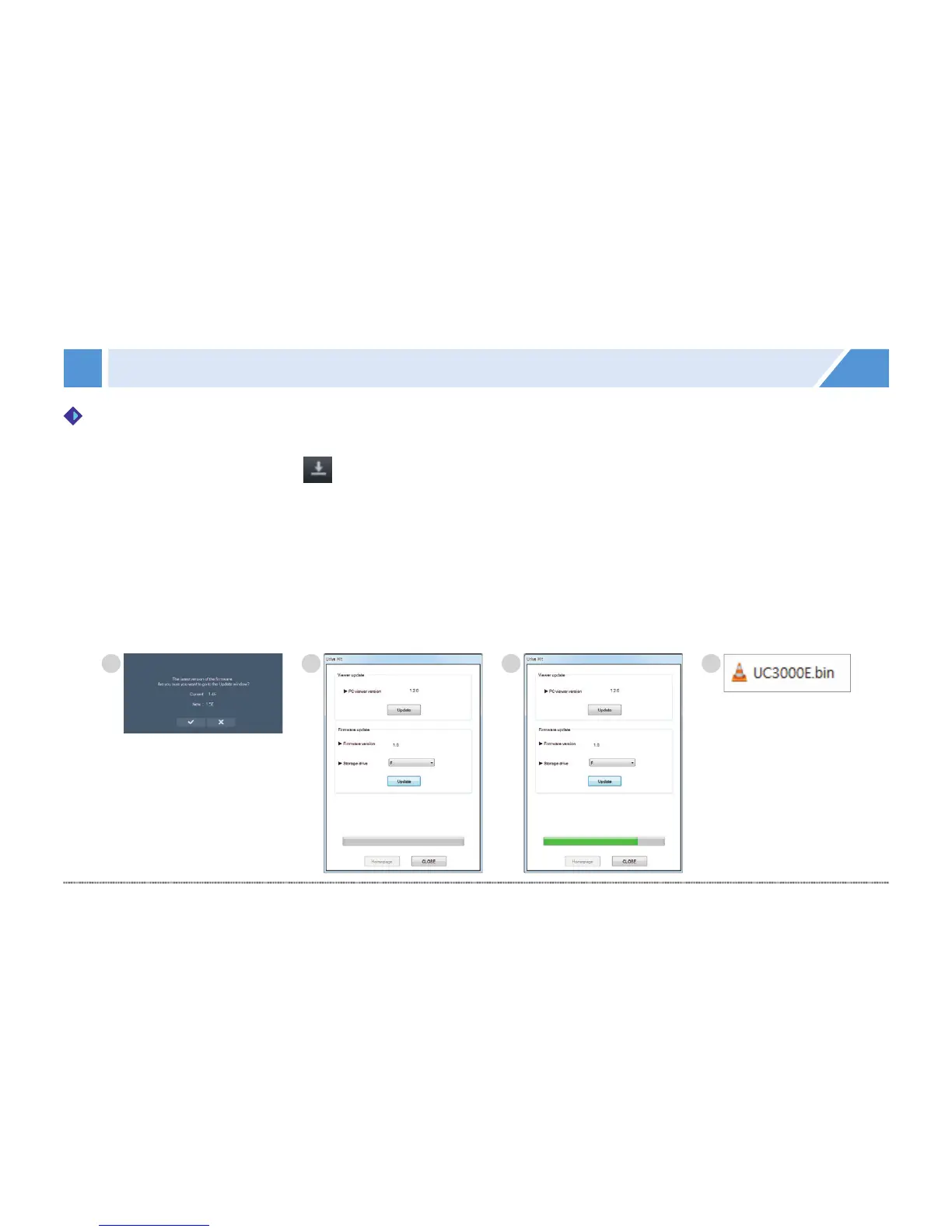
With the PC Viewer, you can automatically install the upgrade file in the memory card. Insert a micro SD card
into a PC, and then press button at the upper left of main screen of Viewer.
※ First, connect the micro SD card to the PC.
※ If a micro SD card having firmware version information is inserted, a prompt of new firmware is shown as in ①.
2.
#
Make sure you select correct drive letter of micro SD card; press the Update button.
3.
#
When the update is finished, a prompt pops up as in ④ and the update file (UC3000E.bin) is copied to the
micro SD card.
4.
#
After putting the Micro SD card to the main body; connect the power; and it starts auto upgrade.
Then it reboots after upgrading.
How to upgrade automatically



 To Next Page