Urive HIT ... 28 ... User's Guide
09
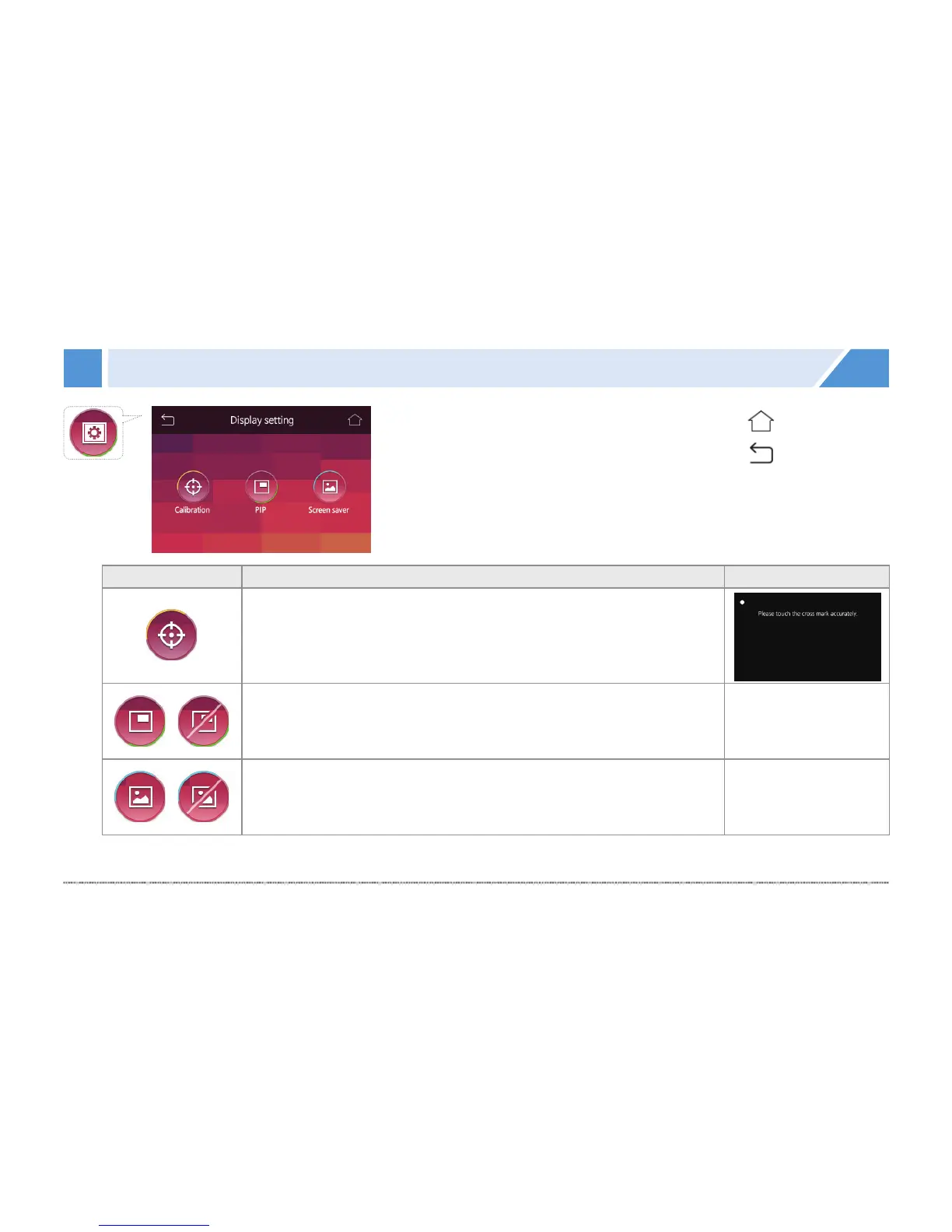
GUI - Display setting
Icon Meaning
Coordinate correction
Touch 5 points (upper left, upper right, lower right, lower left, and
center) on the display to correct them.
PIP
You can set PIP to show/hide the front and rear view images at the
same time in the real-time video.
Screen saver
You can set to show the screen saver or not when there is no
action with the LCD.
[Previous screen]
[Real-time view]


 To Next Page