Urive HIT ... 38 ... User's Guide
11
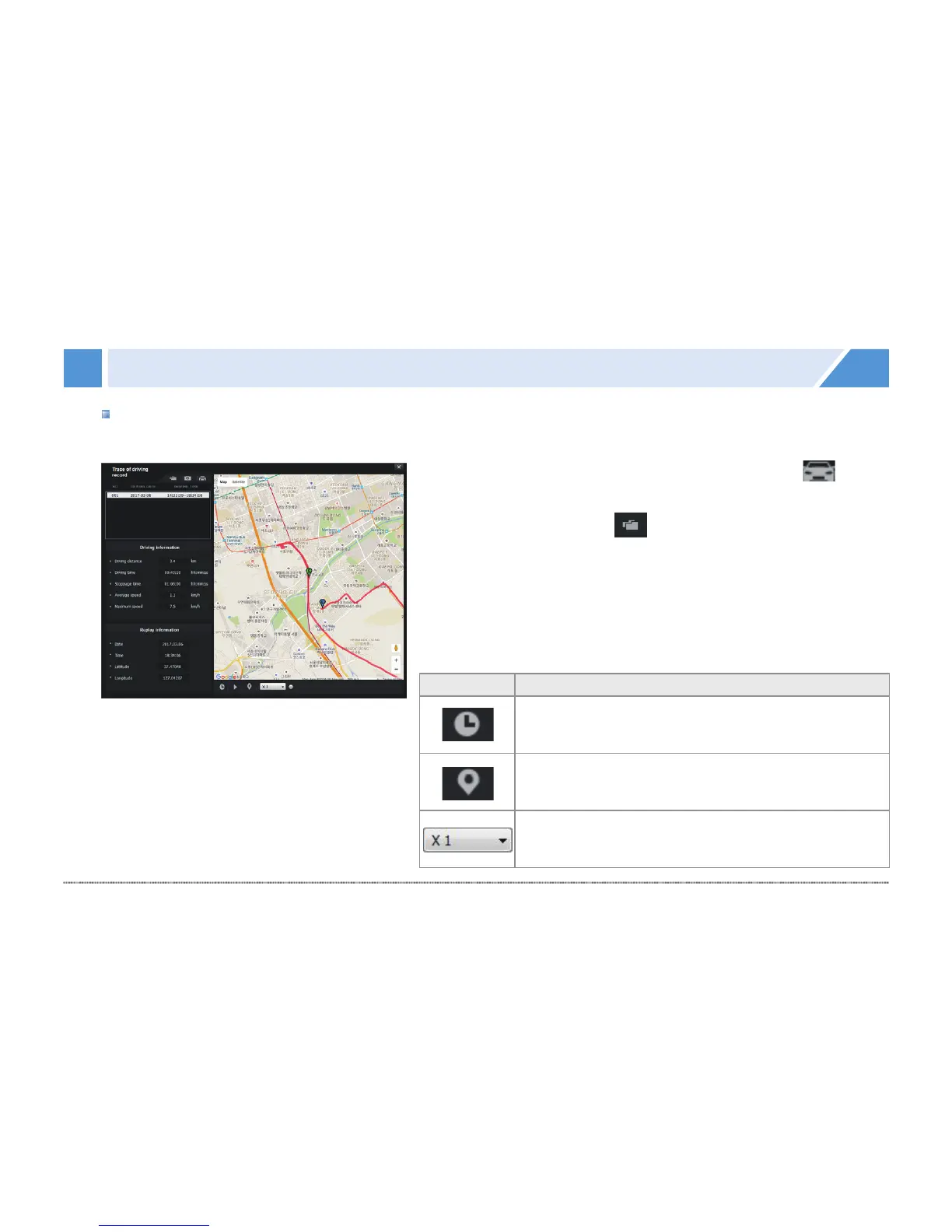
PC Viewer - Driving record
#
Driving record is saved every 10 seconds in the drive mode. txt file can save the driving record up to 1 week.
However, GPS signal must be stable.
1.
#
Insert a micro SD card into the PC, and, then, press in the
Viewer to show the driving record mode screen (on the left).
2.
#
On the screen, press the button, and, then, select a .dat
file in Setup folder of micro SD card to show the driving record
list sorted by date.
3.
#
Click an item to show the driving path.
※ Up to 5 .dat files can be saved.
Icon Meaning
Shows the driving date and time while playing the
driving path.
Shows markers on the driving path while playing
it.
Plays a driving path in ½×, 1×, 2×, or 4× speed.


 To Next Page