sec.5
−−−−
5
ONE-FAMILY AND TWO-FAMILY KITS
DOOR PHONE AND VIDEO DOOR PHONE SYSTEM: Product Technical Manual
‘AUDIO TWO’ DOOR PHONE KIT WITH SMYLE PANEL
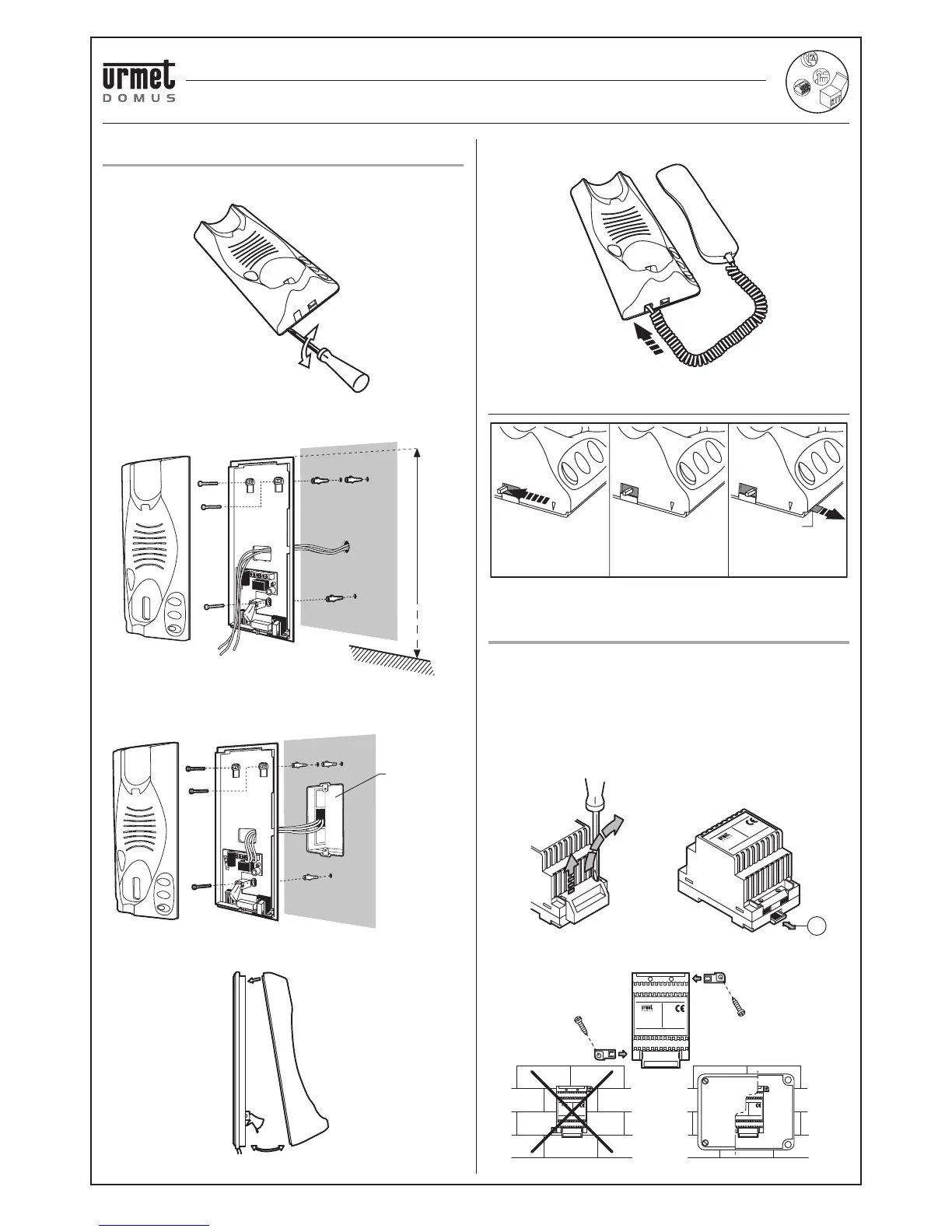
APARTMENT STATION INSTALLATION
TRANSFORMER INSTALLATION
APARTMENT STATION INSTALLATION
To remove the door phone top, lever with the tip of a screwdriver in the
area shown and remove it by turning it on the upper tabs.
Use the holes on the base to fasten the door phone to the wall. Use
the bolts provided with each device.
NOTE: fasten the door phone to the call with the bolts provided for
fl ush-mounting in Mod.503 boxes.
Refi t the door phone top after installation.
The handset connector telephone plug into the door phone base.
ADJUSTING THE CALL VOLUME
TRANSFORMER INSTALLATION
Before connecting the transformer to the mains, disconnect the mains
switch.
Fit the protective cover on the network terminals after connecting the
system.
Disconnect the mains power supply for 60” to reset the transformer if
the PTC thermal switch trips due to overload or short-circuit.
Use lever “A” to remove the transformer fi tted on a DIN rail.
1,55 m
Mod. 503
Red
MUTE
No calling
tone
MIN
Minimum
calling volume
MAX
Maximun
calling volume
Wall fitting
PRI
Fitting to DIN rail
NO OK
A
‘AUDIO TWO’ DOOR PHONE KIT WITH SMYLE PANEL




 To Next Page