19
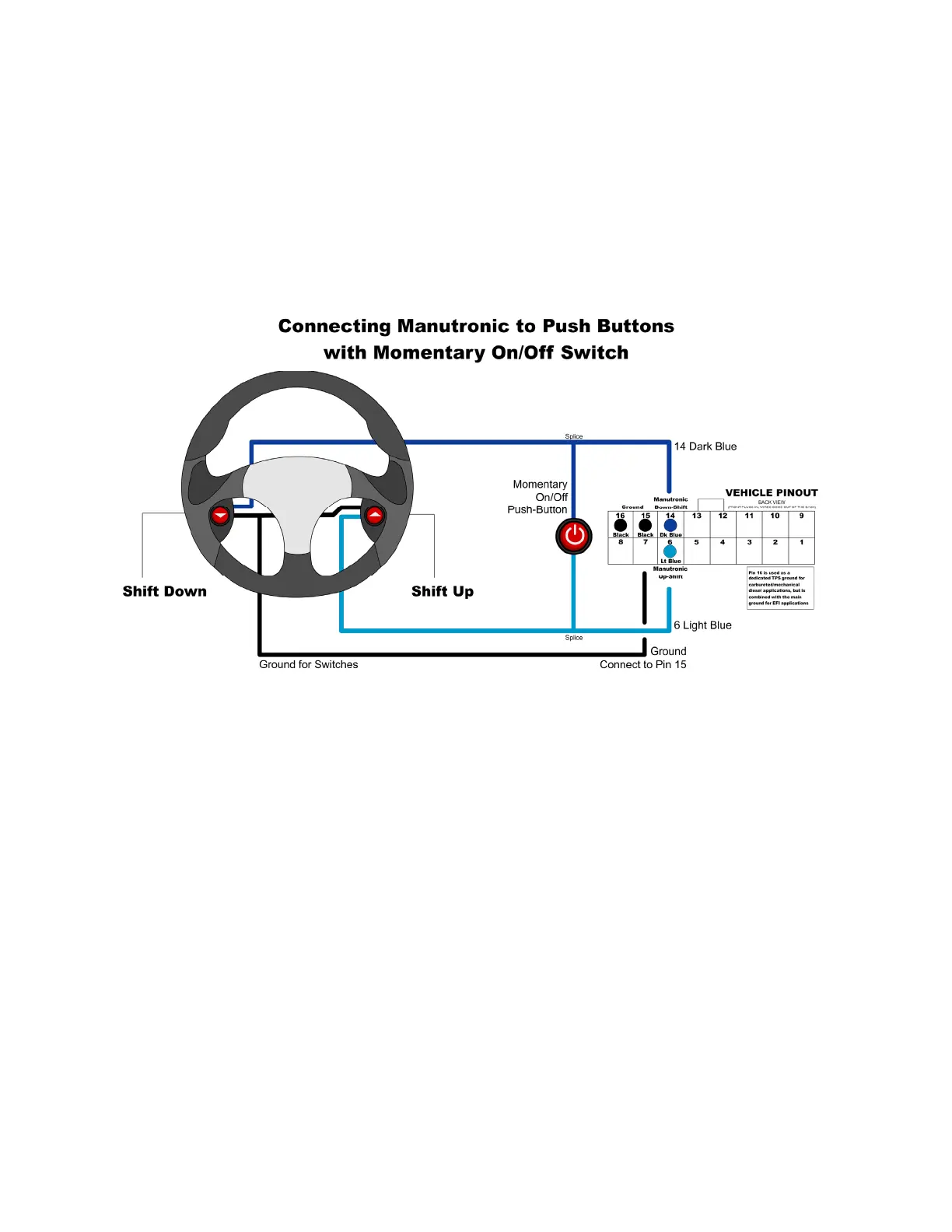
Shift Buttons with Momentary On / Off Switch
For this configuration, you will need to connect the Dark Blue wire (Pin 14 on the
Vehicle Connector) to your down-shift button (momentary) and connect the Light
Blue wire (Pin 6 on the Vehicle Connector) to your up-shift button (momentary).
To connect the on / off switch (momentary), solder one side of the switch onto
the Dark Blue down-shift wire and the other side to the Light Blue up-shift wire.
(Follow the guidelines for soldering found in the “General Installation” section.)
Remember that the correct settings must be used in Shiftware. To enable
Manutronic, press the On/Off button once and do the same to disable it.


 To Next Page