EasyManua.ls Logo

Utilitech 7635428412 - User Manual

Utilitech 7635428412
2 pages
Print Icon
To Next Page IconTo Next Page
Loading...
UTILITECH and logo design are trademarks or
registered trademarks of LF, LLC. All rights reserved.
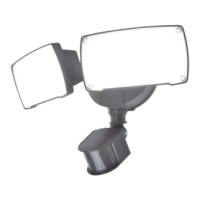
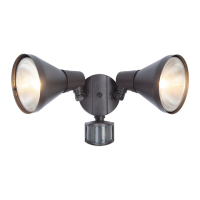
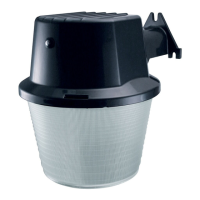
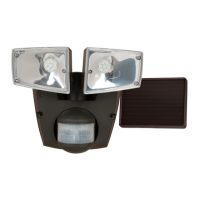
MOTION ACTIVATED FLOOD LIGHT
REFLECTOR DE SEGURIDAD
ACTIVADO POR
MOVIMIENTO
#4891899
4891900
#
If you have any questions or problems, please call our customer service department at 1-866-994-4148, 8 a.m. - 8 p.m., EST, Monday - Sunday. You could also
contact us at partsplus@lowes.com.
7635428412
7635428053
AS21738
PREPARATION/
Estimated
Assembly Time: 30 minutes.
PREPARACIÓN
Tiempo estimado de ensamblaje: 30 minutos
TOOLS REQUIRED (NOT INCLUDED)/HERRAMIENTAS NECESARIAS (NO SE INCLUYEN)
SAFETY INFORMATION/INFORMACIÓN DE SEGURIDAD
WARNING/
SAFETY INFORMATION/
INFORMACIÓN DE SEGURIDAD
ADVERTENCIA
FEELING CONFIDENT? START YOUR NEXT PROJECT/¿SE SIENTE CONFIADO? INICIE SU PRÓXIMO PROYECTO
CARE AND MAINTENANCE/CUIDADO Y MANTENIMIENTO
WARRANTY/GARANTÍA
UTILITECH y el diseño del logotipo son marcas
comerciales o marcas comerciales registradas
de LF, LLC. Todos los derechos reservados.
Si tiene alguna pregunta o problema, llame a nuestro Departamento de Servicio al Cliente al 1-866-994-4148 de lunes a domingo de 8 a.m. a 8 p.m., hora
estándar del Este. También puede contactarnos en partsplus@lowes.com.
Question and Answer IconNeed help?

Do you have a question about the Utilitech 7635428412 and is the answer not in the manual?

Overview

This document describes the MOTION ACTIVATED FLOOD LIGHT REFLECTOR DE SEGURIDAD ACTIVADO POR MOVIMIENTO from UTILITECH, model number 763628412 / 763628433.

Function Description

This device is a motion-activated floodlight designed for security purposes. It automatically illuminates an area when motion is detected, providing enhanced security and visibility. The floodlight is equipped with a reflector to maximize light output and coverage. It features a TIME setting to adjust how long the light stays on after activation and a MODE setting to configure its operational behavior (TEST, TIME, SECURITY, DISTANCE).

Important Technical Specifications

The device operates with a 14-second warm-up period before it will detect motion. During this period, the light will remain off. Once the warm-up is complete, the light will turn on when motion is detected and stay on for the duration set by the TIME control. The motion sensor has a detection range that varies based on the chosen mode.

Usage Features

The floodlight offers several configurable modes:

  • TEST Mode: In this mode, the light turns on for approximately 5 seconds when motion is detected. This mode is useful for initial setup and aiming the sensor.
  • TIME Mode: The light turns on when motion is detected and stays on for a user-defined duration, adjustable from 5 seconds to 12 minutes. This mode is suitable for general illumination needs.
  • SECURITY Mode: The light turns on when motion is detected and stays on for a fixed duration of 3 minutes. After 3 minutes, the light turns off, and the sensor becomes active again. This mode is designed for security applications where a consistent illumination period is desired.
  • DISTANCE Mode: The light turns on when motion is detected and stays on for a user-defined duration, adjustable from 10 seconds to 12 minutes. This mode is similar to TIME mode but may offer different sensitivity or range characteristics for motion detection.

The device includes a TIME control knob to adjust the duration the light remains on after activation, ranging from 5 seconds to 12 minutes. The MODE control knob allows selection between TEST, TIME, SECURITY, and DISTANCE modes.

Installation involves connecting the device to a power source. The process includes:

  1. Turning off power at the source.
  2. Removing the existing fixture (if any).
  3. Connecting the black wire from the fixture to the black wire from the outlet box.
  4. Connecting the white wire from the fixture to the white wire from the outlet box.
  5. Connecting the ground wire from the fixture to the ground wire from the outlet box.
  6. Mounting the fixture to the wall.
  7. Applying silicone caulk (sold separately) around the base of the light fixture for weather sealing.
  8. Turning on power at the source.

The device is designed for outdoor installation and must be mounted to a wall or eave. It is recommended to install the fixture at a height of 7 - 10 ft (approximately 2.1 - 3.0 meters) for optimal performance.

Maintenance Features

The device is designed to be low-maintenance. For cleaning, it is recommended to wipe the surfaces with a mild, non-abrasive cleaner and a soft cloth. Avoid using harsh chemicals or abrasive cleaners that could damage the finish.

Troubleshooting Guide:

The manual provides a troubleshooting section to address common issues:

  • Problem: Light will not come ON.
    • Possible Causes: Incorrect wiring, sensor not adequately installed, or the unit is in TEST mode.
    • Corrective Actions: Re-check wiring, adjust sensor, or switch to TIME/SECURITY/DISTANCE mode.
  • Problem: The light comes on during the daylight.
    • Possible Causes: The light control may be installed in a relatively dark daylight area, or the unit is in TEST mode.
    • Corrective Actions: Move the light to a brighter location, or switch to TIME/SECURITY/DISTANCE mode.
  • Problem: The light stays on all the time.
    • Possible Causes: The wiring is incorrect (new installations), the sensor is not adequately installed, or the unit is in TEST mode.
    • Corrective Actions: Re-check wiring, adjust sensor, or switch to TIME/SECURITY/DISTANCE mode.
  • Problem: The light flashes ON and OFF.
    • Possible Causes: The wiring is incorrect (new installations), or the sensor is not adequately installed.
    • Corrective Actions: Re-check wiring, adjust sensor.

Safety Information:

  • Always turn off power at the circuit breaker or fuse box before installation or maintenance.
  • The device is designed for outdoor use and must be mounted to a wall or eave.
  • This device complies with Part 15 of the FCC Rules. Operation is subject to the condition that this device does not cause harmful interference.
  • Any changes or modifications not expressly approved by the party responsible for compliance could void the user's authority to operate the equipment.
  • Consult a qualified electrician if you are uncertain about the installation process.
  • Do not connect this light fixture to a dimmer switch or timer.
  • Do not aim the motion sensor at reflective surfaces, moving objects, or heat sources to avoid false triggers.
  • The device is designed to operate in temperatures above 20°F (approximately -6.7°C).
  • The device is not intended for use with emergency exit luminaires.
  • The device is not intended for use in hazardous locations.
  • Ensure all connections are secure and properly insulated.
  • Wear safety glasses and gloves during installation.
  • Dispose of the device in accordance with local regulations.

Utilitech 7635428412 Specifications

General IconGeneral
BrandUtilitech
Model7635428412
CategoryFlood Light
LanguageEnglish

Related product manuals