EasyManua.ls Logo

Utilitech 00P9016 - User Manual

Utilitech 00P9016
30 pages
Print Icon
To Next Page IconTo Next Page
Loading...
1
Utilitech® is a registered trademark
of LF, LLC. All Rights Reserved.
ATTACH YOUR RECEIPT HERE
Serial Number Purchase Date
Questions, problems, missing parts? Before returning to your retailer, call our
customer service department at 1-866-994-4148,8 a.m. 6 p.m., EST, Monday
Thursday, 8 a.m. -5 p.m., EST, Friday.
AB14469
ITEM #0458107
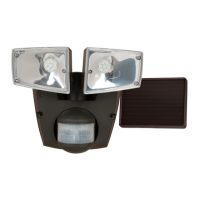
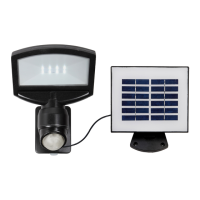
SOLAR FLOODLIGHT
MODEL #00P9016
Français p. 11
Espaňol p. 21

Questions and Answers

Utilitech 00P9016 Specifications

General IconGeneral
BrandUtilitech
Model00P9016
CategoryFlood Light
Light ColorWhite
Light SourceLED
Voltage120V

Summary

Product Information and Support

Product Identification

Identifies the product model and item number for reference.

Customer Service Contact

Provides contact details for questions, problems, or missing parts.

Package Contents

Parts List

Lists all components included in the package with their descriptions and quantities.

Hardware and Preparation

Hardware Components

Details the screws, anchors, and solar panel included for installation.

Preparation and Safety

Outlines crucial safety warnings and preparation steps before assembly.

Safety and Battery

Important Safety Precautions

Lists critical safety warnings, including battery handling and disposal.

Battery Replacement

Instructions on how to replace the rechargeable battery.

Assembly Step 1: Mounting

Main Mounting Plate Installation

Details attaching the main mounting plate and securing the light fixture.

Solar Panel Mounting Plate Installation

Explains how to mount the solar panel's base plate using anchors.

Assembly Step 2: Solar Panel

Securing and Angling Solar Panel

Instructions for attaching the solar panel and positioning it towards the sun.

Connecting Solar Panel Cable

Guides on plugging the solar panel cable into the light fixture.

Installation Notes

Important reminders about motion detector orientation and fixture waterproofing.

Operating Instructions

Photocell Functionality

Explains how the photocell detects light and controls illumination.

Power Switch Operation

Details how to turn the light on/off and its sensor mode functionality.

Control Adjustments

Sensitivity Knob Adjustment

How to adjust motion detection range and coverage area.

Time Knob Adjustment

How to set the duration of light illumination after motion detection.

Troubleshooting and Maintenance

Troubleshooting Common Issues

Lists common problems and their corrective actions.

Care and Maintenance Guide

Provides instructions for cleaning and maintaining the light fixture.

Warranty and Replacement Parts

Two-Year Limited Warranty

Outlines the terms and conditions of the product warranty.

Replacement Parts List

Lists available replacement parts with part numbers.

Related product manuals