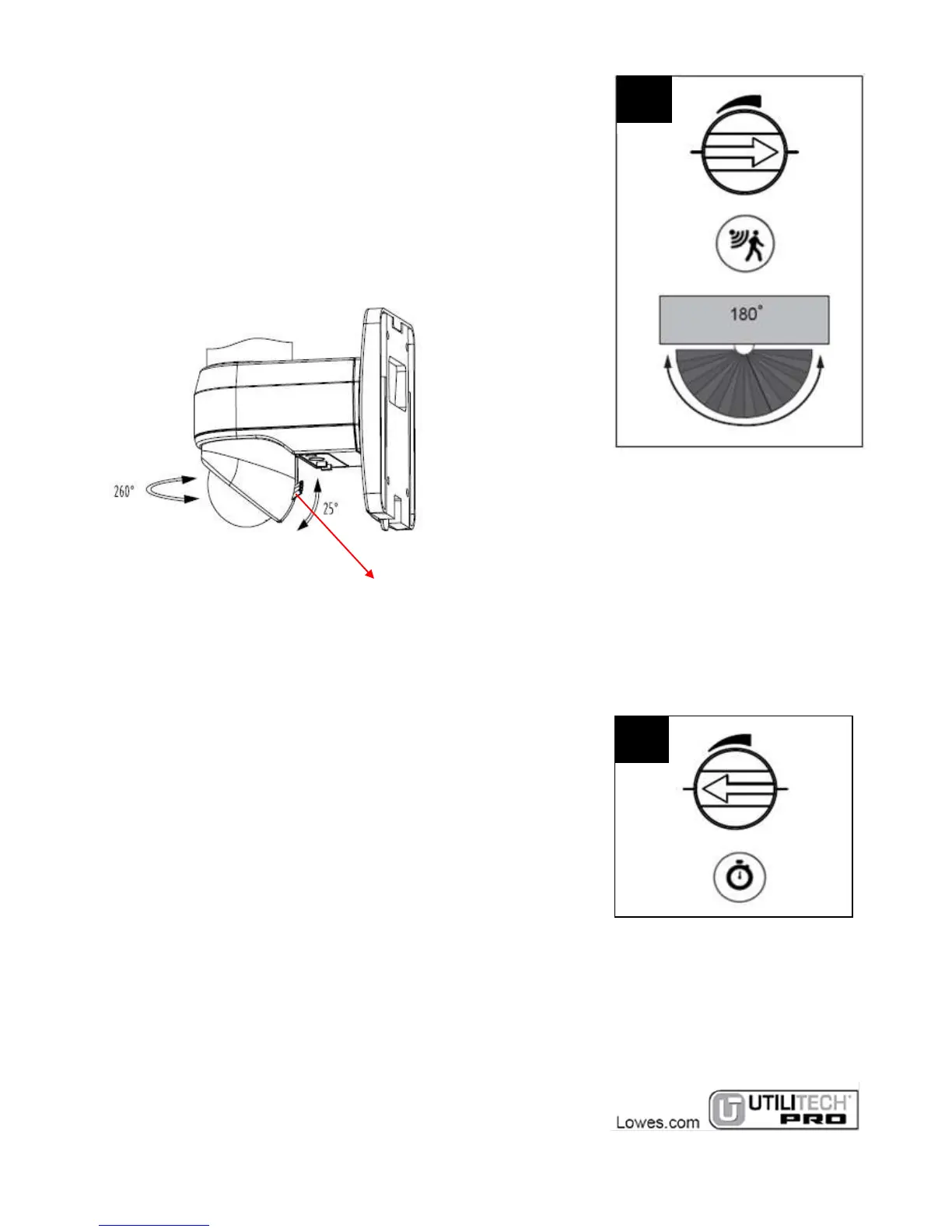
SENSITIVITY KNOB
Turn the knob clockwise to increase the sensitivity. The
maximum sensing distance is 50 ft. Turn the knob counter
clockwise to reduce the sensitivity. The minimum sensing
distance is 26.2 ft. You can select according to your need.
Adjust the light head (pan & tilt) towards the desired coverage
area. Adjust the sensor (I) and the regulator toward the desired
coverage area: toggle the regulator up for short range and
toggle the regulator down for long range. Walk through the
entire coverage area to check for the desired response,
readjust as necessary.
TIME KNOB
Turn the knob clockwise to increase the illumination time. The
maximum time can be 90 seconds (There may be 10 seconds
error). Turn the knob counterclockwise to reduce the
illumination time. The minimum time can be 5 seconds (There
may be 2 seconds error). You can select time according to your
need.


 To Next Page