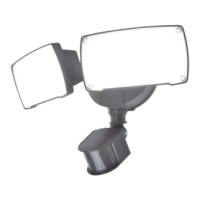
Select screw by the depth of
the junction box.
Seleccione el tornillo por la
profundidad de la caja de
conexiones.
x 1
EE
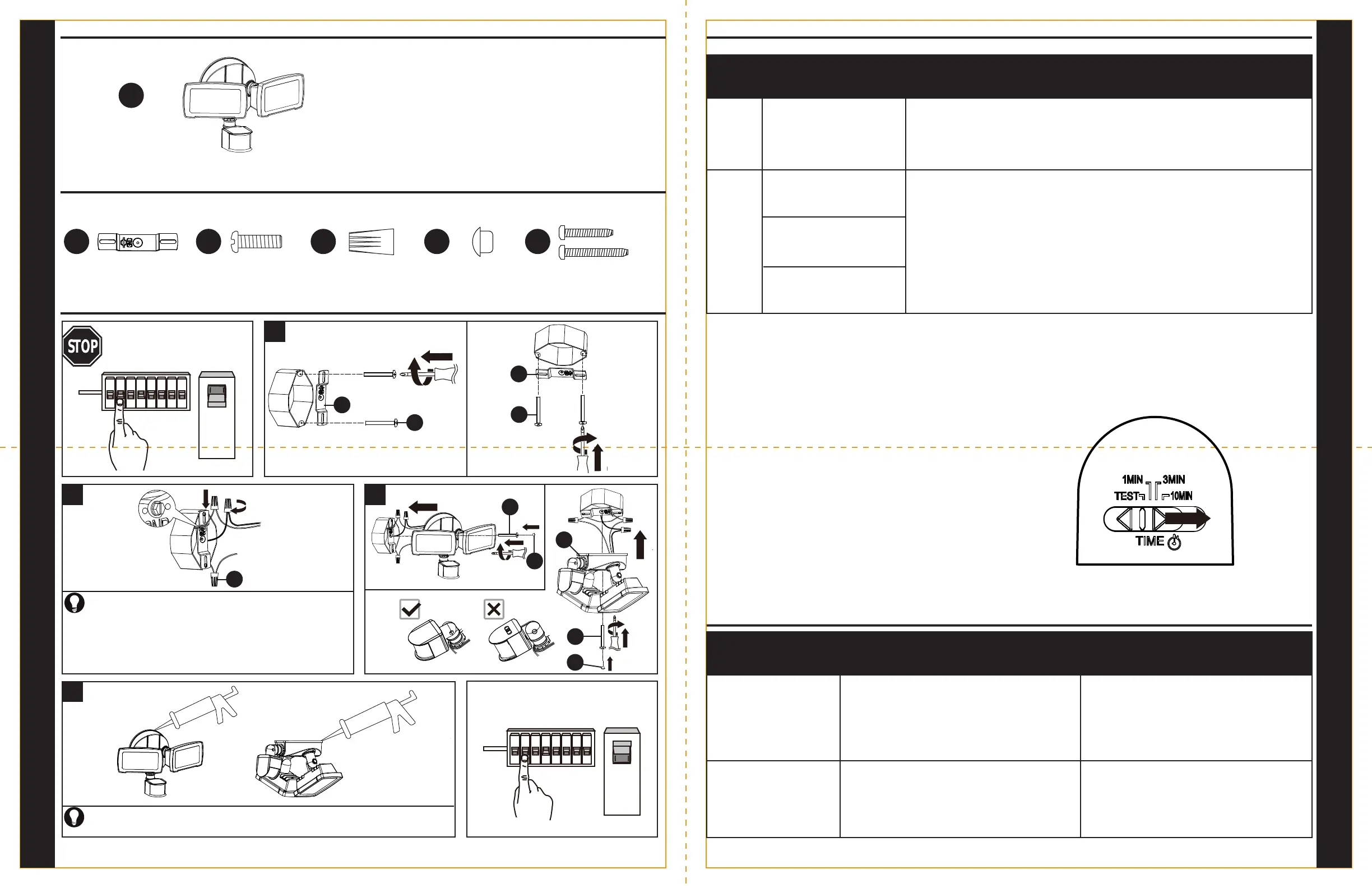
Apply silicone caulk (sold separately) completely around the base of the light fixture.
Aplique masilla de calafateo de silicona (se vende por separado) alrededor de toda la base
de la lámpara.
Nota: los aditamentos se muestran en tamaño real.Note: Hardware shown actual size./
or
o
PACKAGE CONTENTS/CONTENIDO DEL PAQUETE
HARDWARE CONTENTS/ ADITAMENTOS
x 1
x 2
x 1
A
AA
BB
1
A
4
D
OFF
ON
3
x 3
x 1
CC
DD
BB
AA
CC
2
BB
AA
DD
This side down
QUICK REFERENCE GUIDE/
GUÍA DE REFERENCIA RÁPIDA
QUICK REFERENCE GUIDE/
GUÍA DE REFERENCIA RÁPIDA
INSTALLATION OVERVIEW/DESCRIPCIÓN GENERAL DE LA INSTALACIÓN
Turn off power source.
Apague la fuente de alimentación.
Connect black wire from outlet box to black wire from fixture.
Connect white wire from outlet box to white wire from fixture.
Connect ground wire from outlet box to ground wire from fixture.
Secure wires together with CC.
Conecte el conductor negro de la caja de salida con el conductor negro
de la lámpara. Conecte el conductor blanco de la caja de salida con el
conductor blanco de la lámpara. Conecte el conductor a tierra de la caja
de salida con el conductor a tierra de la lámpara. Asegure los
conductores con CC.
Turn on power source.
Encienda la fuente de alimentación.
OPERATING INSTRUCTIONS/INSTRUCCIONES DE FUNCIONAMIENTO
NOTE: The sensor has a 14-second warm up period before it will detect motion. When turned on, please wait 14 seconds.
NOTA: El sensor tiene un período de calentamiento de 14 segundos antes de detectar el movimiento. Cuando lo encienda, espere 14 segundos.
TROUBLESHOOTING/SOLUCIÓN DE PROBLEMAS
PROBLEM
PROBLEMA
POSSIBLE CAUSE
CAUSA POSIBLE
CORRECTIVE ACTION
ACCIÓN CORRECTIVA
Light will not come ON.
La luz no se enciende.
1. The wiring is incorrect (new installations).
El cableado está incorrecto (instalaciones nuevas).
2. The sensor is not covering the area adequately.
El sensor no está cubriendo el área en forma correcta.
1. Re-check the wiring.
Vuelva a verificar el cableado.
2. Re-aim the sensor to cover desired area.
Vuelva a cambiar la dirección del sensor para que
cubra el área deseada.
1. The light control may be installed in a relatively dark
location.
Es posible que el control de luces esté instalado en
una ubicación relativamente oscura.
2. The light control is in TEST mode.
El control de luces está en modo TEST (Prueba).
The lights come on during the
daylight.
Las luces se encienden
durante el día.
1. Move the light to a brighter location during the daylight
hours.
Mueva la luz a una ubicación más brillante durante las
horas de día.
2. Set the control switch to the TIME position.
Mueva el interruptor de control a la posición
TIME (Tiempo).
MODE
MODO
TIME Setting
Configuración de TIEMPO
Description
Descripción
TEST
TEST
The sensor will detect movement and the light will activate regardless of time of day. After movement
has stopped or left the coverage area, the light will remain on for about 5 seconds, then turn off.
El sensor detectará el movimiento y la luz se activará independientemente de qué hora sea.
Después de que se detenga el movimiento o de que se haya abandonado el área de cobertura, la
luz permanecerá encendida durante unos 5 segundos y, luego, se apagará.
SECURITY
(DISTANCE)
SEGURIDAD
(DISTANCIA)
At dusk, the motion sensor becomes active. Any movement within the coverage area will cause the
light to turn on. After movement has stopped, the light will remain on for the preset time limit of 1, 3
or 10 minutes, then turn off. The motion sensor will remain active throughout the night. At dawn, the
motion sensor will deactivate and remain deactivated throughout the day. Movement will not cause
the light to turn on.
Al anochecer, el sensor de movimiento se activa. Cualquier movimiento dentro del área de cobertura
hará que la luz se encienda. Después de que se detenga el movimiento, la luz permanecerá
encendida durante el límite de tiempo preseleccionado de 1, 3 o 10 minutos y, luego, se apagará.
El sensor de movimiento permanecerá activo durante la noche. Al amanecer, el sensor de
movimiento se desactivará y permanecerá desactivado durante el día. El movimiento no hará que
la luz se encienda.
TEST
TEST
1 MIN
1 MIN
3 MIN
3 MIN
10 MIN
10 MIN
Slide TIME switch to change TEST mode to Time setting.
Deslice el interruptor TIME (Tiempo) para cambiar la configuración del modo TEST
(Prueba) al modo Time (Tiempo).
EE
DD
EE
x 1


 To Previous Page
 Loading...