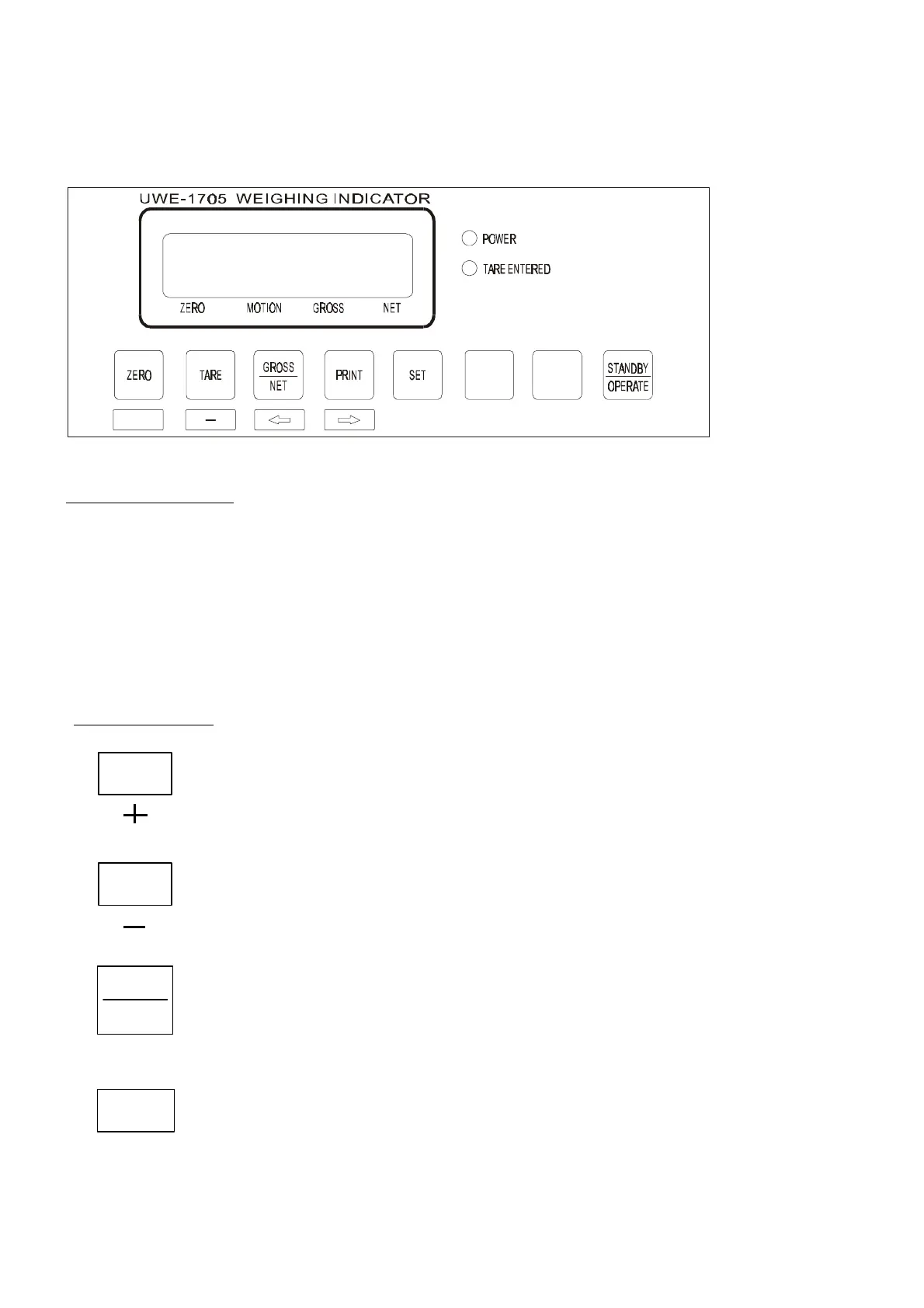
2. OPERATION PANEL LAYOUT AND DESCRIPTIONS
2.1 FRONT PANEL ILLUSTRATION
S=
+
SIGNAL DISCRIPTION(¡¿)
POWER ¡Gindicator is charging and operating
TARE ENTERED ¡Gthis indicator means the tare function is in effect
ZERO ¡Gscale is now at a zero weight status
GROSS ¡Gthe weight value being displayed is gross weight
NET ¡Gthe weight value being displayed is net weight
MOTION ¡Gthis indicator means the weight detected is not stable
KEY DISCRIPTION
¡GPress this key to - a: reset display value to zero during normal operation
when the platform is empty (refer to SETTING to setup zero range), b: “+”
to be used as increment key during function setup¡C
¡GPress this key to - a: to tare off the weight of a container placed on
the platform. The TARE indicator will appear when tare function is in
operating, b: “-“ to be used as decrement key during function setup.
¡GPress this key to: (a) switch weight displayed between gross and net
weight; (b) to be used for moving the position of cursor to left during
function setup
¡GPress this key to: (a) transmit data to printer via RS-232C or parallel
interface; (b)to be used for moving the position of cursor to the right
during function setup.
ZERO
TARE
GROSS
NET
PRINT
à
ß



 To Next Page