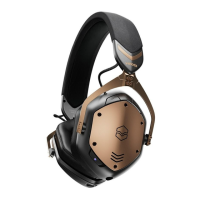
GETTING STARTED
Ensure M-200 ANC is charged and within 1m of the device you want
to pair it with
Press and hold the Power button for 3 seconds to turn the headphones on
Once the light blue LED starts to blink twice per second, release the button.
It will begin to search for a nearby device
Open the Bluetooth settings on your device
When “V-MODA M-200 ANC” appears in the “new Bluetooth devices” section
on your device, select it to pair
You can also pair your headphones directly in the V-MODA app.
Get the V-MODA app on Google Play or the App Store.
It is recommended to charge the battery before using your headphones for the first time.
1
2
3
4
5


 To Next Page