www. VacMasterFresh.com • 800-821-7849
6
HOW TO
Vacuum Package Precut Bags
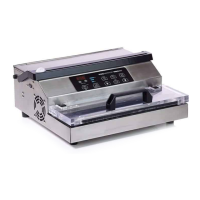
Follow these steps when using precut vacuum packaging bags with
your VacMaster
®
PRO350 Vacuum Sealer:
1. Choose a suitable-sized vacuum packaging bag, and place the
item(s) inside.
2. Allow at least 3” of head space between the contents and the
top of the bag.
3. Using the handle, open the lid and place the open end of the
bag across the seal bar, keeping the opening within the gasket
area.
4. To ensure a complete seal make sure the bag is flat across the
seal bar, smoothing out any wrinkles.
5. Close the lid.
6. Press the “Start” button to begin the vacuum process. Press
and hold down the lid until the vacuum engages.
NOTE: To prevent crushing delicate items, press the “Seal” button anytime to
start the sealing process.
7. Once the the bag is sealed, the machine will beep letting you
know that the process is complete.
8. Open the lid.
NOTE: DO NOT touch the Seal Bar area, as it may be hot after use.
9. Take the bag out and inspect the seal. A successful seal will look
clear. If seal is spotty, incomplete, wrinkled, white or milky, cut
the seal and repeat the vacuum sealing process.
Recommended seal time setting is 1.5.
TIP:


 To Next Page